> ## Documentation Index
> Fetch the complete documentation index at: https://craft-support.mintlify.site/llms.txt
> Use this file to discover all available pages before exploring further.
# Plattformen und Verfügbarkeit
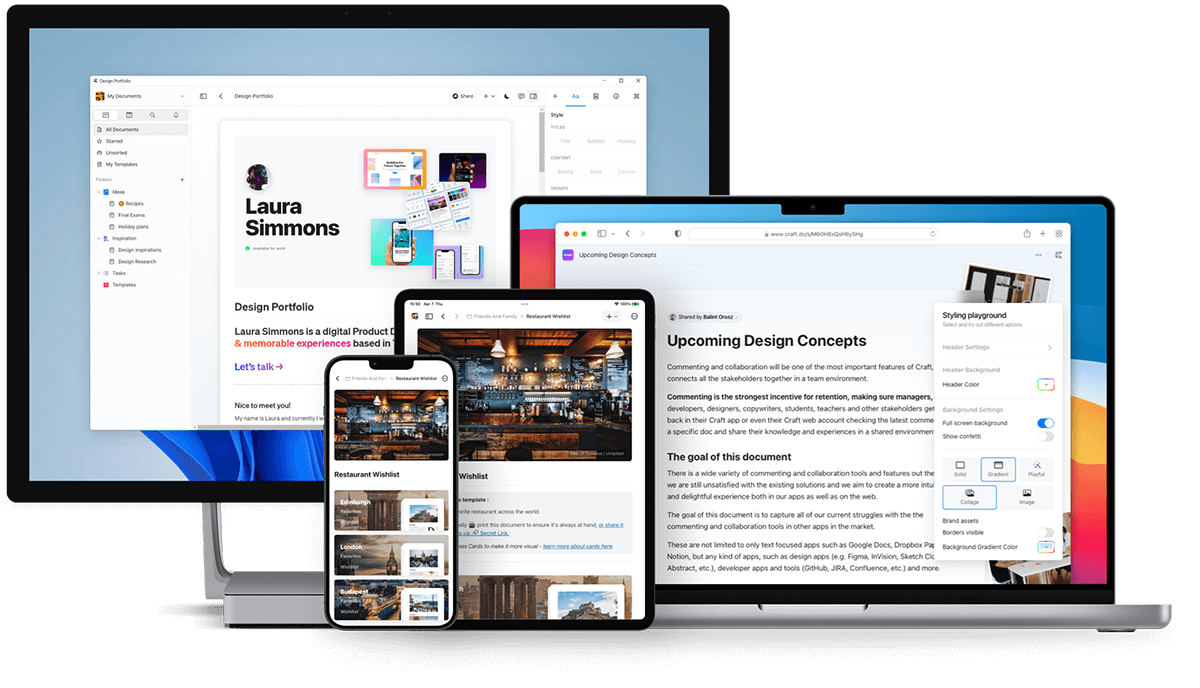
> Craft ist verfügbar auf macOS, iOS, Windows, als Web-App und auf Android – arbeite nahtlos auf all deinen Geräten.
Craft funktioniert auf all deinen Geräten mit nativen Apps für macOS, iOS, Windows und Android sowie einer voll ausgestatteten Web-App.
 ## Craft herunterladen
### macOS und iOS
Lade Craft aus dem [App Store](https://apps.apple.com/us/app/craft-docs/id1487937127) herunter oder besuche [craft.do](https://www.craft.do), um loszulegen.
Craft wurde ursprünglich 2020 für macOS und iOS veröffentlicht und gewann die Auszeichnung **Mac App des Jahres**.
### Web-App
Greife über jeden Browser auf Craft zu unter [docs.craft.do](https://docs.craft.do). Die Web-App startete 2021 als Beta und wurde im August 2022 vollständig verfügbar.
Die Web-App umfasst nahezu alle Funktionen der nativen Apps.
### Windows
Lade die native Windows-App von [craft.do/download](https://www.craft.do/download) herunter.
Die Windows-App bietet die gleiche hochwertige Erfahrung wie unsere anderen Plattformen und wird aktiv mit neuen Funktionen und Verbesserungen weiterentwickelt.
### Android
Lade Craft aus dem [Google Play Store](https://play.google.com/store/apps/details?id=com.craft.docs) herunter.
## Craft herunterladen
### macOS und iOS
Lade Craft aus dem [App Store](https://apps.apple.com/us/app/craft-docs/id1487937127) herunter oder besuche [craft.do](https://www.craft.do), um loszulegen.
Craft wurde ursprünglich 2020 für macOS und iOS veröffentlicht und gewann die Auszeichnung **Mac App des Jahres**.
### Web-App
Greife über jeden Browser auf Craft zu unter [docs.craft.do](https://docs.craft.do). Die Web-App startete 2021 als Beta und wurde im August 2022 vollständig verfügbar.
Die Web-App umfasst nahezu alle Funktionen der nativen Apps.
### Windows
Lade die native Windows-App von [craft.do/download](https://www.craft.do/download) herunter.
Die Windows-App bietet die gleiche hochwertige Erfahrung wie unsere anderen Plattformen und wird aktiv mit neuen Funktionen und Verbesserungen weiterentwickelt.
### Android
Lade Craft aus dem [Google Play Store](https://play.google.com/store/apps/details?id=com.craft.docs) herunter.
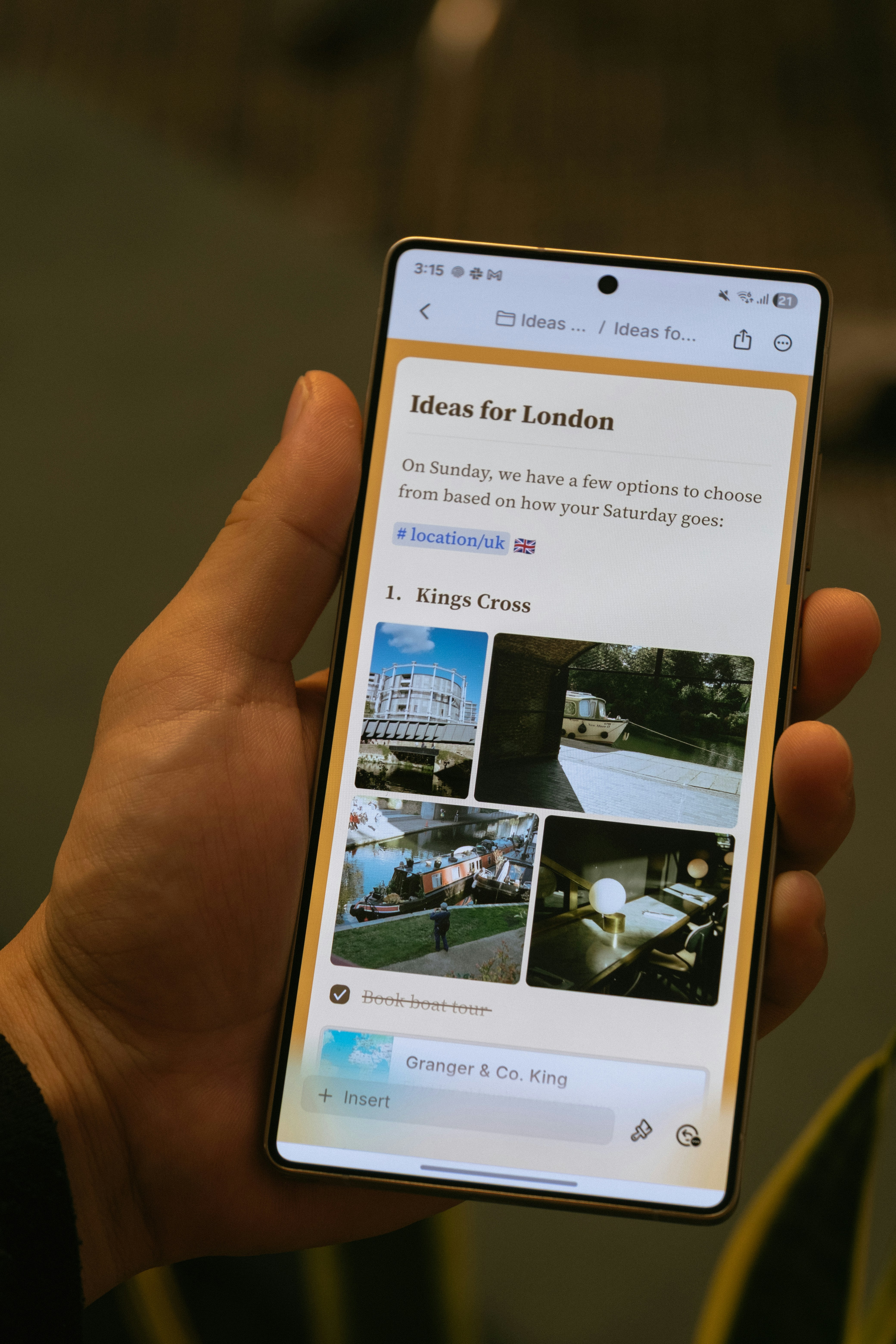 Die Android-App wurde im November 2025 veröffentlicht und umfasst:
* Mobile-first Navigation mit unterer Navigationsleiste
* Touch-freundliche Bearbeitung
* Bilder- und Anhänge-Panel
* Suche im Dokument
* Kern-KI-Funktionen einschließlich Craft Assistant
Die Android-App wird aktiv mit regelmäßigen Updates weiterentwickelt, einschließlich Offline-Unterstützung und KI-Funktionen.
## Plattformspezifische Funktionen
Die meisten Craft-Funktionen funktionieren auf allen Plattformen identisch. Einige plattformspezifische Funktionen umfassen:
* **Apple Shortcuts** (nur iOS und macOS)
* **Apple Pencil-Unterstützung** (nur iOS und iPadOS)
* **System-Kalenderintegration** (macOS, iOS und iPadOS)
* **Desktop-spezifische Tastaturkürzel** (macOS und Windows)
## Offline-Zugriff
Craft funktioniert offline auf allen Plattformen. Die nativen macOS- und iOS-Apps unterstützen Offline sofort, während Web, Windows und Android eine einmalige Einrichtung in den Einstellungen erfordern.
Alle Details findest du unter [Offline arbeiten](/de/introduction/offline).
## Geteilte und veröffentlichte Dokumente ansehen
Jedes Dokument, das du veröffentlichst oder teilst, kann auf mobilen Browsern auf allen Plattformen angezeigt werden. Besucher können auch Kommentare hinterlassen, ohne ein Craft-Konto zu benötigen.
## Windows-spezifische Hinweise
### Mit Apple anmelden
Wenn du „Mit Apple anmelden" verwendest, musst du deine private Relay-E-Mail-Adresse verwenden, um dich unter Windows anzumelden:
Finde deine private Relay-E-Mail-Adresse unter **Einstellungen → Mein Account** auf macOS oder iOS.
Kopiere die E-Mail-Adresse und füge sie in das Windows-Anmeldefeld ein.
Klicke auf Weiter und gib den 6-stelligen Bestätigungscode ein, der an deine E-Mail gesendet wurde.
## Verwandte Artikel
Erstelle dein Konto und richte deinen ersten Space ein
Erfahre mehr über iOS- und Android-spezifische Funktionen
Die Android-App wurde im November 2025 veröffentlicht und umfasst:
* Mobile-first Navigation mit unterer Navigationsleiste
* Touch-freundliche Bearbeitung
* Bilder- und Anhänge-Panel
* Suche im Dokument
* Kern-KI-Funktionen einschließlich Craft Assistant
Die Android-App wird aktiv mit regelmäßigen Updates weiterentwickelt, einschließlich Offline-Unterstützung und KI-Funktionen.
## Plattformspezifische Funktionen
Die meisten Craft-Funktionen funktionieren auf allen Plattformen identisch. Einige plattformspezifische Funktionen umfassen:
* **Apple Shortcuts** (nur iOS und macOS)
* **Apple Pencil-Unterstützung** (nur iOS und iPadOS)
* **System-Kalenderintegration** (macOS, iOS und iPadOS)
* **Desktop-spezifische Tastaturkürzel** (macOS und Windows)
## Offline-Zugriff
Craft funktioniert offline auf allen Plattformen. Die nativen macOS- und iOS-Apps unterstützen Offline sofort, während Web, Windows und Android eine einmalige Einrichtung in den Einstellungen erfordern.
Alle Details findest du unter [Offline arbeiten](/de/introduction/offline).
## Geteilte und veröffentlichte Dokumente ansehen
Jedes Dokument, das du veröffentlichst oder teilst, kann auf mobilen Browsern auf allen Plattformen angezeigt werden. Besucher können auch Kommentare hinterlassen, ohne ein Craft-Konto zu benötigen.
## Windows-spezifische Hinweise
### Mit Apple anmelden
Wenn du „Mit Apple anmelden" verwendest, musst du deine private Relay-E-Mail-Adresse verwenden, um dich unter Windows anzumelden:
Finde deine private Relay-E-Mail-Adresse unter **Einstellungen → Mein Account** auf macOS oder iOS.
Kopiere die E-Mail-Adresse und füge sie in das Windows-Anmeldefeld ein.
Klicke auf Weiter und gib den 6-stelligen Bestätigungscode ein, der an deine E-Mail gesendet wurde.
## Verwandte Artikel
Erstelle dein Konto und richte deinen ersten Space ein
Erfahre mehr über iOS- und Android-spezifische Funktionen