> ## Documentation Index
> Fetch the complete documentation index at: https://craft-support.mintlify.site/llms.txt
> Use this file to discover all available pages before exploring further.
# Update Payment Method
> Change your payment details for your Craft subscription.
You can update your payment details for your Craft subscription if you subscribed through **Stripe** or **Paddle** (web subscriptions).
If you subscribed through the **App Store**, payment methods are managed through your Apple ID settings. Visit [Apple's subscription management page](https://support.apple.com/en-us/HT201266) to update your payment information.
Visit our [Payment Methods Guide](/en/account-and-subscription/billing/payment-methods) to identify your subscription type.
## Update Your Payment Method
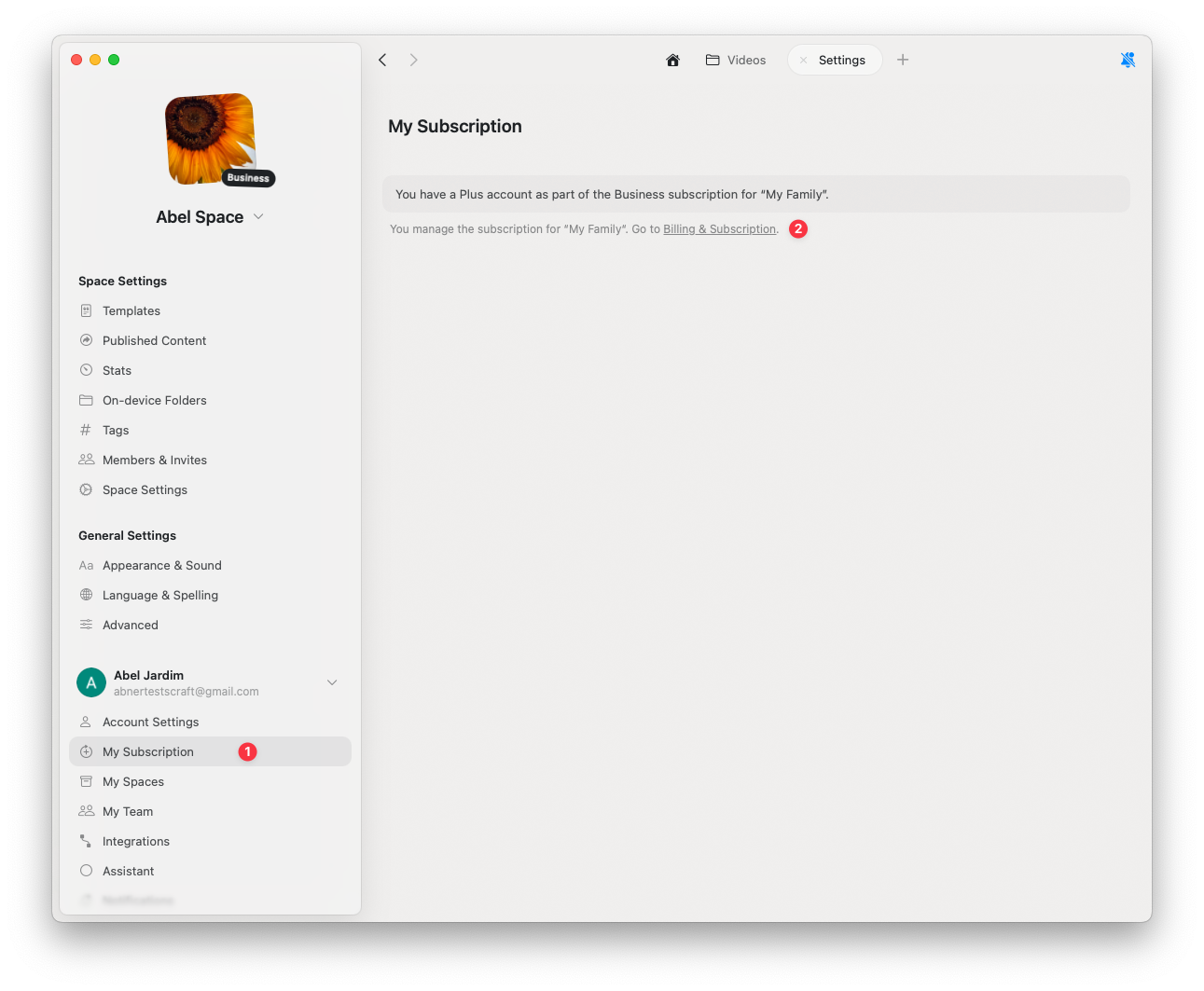
Go to **Settings**
Click **My Subscription**
Click **Billing & Subscription**
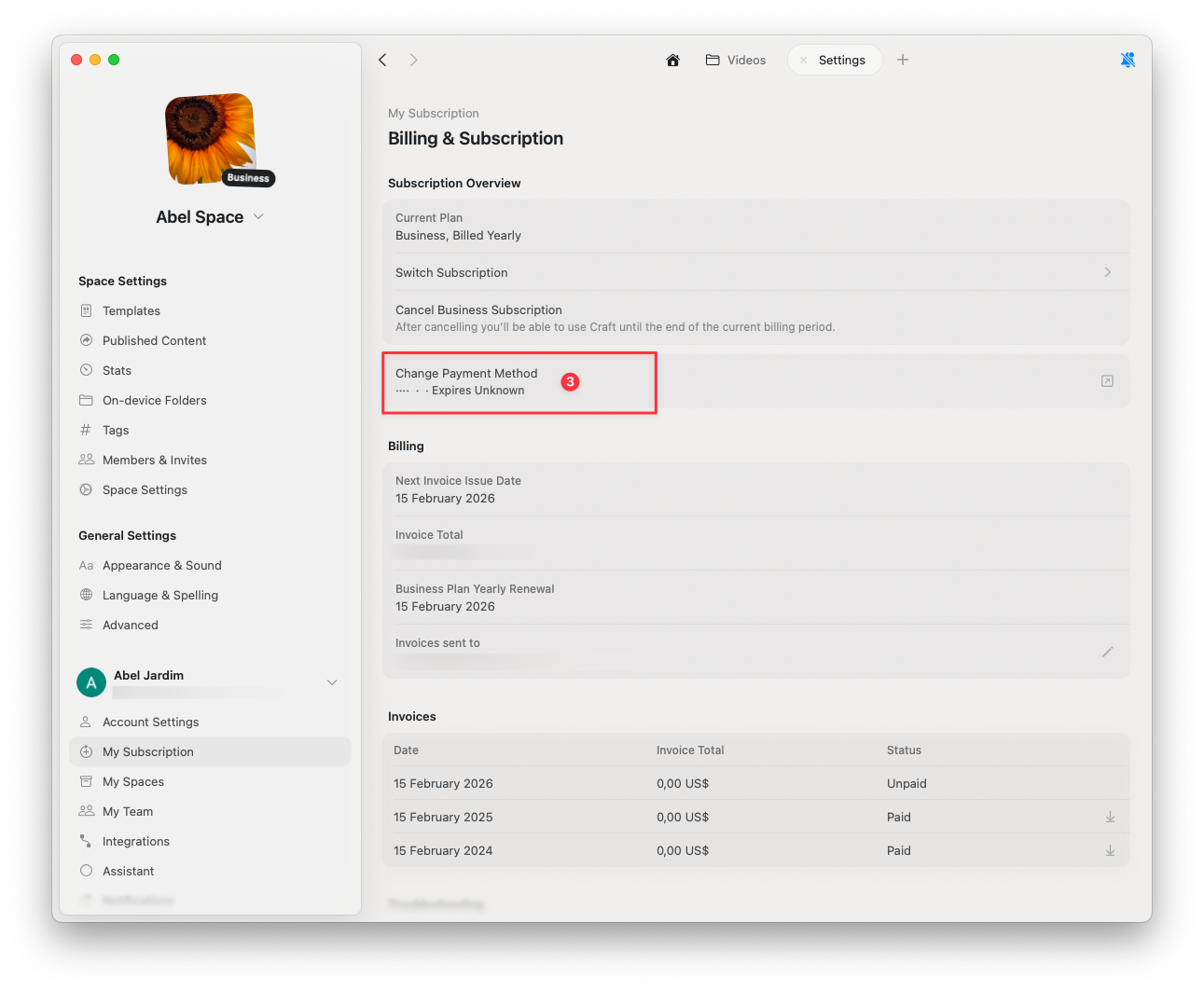
 Select **Change Payment Method**
Enter your updated payment information in the secure browser page
Select **Change Payment Method**
Enter your updated payment information in the secure browser page
 Your changes will be saved automatically once completed.
## Related Articles
Learn about Stripe, Paddle, and App Store payments
Cancel your Craft subscription while keeping all your data
Add VAT details to your billing receipts
Your changes will be saved automatically once completed.
## Related Articles
Learn about Stripe, Paddle, and App Store payments
Cancel your Craft subscription while keeping all your data
Add VAT details to your billing receipts