> ## Documentation Index
> Fetch the complete documentation index at: https://craft-support.mintlify.site/llms.txt
> Use this file to discover all available pages before exploring further.
# Change Account Name
> Update how others see you when sharing documents or collaborating in spaces.
Your Craft account name is how others see you when you share documents or collaborate in spaces. You can update it anytime from your account settings.
## Change Your Account Name
Click the **Space name** at the top of the sidebar to open Settings.
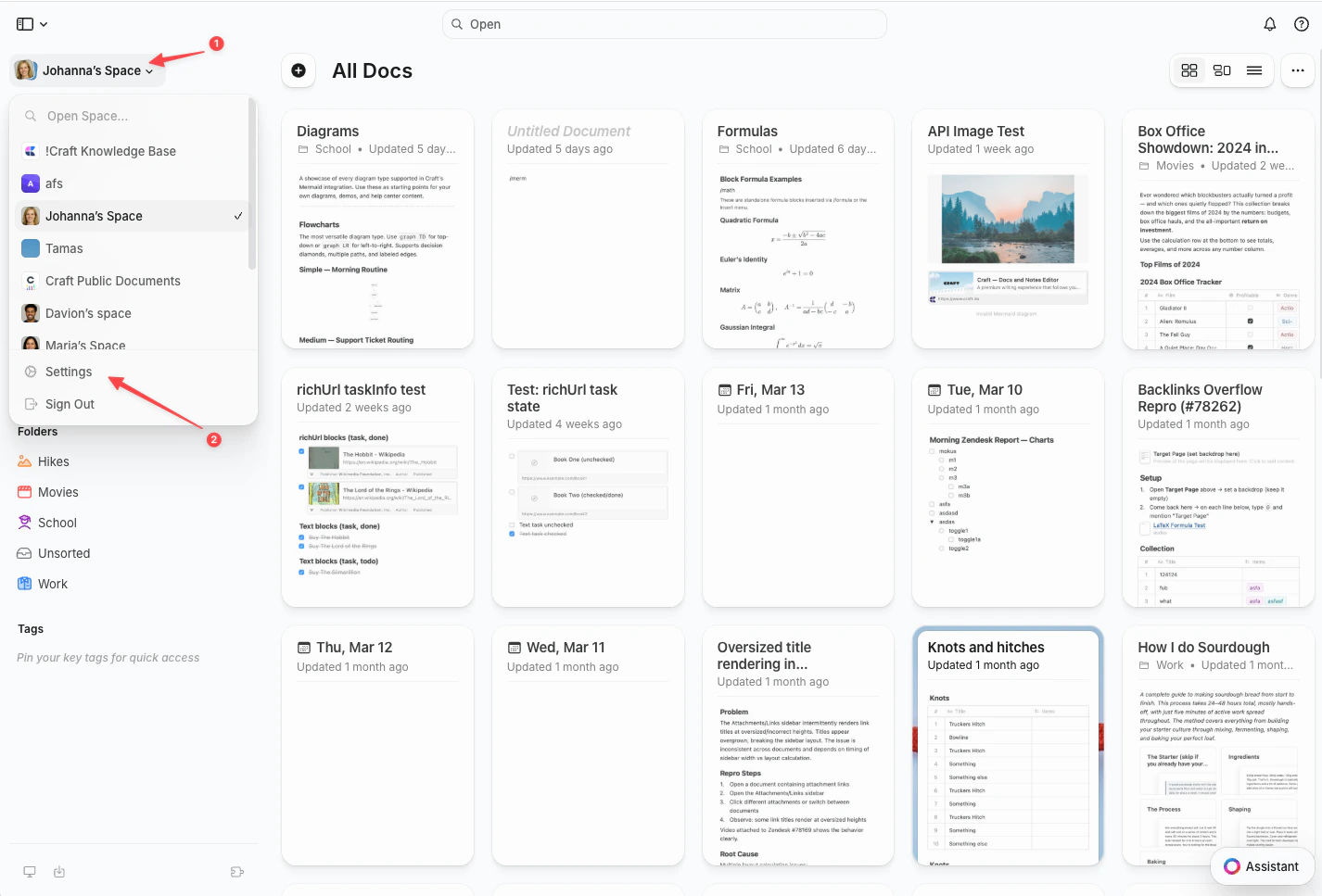
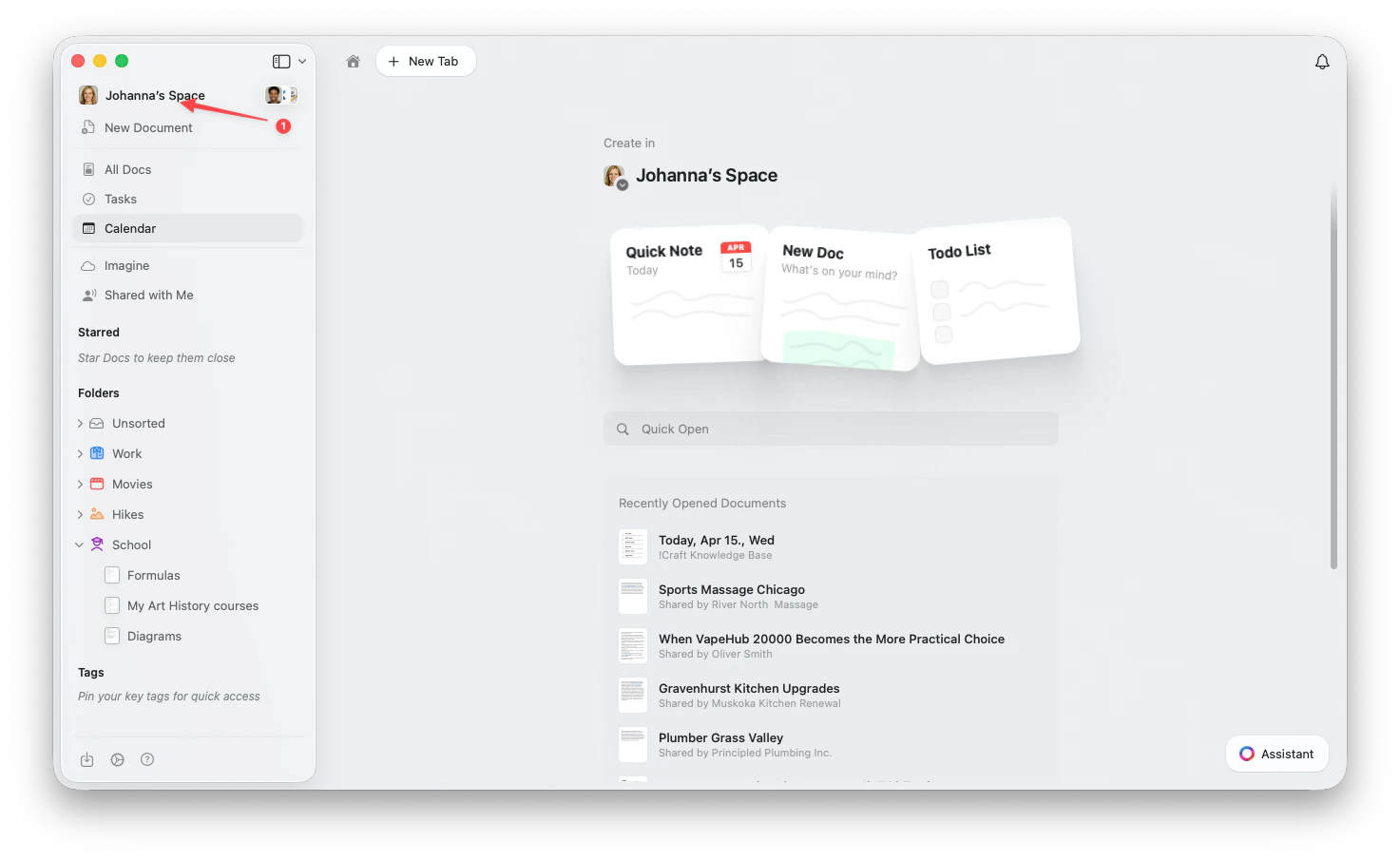 Click the **Space name** in the top-left corner.
Click **Settings** at the bottom of the dropdown.
Click the **Space name** in the top-left corner.
Click **Settings** at the bottom of the dropdown.
 Tap the **Space icon** in the top-left corner.
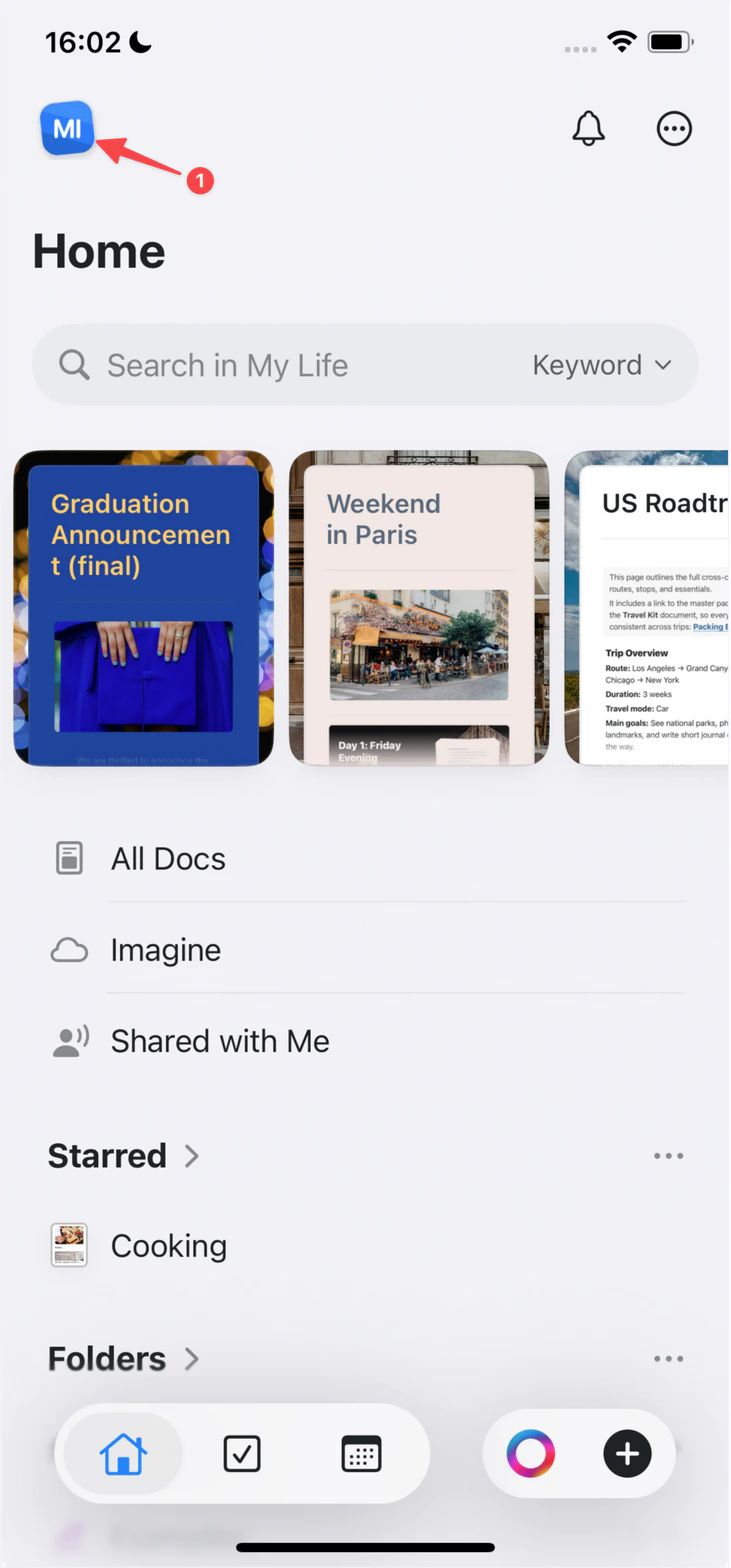 Tap **Settings**.
Tap your **profile picture** in the top-right corner.
Tap **Settings**.
Tap **Settings**.
Tap your **profile picture** in the top-right corner.
Tap **Settings**.
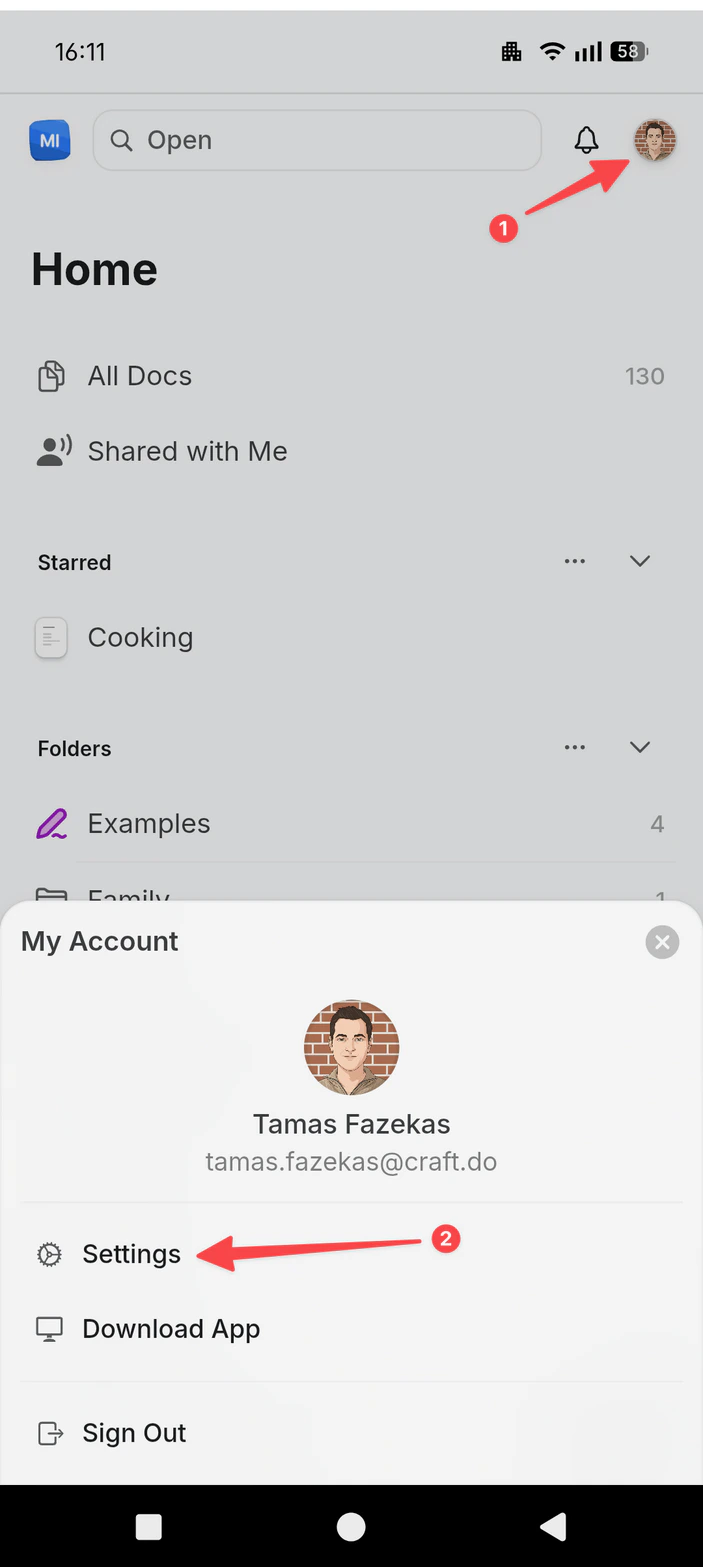 Go to **My Account**
Update your **Name** field
Changes are saved automatically.
This change only affects your account name. Your email address and team/space names are managed separately.
Go to **My Account**
Update your **Name** field
Changes are saved automatically.
This change only affects your account name. Your email address and team/space names are managed separately.