> ## Documentation Index
> Fetch the complete documentation index at: https://craft-support.mintlify.site/llms.txt
> Use this file to discover all available pages before exploring further.
# Rename Spaces
> Change the name of your spaces to better organize your content.
Spaces in Craft help you organize content and collaborate effectively. You can rename any space you own or have admin access to.
## Rename a Space
Select **Settings**
Click **Space Settings**
Update the **space name** field
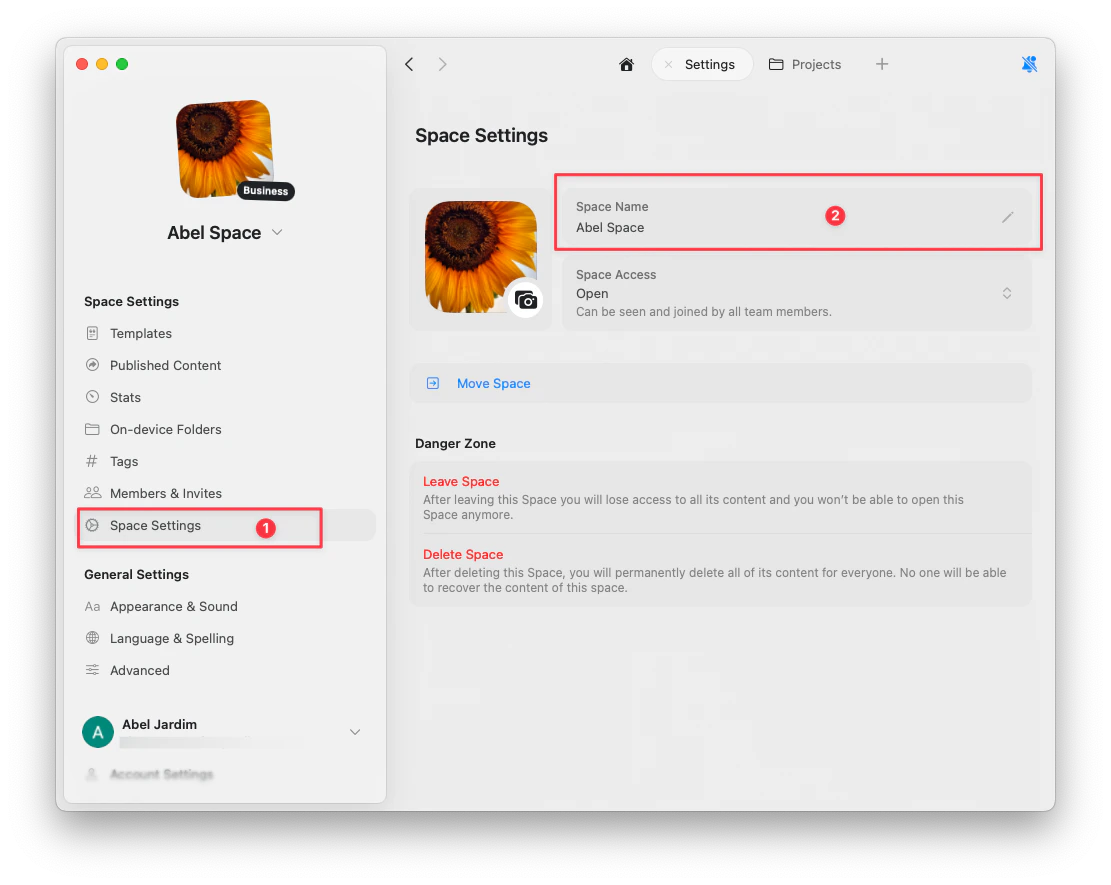 Changes are saved automatically.
## Switch Between Spaces
Click the **space dropdown** in the top left to switch between your spaces.
Tap the **space name** in the top left to open the space switcher.
Click the **space dropdown** in the top left to switch between your spaces.
Changes are saved automatically.
## Switch Between Spaces
Click the **space dropdown** in the top left to switch between your spaces.
Tap the **space name** in the top left to open the space switcher.
Click the **space dropdown** in the top left to switch between your spaces.