> ## Documentation Index
> Fetch the complete documentation index at: https://craft-support.mintlify.site/llms.txt
> Use this file to discover all available pages before exploring further.
# Folder
> Export entire folders with all documents and nested content.
Exporting a folder in Craft allows you to download its content in a convenient format.
Currently, it is only possible to export folders in the **Mac app**.
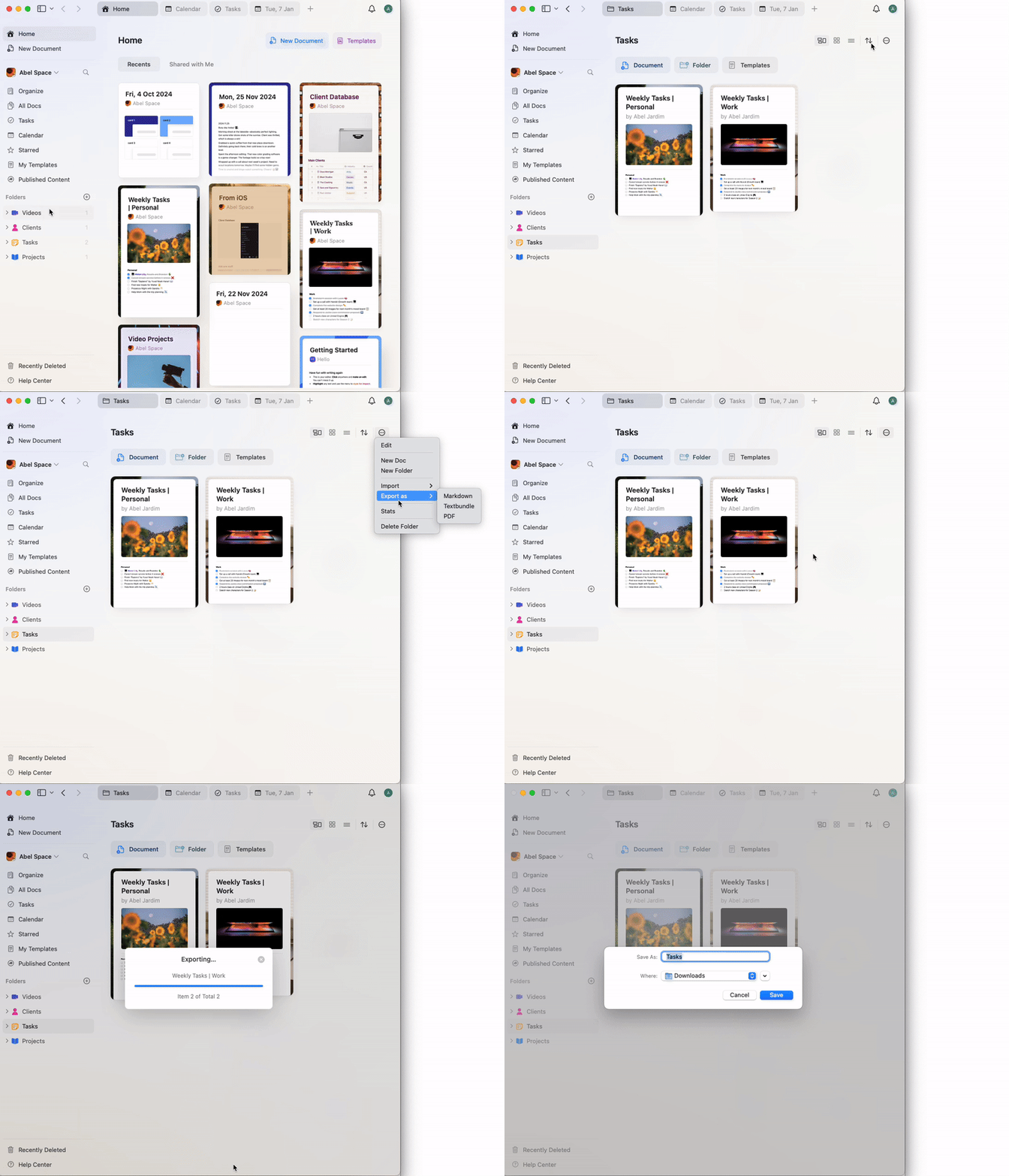
## How to export a folder
**Open the Folder**
Navigate to the folder you wish to export.
**Access the Export Option**
Click on the **three-dot menu** in the top-right corner of the folder view.
**Select Export**
Choose your desired export format (e.g., PDF, Markdown, TextBundle, etc.).
**Save the Exported File**
Follow the prompts to save the file to your desired location on your device.
 The export will include all documents and subpages within the folder. If you encounter any issues during export, ensure your app is up to date and try exporting smaller batches if needed.