> ## Documentation Index
> Fetch the complete documentation index at: https://craft-support.mintlify.site/llms.txt
> Use this file to discover all available pages before exploring further.
# Space
> Export complete spaces for backup or migration to another Craft account.
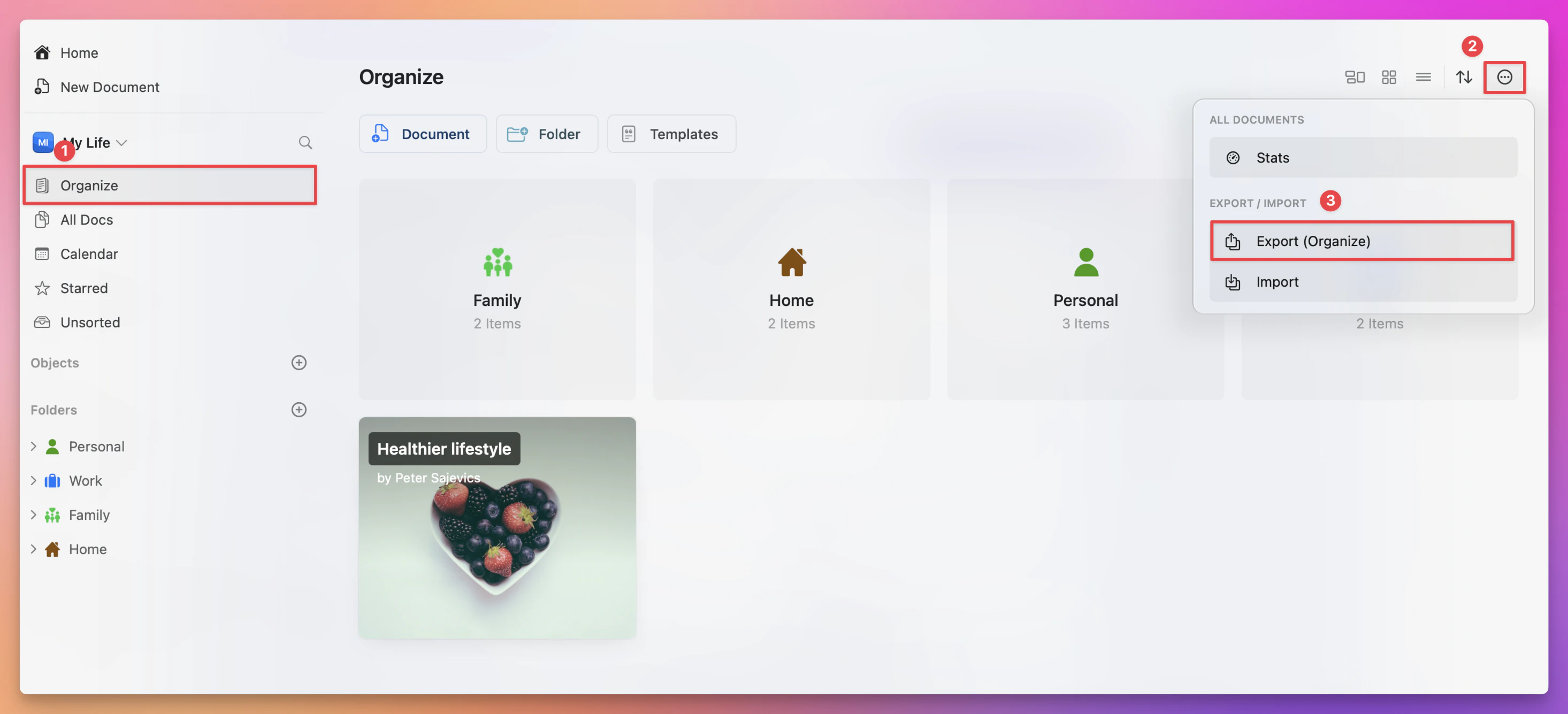
Follow these steps to quickly back up your content or export it to other platforms:
**Open the "Organize" or "All Documents" view** in the app.
**Click on the three-dot menu** in the top-right corner.
**Select the Export option**.
**Choose your desired format** and save the file to your device.
 This process ensures your content is safely backed up and easily transferable.
If you encounter any issues during export, ensure your app is up to date and try exporting smaller batches if needed.
This process ensures your content is safely backed up and easily transferable.
If you encounter any issues during export, ensure your app is up to date and try exporting smaller batches if needed.