> ## Documentation Index
> Fetch the complete documentation index at: https://craft-support.mintlify.site/llms.txt
> Use this file to discover all available pages before exploring further.
# Creating Your Account
> Get started with Craft by creating an account using email, Apple ID, or Google.
You can sign in to Craft using one of these methods:
* Email address
* Apple ID
* Google account
* Microsoft account
* SSO (Single Sign-On) for organizations
This page covers signing in to Craft. To find or download an invoice, see [Download Invoices and Receipts](/en/account-and-subscription/billing/invoices). For all billing topics, visit the [Billing overview](/en/account-and-subscription/billing).
## Sign in with Email
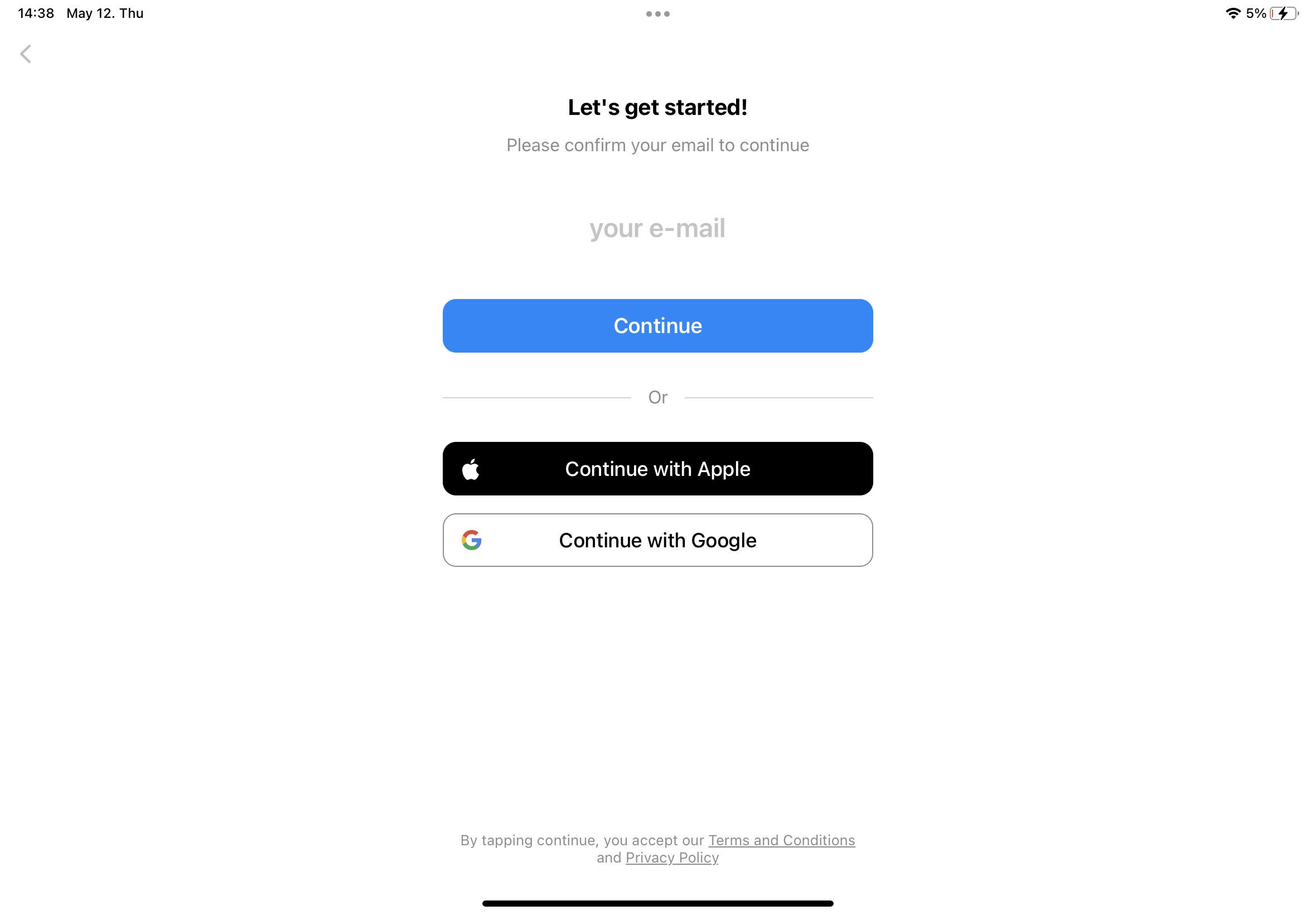 Enter your email address in the login screen.
Check your inbox for a 6-digit verification code.
Enter the code to complete sign-in.
## Sign in with Apple ID
Select **Continue with Apple** on the login screen.
Choose whether to share your email with Craft.
Click **Continue** to finish signing in.
Enter your email address in the login screen.
Check your inbox for a 6-digit verification code.
Enter the code to complete sign-in.
## Sign in with Apple ID
Select **Continue with Apple** on the login screen.
Choose whether to share your email with Craft.
Click **Continue** to finish signing in.
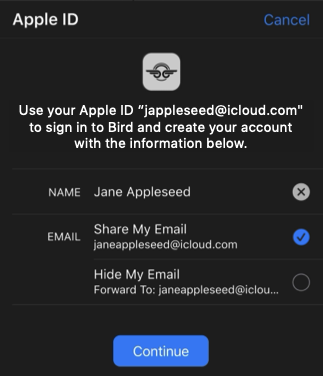 When you select "Hide My Email", Apple creates a unique relay email address tied to your account. This works with Craft, but we recommend sharing your actual email for easier account recovery. Learn more in [Apple's support article](https://support.apple.com/en-us/HT210425).
If your email address matches your Apple ID, you can sign in using either method. Both will access the same Craft account.
## Sign in with Google
Select **Continue with Google** on the login screen.
Choose your Google account or complete Google sign-in.
Grant Craft permission to access your account information.
## Sign in with Microsoft
Select **Continue with Microsoft** on the login screen.
Complete sign-in with your Microsoft account credentials.
Grant Craft permission to access your account information.
## SSO (Single Sign-On)
If your organization uses SSO, you can sign in using your company credentials.
Select **Continue with SSO** on the login screen.
Enter your organization's SSO domain or identifier.
Complete authentication through your organization's identity provider.
SSO is available for organizations on Team plans. Contact your IT administrator to set up SSO for your team.
## Using Craft through Setapp
If you have a Setapp subscription, you can access Craft through Setapp. See our [Setapp guide](/en/account-and-subscription/subscription-plans/setapp) for setup instructions.
When you select "Hide My Email", Apple creates a unique relay email address tied to your account. This works with Craft, but we recommend sharing your actual email for easier account recovery. Learn more in [Apple's support article](https://support.apple.com/en-us/HT210425).
If your email address matches your Apple ID, you can sign in using either method. Both will access the same Craft account.
## Sign in with Google
Select **Continue with Google** on the login screen.
Choose your Google account or complete Google sign-in.
Grant Craft permission to access your account information.
## Sign in with Microsoft
Select **Continue with Microsoft** on the login screen.
Complete sign-in with your Microsoft account credentials.
Grant Craft permission to access your account information.
## SSO (Single Sign-On)
If your organization uses SSO, you can sign in using your company credentials.
Select **Continue with SSO** on the login screen.
Enter your organization's SSO domain or identifier.
Complete authentication through your organization's identity provider.
SSO is available for organizations on Team plans. Contact your IT administrator to set up SSO for your team.
## Using Craft through Setapp
If you have a Setapp subscription, you can access Craft through Setapp. See our [Setapp guide](/en/account-and-subscription/subscription-plans/setapp) for setup instructions.