> ## Documentation Index
> Fetch the complete documentation index at: https://craft-support.mintlify.site/llms.txt
> Use this file to discover all available pages before exploring further.
# Platforms and Availability
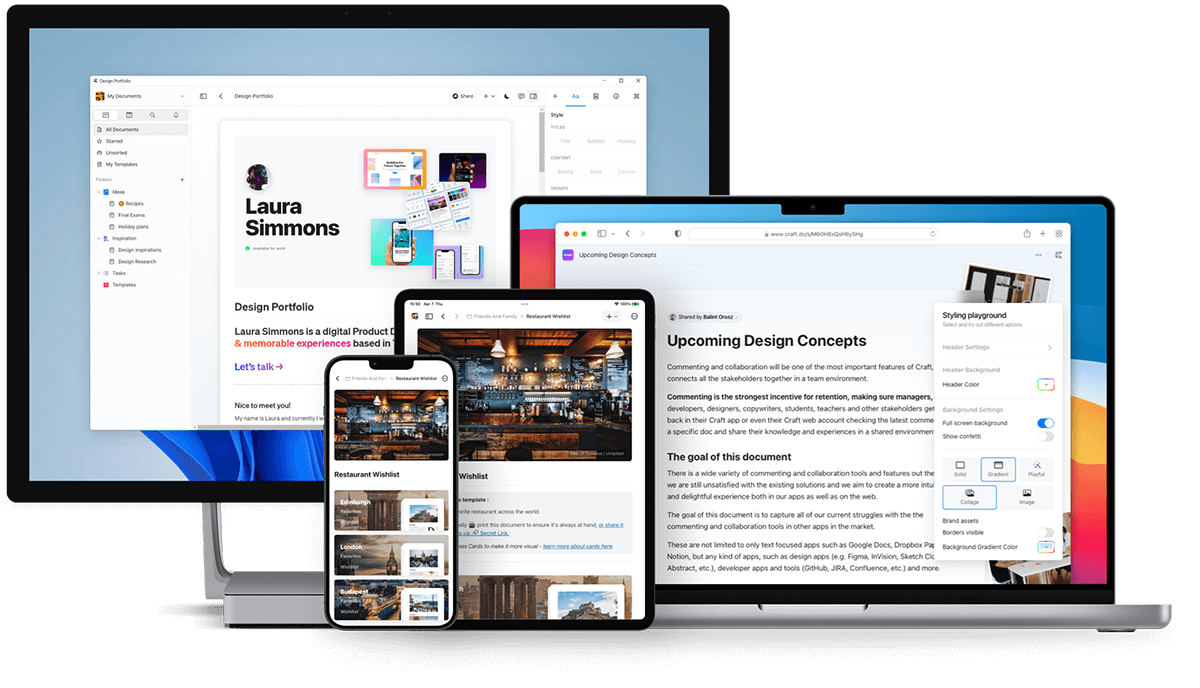
> Craft is available on macOS, iOS, Windows, Web app, and Android - work seamlessly across all your devices.
Craft works across all your devices with native apps for macOS, iOS, Windows, and Android, plus a full-featured Web app.
 ## Download Craft
### macOS and iOS
Download Craft from the [App Store](https://apps.apple.com/us/app/craft-docs/id1487937127) or visit [craft.do](https://www.craft.do) to get started.
Craft was originally released on macOS and iOS in 2020 and won the **Mac App of the Year** award.
### Web app
Access Craft from any browser at [docs.craft.do](https://docs.craft.do). The Web app launched in beta in 2021 and became fully available in August 2022.
The Web app includes nearly all features available in the native apps.
### Windows
Download the native Windows app from [craft.do/download](https://www.craft.do/download).
The Windows app provides the same high-quality experience as our other platforms and is actively developed with new features and improvements.
### Android
Download Craft from the [Google Play Store](https://play.google.com/store/apps/details?id=com.craft.docs).
## Download Craft
### macOS and iOS
Download Craft from the [App Store](https://apps.apple.com/us/app/craft-docs/id1487937127) or visit [craft.do](https://www.craft.do) to get started.
Craft was originally released on macOS and iOS in 2020 and won the **Mac App of the Year** award.
### Web app
Access Craft from any browser at [docs.craft.do](https://docs.craft.do). The Web app launched in beta in 2021 and became fully available in August 2022.
The Web app includes nearly all features available in the native apps.
### Windows
Download the native Windows app from [craft.do/download](https://www.craft.do/download).
The Windows app provides the same high-quality experience as our other platforms and is actively developed with new features and improvements.
### Android
Download Craft from the [Google Play Store](https://play.google.com/store/apps/details?id=com.craft.docs).
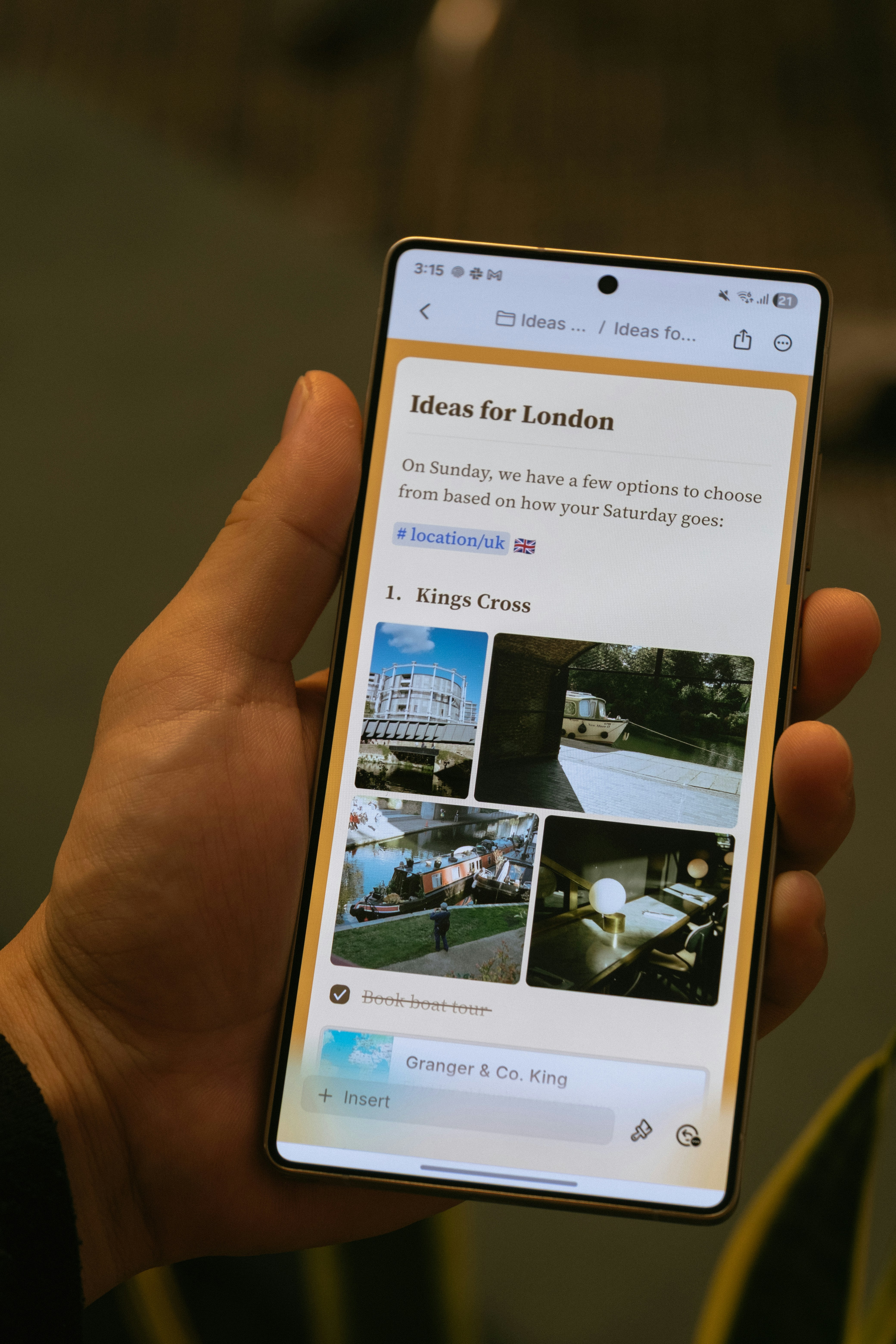 The Android app launched in November 2025 and includes:
* Mobile-first navigation with bottom navigation bar
* Touch-friendly editing
* Images and attachments panel
* In-document search
* Core AI features including Craft Assistant
The Android app is actively being developed with regular updates, including offline support and AI capabilities.
## Platform-Specific Features
Most Craft features work identically across all platforms. Some platform-specific features include:
* **Apple Shortcuts** (iOS and macOS only)
* **Apple Pencil support** (iOS and iPadOS only)
* **System calendar integration** (macOS, iOS, and iPadOS)
* **Desktop-specific keyboard shortcuts** (macOS and Windows)
## Offline Access
Craft works offline across all platforms. Native macOS and iOS apps support offline out of the box, while Web, Windows, and Android require a one-time setup in Settings.
For full details, see [Working Offline](/en/introduction/offline).
## Viewing Shared and Published Documents
Any document you publish or share can be viewed on mobile browsers across all platforms. Visitors can also leave comments without needing a Craft account.
## Windows-Specific Notes
### Signing in with Apple
If you use Sign in with Apple, you'll need to use your private relay email address to sign in on Windows:
Find your private relay email address in **Preferences → My Account** on macOS or iOS.
Copy the email address and paste it into the Windows login field.
Click Continue and enter the 6-digit verification code sent to your email.
## Related Articles
Create your account and set up your first space
Learn about iOS and Android-specific features
The Android app launched in November 2025 and includes:
* Mobile-first navigation with bottom navigation bar
* Touch-friendly editing
* Images and attachments panel
* In-document search
* Core AI features including Craft Assistant
The Android app is actively being developed with regular updates, including offline support and AI capabilities.
## Platform-Specific Features
Most Craft features work identically across all platforms. Some platform-specific features include:
* **Apple Shortcuts** (iOS and macOS only)
* **Apple Pencil support** (iOS and iPadOS only)
* **System calendar integration** (macOS, iOS, and iPadOS)
* **Desktop-specific keyboard shortcuts** (macOS and Windows)
## Offline Access
Craft works offline across all platforms. Native macOS and iOS apps support offline out of the box, while Web, Windows, and Android require a one-time setup in Settings.
For full details, see [Working Offline](/en/introduction/offline).
## Viewing Shared and Published Documents
Any document you publish or share can be viewed on mobile browsers across all platforms. Visitors can also leave comments without needing a Craft account.
## Windows-Specific Notes
### Signing in with Apple
If you use Sign in with Apple, you'll need to use your private relay email address to sign in on Windows:
Find your private relay email address in **Preferences → My Account** on macOS or iOS.
Copy the email address and paste it into the Windows login field.
Click Continue and enter the 6-digit verification code sent to your email.
## Related Articles
Create your account and set up your first space
Learn about iOS and Android-specific features