> ## Documentation Index
> Fetch the complete documentation index at: https://craft-support.mintlify.site/llms.txt
> Use this file to discover all available pages before exploring further.
# Drawings
> Add sketches, use shape recognition, and create drawings in your documents.
On iPhone and iPad, you can add quick drawings and handwriting notes to your documents. The Sketch block provides simple drawing tools perfect for annotations, quick diagrams, and visual notes.
## Adding a Sketch Block
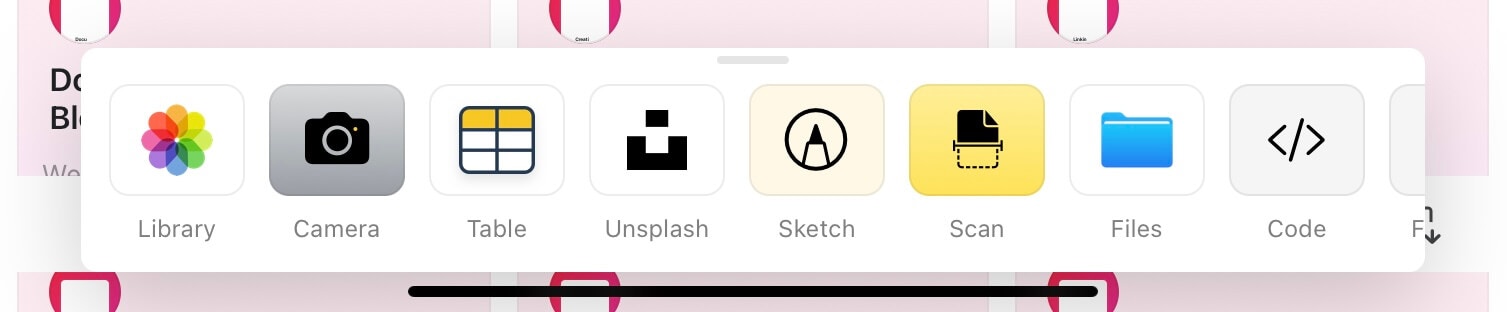
Access the Sketch block through the plus menu on iOS and iPadOS.
Tap the **+** icon on the bottom of the screen.
Browse the list of available block types.
Select **Sketch** to add a drawing block.
 After tapping the plus button, you'll see different types of blocks you can add to your document.
 ## Drawing Tools
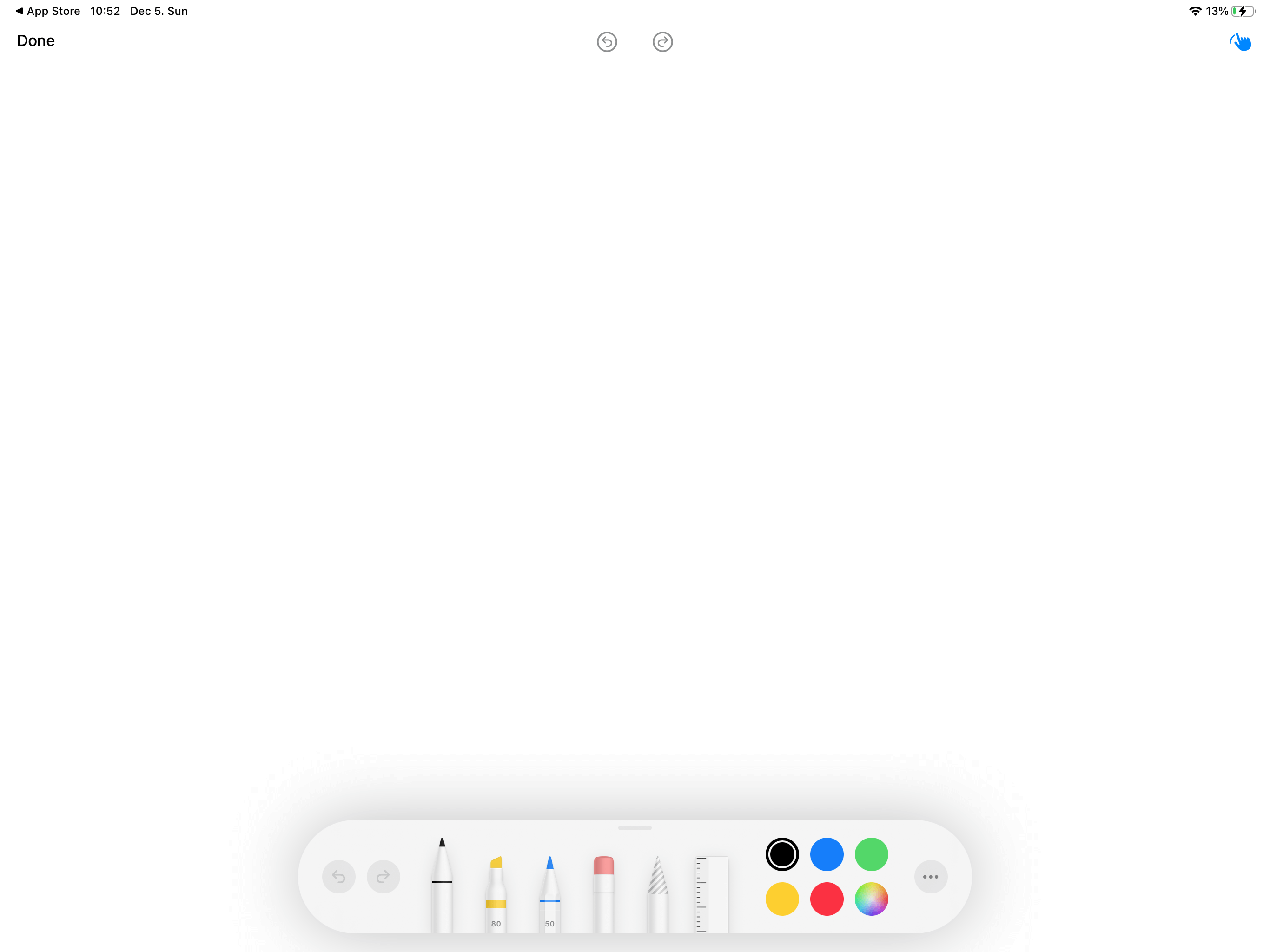
The Sketch block provides several tools for creating drawings:
* **Pencil** – Create precise lines and drawings
* **Highlighter** – Add emphasis with semi-transparent strokes
* **Eraser** – Remove parts of your sketch
* **Color options** – Choose from multiple colors for your drawings
## Drawing Tools
The Sketch block provides several tools for creating drawings:
* **Pencil** – Create precise lines and drawings
* **Highlighter** – Add emphasis with semi-transparent strokes
* **Eraser** – Remove parts of your sketch
* **Color options** – Choose from multiple colors for your drawings
 The Sketch block fully supports Apple Pencil on iPad, providing pressure sensitivity and precision for more detailed drawings.
## Saving Your Sketch
After creating your drawing, make sure to save your changes.
Tap the **Done** button when you finish drawing.
Select **Save Changes** to preserve your sketch.
Always tap Done and Save Changes when you finish sketching. If you exit without saving, your drawing will be lost.
## Use Cases
Sketch blocks are perfect for:
* **Quick annotations** – Mark up images or highlight important points
* **Diagrams and flowcharts** – Create simple visual representations
* **Handwritten notes** – Add personal touches to your documents
* **Brainstorming** – Quickly capture visual ideas
* **Signatures** – Sign documents directly in Craft
## Scribble: Handwriting to Text
On iPad running iPadOS 14 or later, you can use Scribble to convert your handwritten notes into typed text. Scribble uses handwriting recognition to automatically transcribe what you write with your Apple Pencil.
If Scribble is enabled in your iPad settings, simply start writing with your Apple Pencil anywhere in your document. Your handwriting will automatically convert to typed text.
### Enabling Scribble
To use Scribble in Craft, make sure it's enabled on your iPad:
Open **Settings** on your iPad
Go to **Apple Pencil**
Toggle on **Scribble**
Once enabled, you can write naturally with your Apple Pencil in any text area, and Craft will convert your handwriting to text in real-time.
The Sketch feature is currently available on iPhone and iPad. Scribble requires iPadOS 14 or later and an Apple Pencil. For more advanced diagramming on Mac, consider using the Whiteboard feature.
The Sketch block fully supports Apple Pencil on iPad, providing pressure sensitivity and precision for more detailed drawings.
## Saving Your Sketch
After creating your drawing, make sure to save your changes.
Tap the **Done** button when you finish drawing.
Select **Save Changes** to preserve your sketch.
Always tap Done and Save Changes when you finish sketching. If you exit without saving, your drawing will be lost.
## Use Cases
Sketch blocks are perfect for:
* **Quick annotations** – Mark up images or highlight important points
* **Diagrams and flowcharts** – Create simple visual representations
* **Handwritten notes** – Add personal touches to your documents
* **Brainstorming** – Quickly capture visual ideas
* **Signatures** – Sign documents directly in Craft
## Scribble: Handwriting to Text
On iPad running iPadOS 14 or later, you can use Scribble to convert your handwritten notes into typed text. Scribble uses handwriting recognition to automatically transcribe what you write with your Apple Pencil.
If Scribble is enabled in your iPad settings, simply start writing with your Apple Pencil anywhere in your document. Your handwriting will automatically convert to typed text.
### Enabling Scribble
To use Scribble in Craft, make sure it's enabled on your iPad:
Open **Settings** on your iPad
Go to **Apple Pencil**
Toggle on **Scribble**
Once enabled, you can write naturally with your Apple Pencil in any text area, and Craft will convert your handwriting to text in real-time.
The Sketch feature is currently available on iPhone and iPad. Scribble requires iPadOS 14 or later and an Apple Pencil. For more advanced diagramming on Mac, consider using the Whiteboard feature.