> ## Documentation Index
> Fetch the complete documentation index at: https://craft-support.mintlify.site/llms.txt
> Use this file to discover all available pages before exploring further.
# 割引コード
> 新しいCraftサブスクリプションにプロモーション割引コードを適用する。
Craftでは時折、割引やプロモーションを提供しています。割引コードは、[Craftのウェブサイト](https://www.craft.do/pricing)またはアプリ内のアップグレード画面から購入した**新規サブスクリプションおよびアップグレード**にのみ適用されます。
* 割引は**新規サブスクリプションおよびアップグレードにのみ有効**です
* **既存のサブスクリプションや更新には適用できません**
* 割引には**有効期限があります** -- コードが期限切れになる前にご使用ください
* **App Storeのサブスクリプションは割引コードに対応していません** -- App Storeでの購入はすべてAppleによって管理されており、Craftは割引を適用できません。割引コードを使用するには、代わりに[Craftのウェブサイト](https://www.craft.do/pricing)からサブスクリプションをご購入ください
## 自動割引
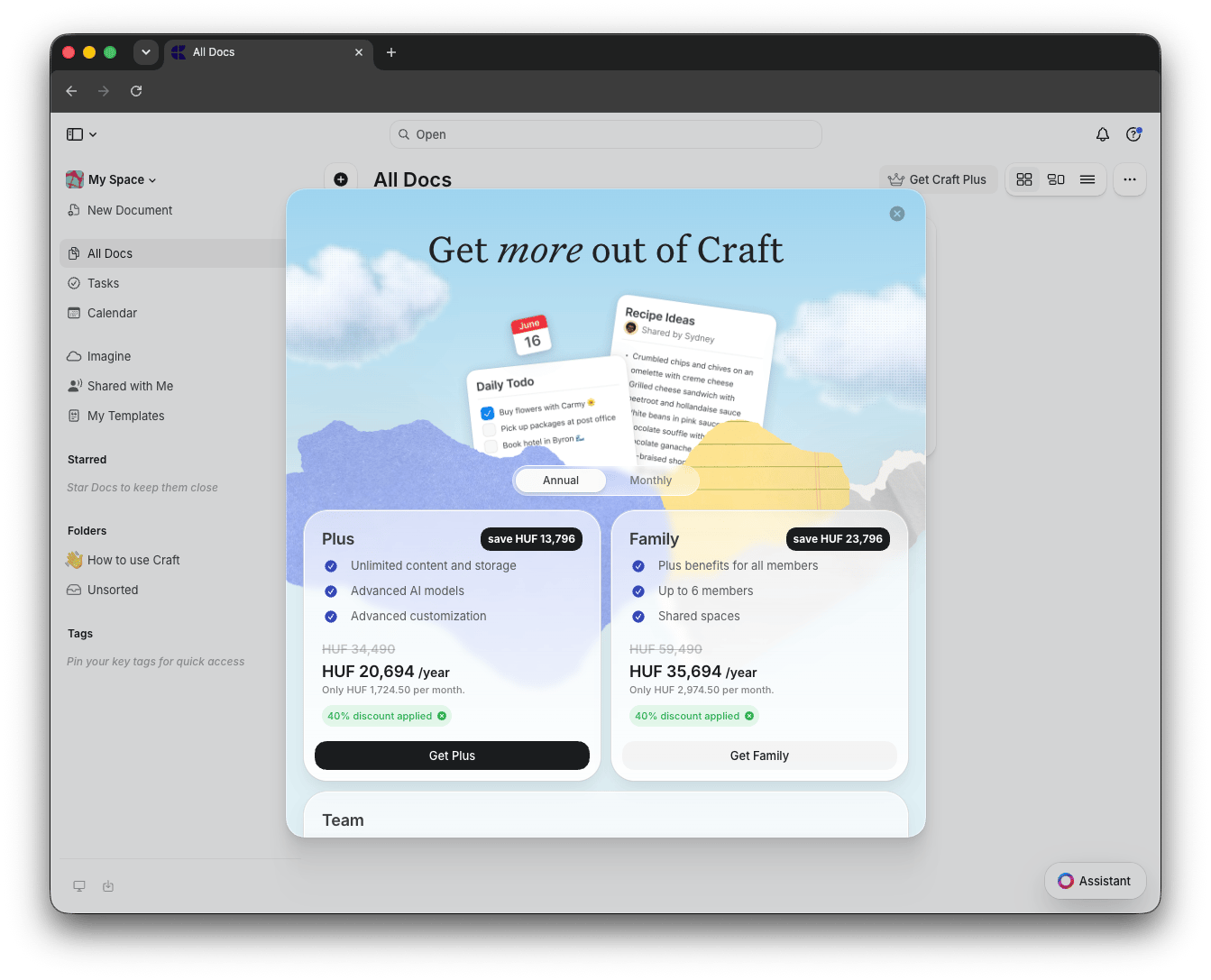
プロモーションが有効な場合、割引は料金ページのすべての利用可能なプランに**自動的に適用**されます。サブスクリプションを開始する前に、割引された価格と「40% 割引適用済み」などのラベルが表示されます。
 ## 別の割引コードを適用する
自動的に適用された割引とは異なる特定のプロモーションコードをお持ちの場合は、次の手順で置き換えることができます:
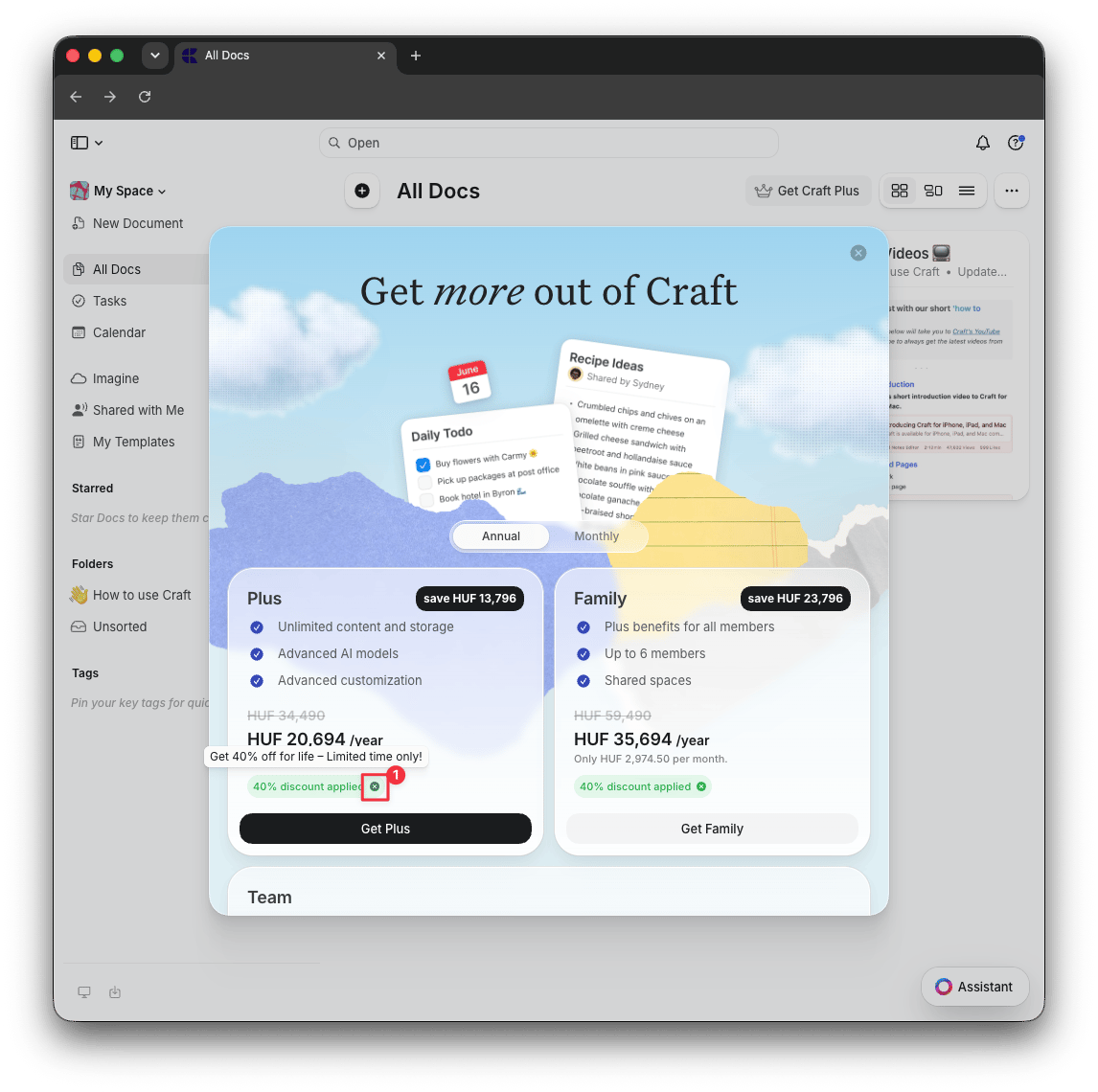
料金ページで、「割引適用済み」ラベルの隣にある **X** ボタンをクリックして、自動適用された割引を削除します
**Get Plus**、**Get Family**、または **Get Team** をクリックしてチェックアウトページを開きます
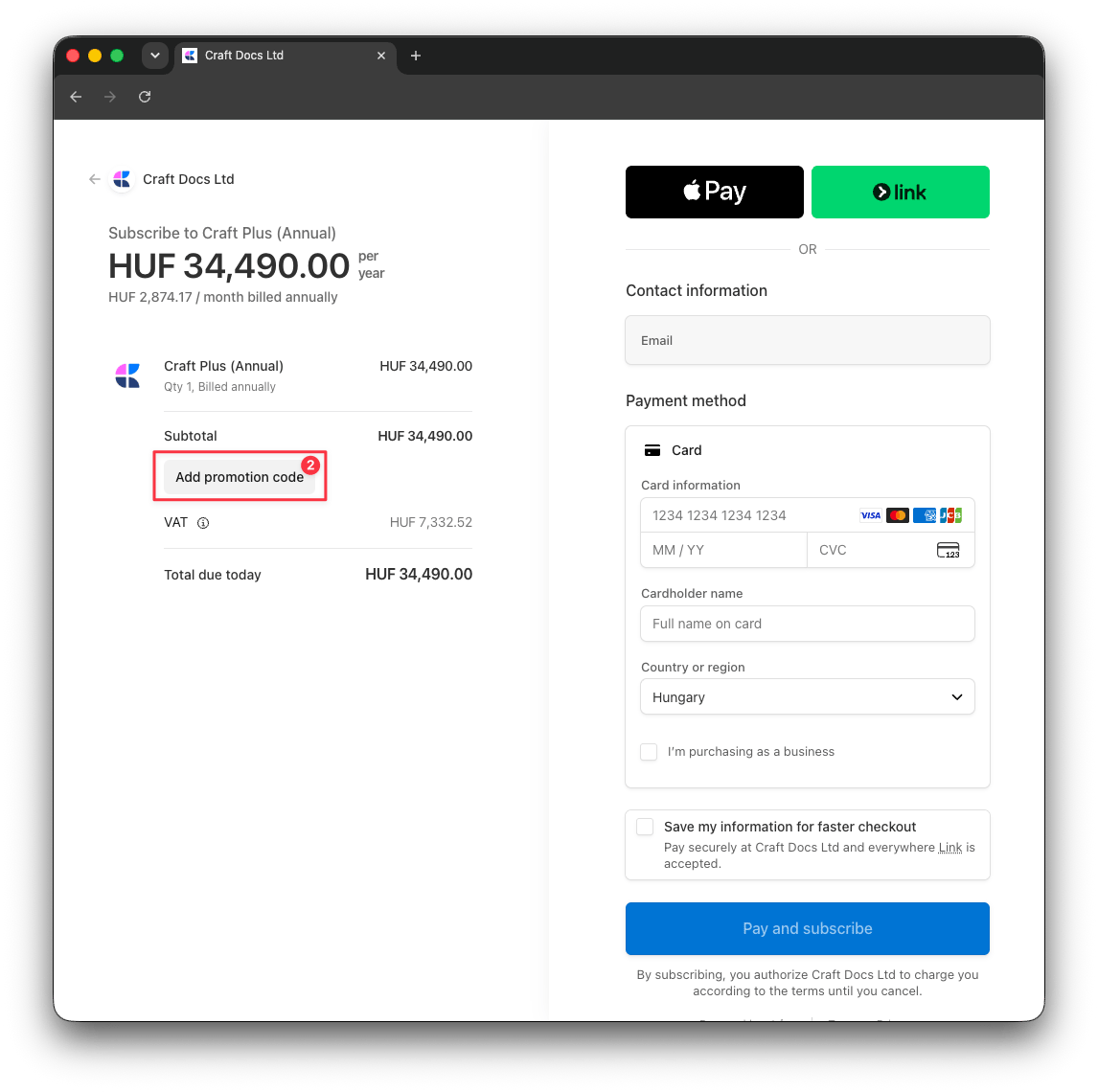
**プロモーションコードを追加** をクリックし、割引コードを入力すると、新しい割引が合計金額に反映されます
## 別の割引コードを適用する
自動的に適用された割引とは異なる特定のプロモーションコードをお持ちの場合は、次の手順で置き換えることができます:
料金ページで、「割引適用済み」ラベルの隣にある **X** ボタンをクリックして、自動適用された割引を削除します
**Get Plus**、**Get Family**、または **Get Team** をクリックしてチェックアウトページを開きます
**プロモーションコードを追加** をクリックし、割引コードを入力すると、新しい割引が合計金額に反映されます
 ## 関連記事
Craftのサブスクリプションプランと機能を比較する
学生や教育者向けの特別価格を確認する
App StoreからWebサブスクリプションへ移行する
## 関連記事
Craftのサブスクリプションプランと機能を比較する
学生や教育者向けの特別価格を確認する
App StoreからWebサブスクリプションへ移行する