> ## Documentation Index
> Fetch the complete documentation index at: https://craft-support.mintlify.site/llms.txt
> Use this file to discover all available pages before exploring further.

# 支払い方法の更新

> Craft のサブスクリプションの支払い情報を変更する方法。

ウェブ経由で **Stripe** または **Paddle** を通じてご購読されている場合、Craft のサブスクリプションの支払い情報を更新できます。

<Info title="App Store のサブスクリプション">
  App Store 経由でご購読の場合、支払い方法は Apple ID の設定で管理されます。支払い情報を更新するには、[Apple のサブスクリプション管理ページ](https://support.apple.com/en-us/HT201266) をご覧ください。
</Info>

<Tip title="ご契約の支払い方法が不明ですか？">
  サブスクリプションの種類を特定するには、[支払い方法ガイド](/ja/account-and-subscription/billing/payment-methods) をご覧ください。
</Tip>

## 支払い方法を更新する

<Steps>
  <Step>
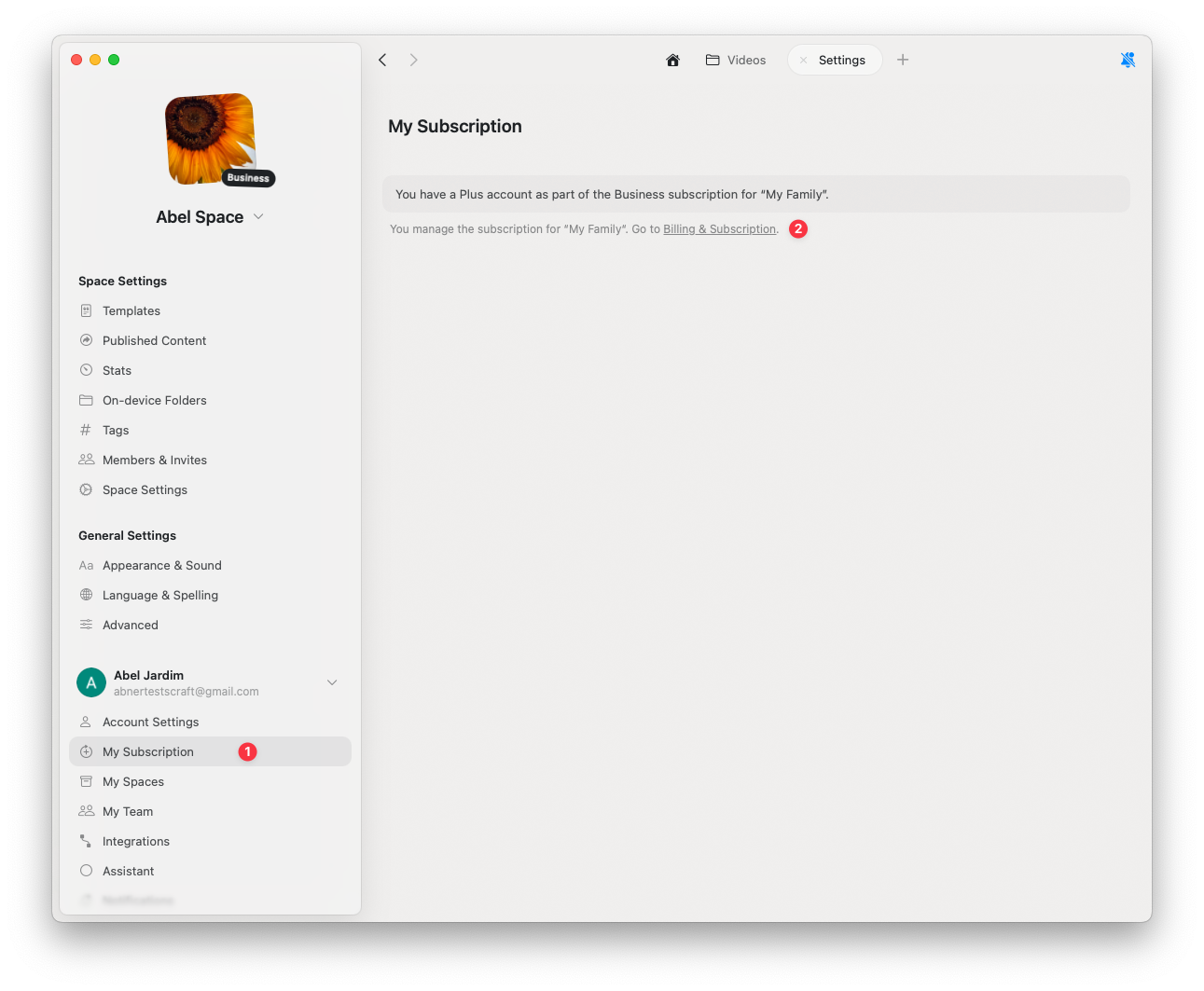
    **設定** をクリック
  </Step>

  <Step>
    **My Subscription** をクリック
  </Step>

  <Step>
    **Billing & Subscription** をクリック
  </Step>
</Steps>

<img src="https://mintcdn.com/craft-support/bXGV3J9qfsAQZqJz/images/account-and-subscription/billing/update-payment-method/en/content/billing-settings.png?fit=max&auto=format&n=bXGV3J9qfsAQZqJz&q=85&s=352b9daca875f00336fc7a8e5c1cb17a" alt="請求設定パネル" width="1291" height="1063" data-path="images/account-and-subscription/billing/update-payment-method/en/content/billing-settings.png" />

<Steps>
  <Step>
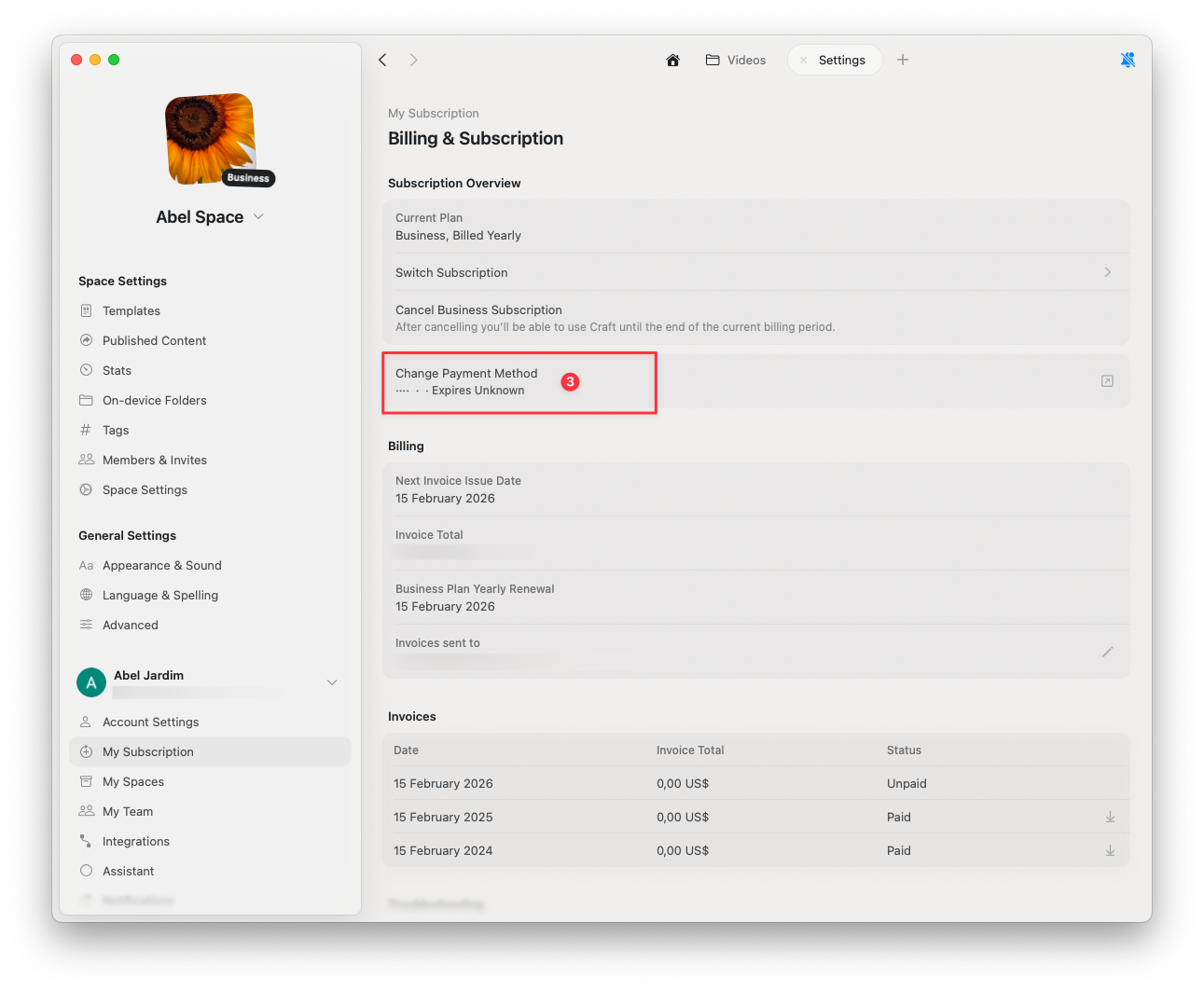
    **Change Payment Method** を選択
  </Step>

  <Step>
    セキュアなブラウザページにて更新後の支払い情報を入力します
  </Step>
</Steps>

<img src="https://mintcdn.com/craft-support/bXGV3J9qfsAQZqJz/images/account-and-subscription/billing/update-payment-method/en/content/change-payment-method.png?fit=max&auto=format&n=bXGV3J9qfsAQZqJz&q=85&s=e5be1fa6865319824f05faf56599cee9" alt="支払い方法変更オプション" width="1291" height="1063" data-path="images/account-and-subscription/billing/update-payment-method/en/content/change-payment-method.png" />

完了すると、変更は自動的に保存されます。

## 関連記事

<CardGroup cols={2}>
  <Card title="支払い方法ガイド" href="/ja/account-and-subscription/billing/payment-methods">
    Stripe、Paddle、App Store の支払いについて説明します
  </Card>

  <Card title="サブスクリプションをキャンセルする" href="/ja/account-and-subscription/billing/cancel-subscription">
    データを保持したまま Craft のサブスクリプションをキャンセルする方法
  </Card>

  <Card title="VAT 情報" href="/ja/account-and-subscription/billing/vat-information">
    請求書に VAT 情報を追加する
  </Card>
</CardGroup>