> ## Documentation Index
> Fetch the complete documentation index at: https://craft-support.mintlify.site/llms.txt
> Use this file to discover all available pages before exploring further.
# プラットフォームと対応状況
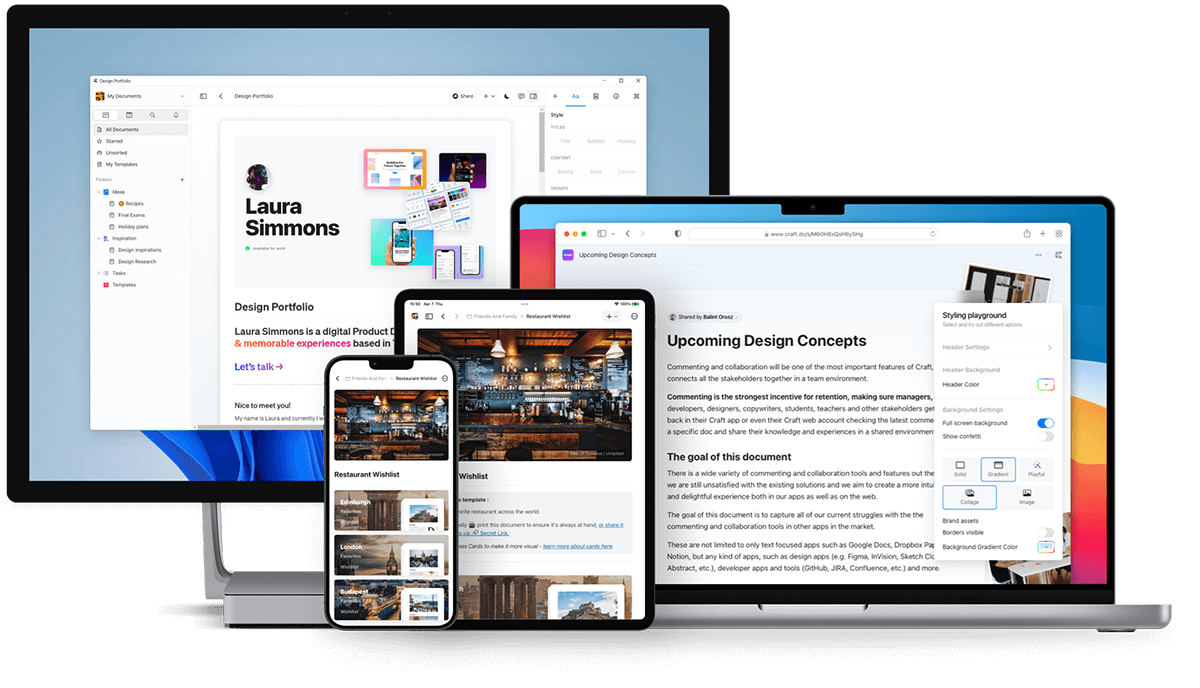
> Craft は macOS、iOS、Windows、Web アプリ、Android で利用可能です。すべてのデバイスでシームレスに作業できます。
Craft は macOS、iOS、Windows、Android のネイティブアプリと、フル機能の Web アプリで、すべてのデバイスで動作します。
 ## Craft をダウンロード
### macOS と iOS
[App Store](https://apps.apple.com/us/app/craft-docs/id1487937127) から Craft をダウンロードするか、[craft.do](https://www.craft.do) にアクセスして始めましょう。
Craft は 2020 年に macOS と iOS で初めてリリースされ、**Mac App of the Year** を受賞しました。
### Web アプリ
[docs.craft.do](https://docs.craft.do) から任意のブラウザで Craft にアクセスできます。Web アプリは 2021 年にベータ版として開始され、2022 年 8 月に正式版となりました。
Web アプリにはネイティブアプリで利用可能なほぼすべての機能が含まれています。
### Windows
[craft.do/download](https://www.craft.do/download) からネイティブ Windows アプリをダウンロードしてください。
Windows アプリは他のプラットフォームと同じ高品質な体験を提供し、新機能と改善が積極的に開発されています。
### Android
[Google Play ストア](https://play.google.com/store/apps/details?id=com.craft.docs)から Craft をダウンロードしてください。
## Craft をダウンロード
### macOS と iOS
[App Store](https://apps.apple.com/us/app/craft-docs/id1487937127) から Craft をダウンロードするか、[craft.do](https://www.craft.do) にアクセスして始めましょう。
Craft は 2020 年に macOS と iOS で初めてリリースされ、**Mac App of the Year** を受賞しました。
### Web アプリ
[docs.craft.do](https://docs.craft.do) から任意のブラウザで Craft にアクセスできます。Web アプリは 2021 年にベータ版として開始され、2022 年 8 月に正式版となりました。
Web アプリにはネイティブアプリで利用可能なほぼすべての機能が含まれています。
### Windows
[craft.do/download](https://www.craft.do/download) からネイティブ Windows アプリをダウンロードしてください。
Windows アプリは他のプラットフォームと同じ高品質な体験を提供し、新機能と改善が積極的に開発されています。
### Android
[Google Play ストア](https://play.google.com/store/apps/details?id=com.craft.docs)から Craft をダウンロードしてください。
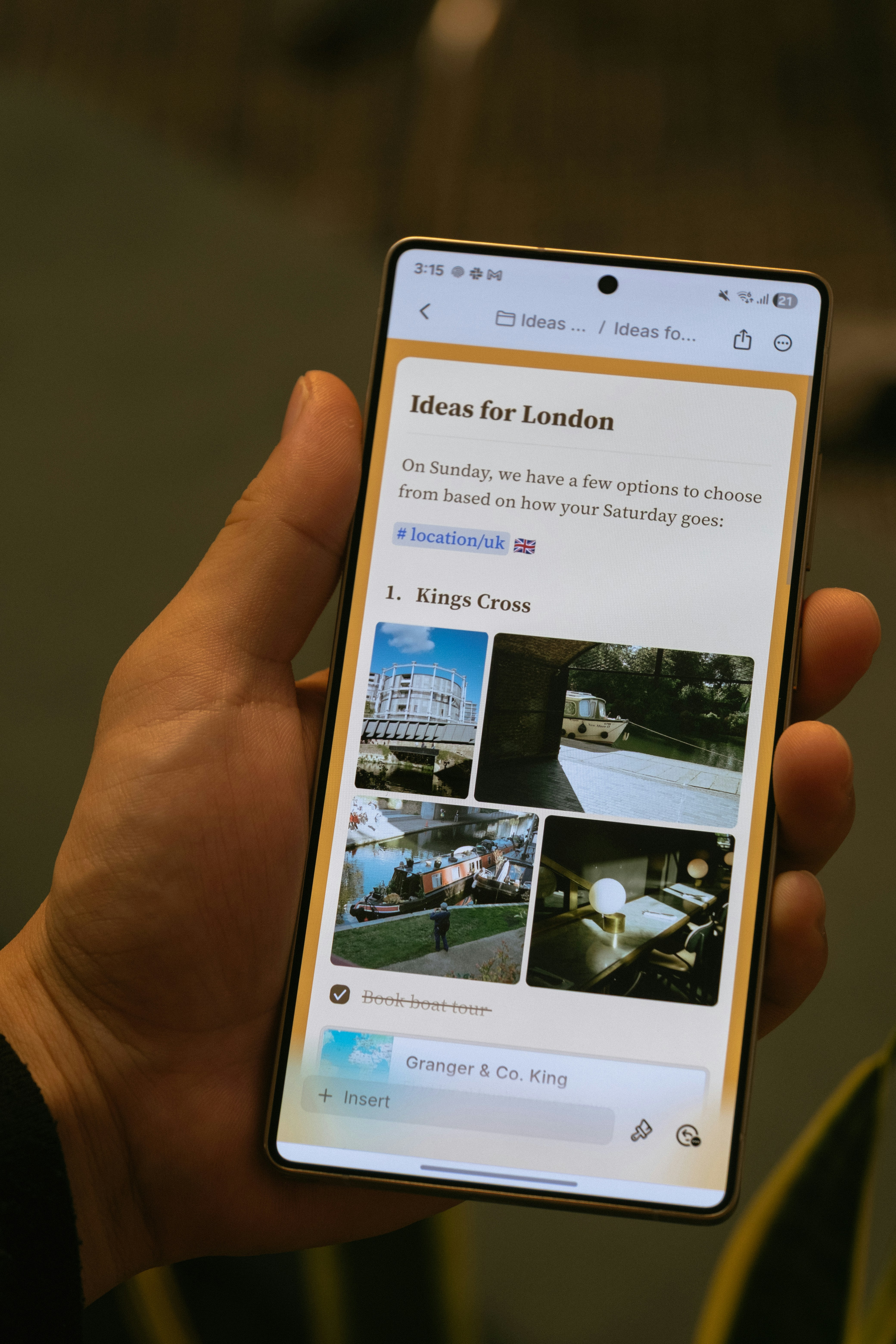 Android アプリは 2025 年 11 月にリリースされ、以下の機能を含みます:
* ボトムナビゲーションバーによるモバイルファーストのナビゲーション
* タッチ操作に最適化された編集
* 画像と添付ファイルパネル
* ドキュメント内検索
* Craft Assistant を含むコア AI 機能
Android アプリはオフラインサポートや AI 機能を含む定期的なアップデートにより、積極的に開発されています。
## プラットフォーム固有の機能
Craft のほとんどの機能はすべてのプラットフォームで同じように動作します。一部のプラットフォーム固有の機能には以下があります:
* **Apple Shortcuts**(iOS と macOS のみ)
* **Apple Pencil サポート**(iOS と iPadOS のみ)
* **システムカレンダー連携**(macOS、iOS、iPadOS)
* **デスクトップ固有のキーボードショートカット**(macOS と Windows)
## オフラインアクセス
Craft はすべてのプラットフォームでオフライン動作します。ネイティブの macOS と iOS アプリはすぐにオフライン対応していますが、Web、Windows、Android では設定で一度だけセットアップが必要です。
詳細については、[オフラインで作業する](/ja/introduction/offline)をご覧ください。
## 共有・公開ドキュメントの閲覧
公開または共有したドキュメントは、すべてのプラットフォームのモバイルブラウザで閲覧できます。訪問者は Craft アカウントがなくてもコメントを残せます。
## Windows 固有の注意事項
### Apple でサインイン
Apple でサインインを使用している場合、Windows でサインインするにはプライベートリレーメールアドレスを使用する必要があります:
macOS または iOS の **環境設定 → マイアカウント** でプライベートリレーメールアドレスを確認します。
メールアドレスをコピーして、Windows のログインフィールドに貼り付けます。
「続ける」をクリックし、メールに送信された 6 桁の確認コードを入力します。
## 関連記事
アカウントを作成し、最初のスペースを設定しましょう
iOS と Android 固有の機能について学びましょう
Android アプリは 2025 年 11 月にリリースされ、以下の機能を含みます:
* ボトムナビゲーションバーによるモバイルファーストのナビゲーション
* タッチ操作に最適化された編集
* 画像と添付ファイルパネル
* ドキュメント内検索
* Craft Assistant を含むコア AI 機能
Android アプリはオフラインサポートや AI 機能を含む定期的なアップデートにより、積極的に開発されています。
## プラットフォーム固有の機能
Craft のほとんどの機能はすべてのプラットフォームで同じように動作します。一部のプラットフォーム固有の機能には以下があります:
* **Apple Shortcuts**(iOS と macOS のみ)
* **Apple Pencil サポート**(iOS と iPadOS のみ)
* **システムカレンダー連携**(macOS、iOS、iPadOS)
* **デスクトップ固有のキーボードショートカット**(macOS と Windows)
## オフラインアクセス
Craft はすべてのプラットフォームでオフライン動作します。ネイティブの macOS と iOS アプリはすぐにオフライン対応していますが、Web、Windows、Android では設定で一度だけセットアップが必要です。
詳細については、[オフラインで作業する](/ja/introduction/offline)をご覧ください。
## 共有・公開ドキュメントの閲覧
公開または共有したドキュメントは、すべてのプラットフォームのモバイルブラウザで閲覧できます。訪問者は Craft アカウントがなくてもコメントを残せます。
## Windows 固有の注意事項
### Apple でサインイン
Apple でサインインを使用している場合、Windows でサインインするにはプライベートリレーメールアドレスを使用する必要があります:
macOS または iOS の **環境設定 → マイアカウント** でプライベートリレーメールアドレスを確認します。
メールアドレスをコピーして、Windows のログインフィールドに貼り付けます。
「続ける」をクリックし、メールに送信された 6 桁の確認コードを入力します。
## 関連記事
アカウントを作成し、最初のスペースを設定しましょう
iOS と Android 固有の機能について学びましょう