> ## Documentation Index
> Fetch the complete documentation index at: https://craft-support.mintlify.site/llms.txt
> Use this file to discover all available pages before exploring further.
# Google マップを埋め込む
> Google MapsのインタラクティブなリンクをCraft ドキュメントに直接埋め込む方法。
次の手順で、Google MapsのリンクをCraft ドキュメントに簡単に埋め込むことができます:
**Google Mapsのリンクを貼り付ける**
Google Mapsからリンクをコピーし、カードブロックとしてCraft ドキュメントに貼り付けます。
**ブロックのオプションにアクセスする**
ブロックの左側にある **three-dot menu (⋯)** をクリックして、ブロックのオプションを開きます。
**Embed オプションを選択する**
メニューから **Embed** を選択します。Google Mapsのリンクは埋め込みマップブロックに変換されます。
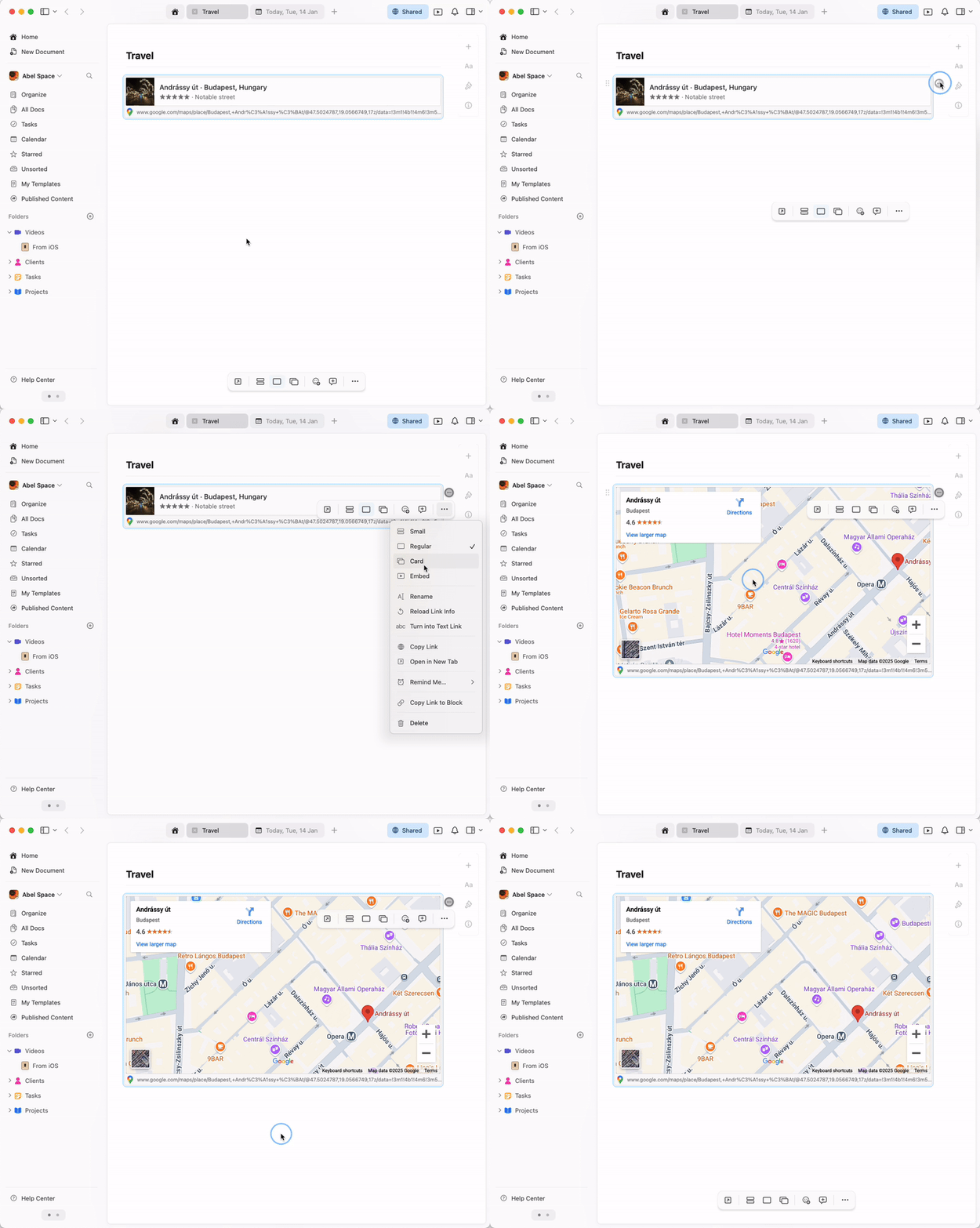 埋め込み地図は完全にインタラクティブです - Craft ドキュメント内で直接ズームやパンを行い、場所を確認できます。