> ## Documentation Index
> Fetch the complete documentation index at: https://craft-support.mintlify.site/llms.txt
> Use this file to discover all available pages before exploring further.

# 할인 코드

> 새로운 Craft 구독에 프로모션 할인 코드를 적용하세요.

Craft는 때때로 할인 및 프로모션을 제공합니다. 할인 코드는 [Craft 웹사이트](https://www.craft.do/pricing) 또는 앱 내 업그레이드 화면을 통해 구매한 **새 구독 및 업그레이드**에만 적용됩니다.

<Info title="할인 제한 사항">
  * 할인은 **새 구독 및 업그레이드에만 유효**합니다
  * 기존 구독 또는 갱신에는 **적용할 수 없습니다**
  * 할인은 **기간이 제한**되어 있습니다 -- 코드가 만료되기 전에 사용하세요
  * **App Store 구독은 할인 코드를 지원하지 않습니다** -- App Store 구매는 전적으로 Apple이 처리하며, Craft는 할인을 적용할 수 없습니다. 할인 코드를 사용하려면 대신 [Craft 웹사이트](https://www.craft.do/pricing)를 통해 구독하세요
</Info>

## 자동 할인

프로모션이 진행 중일 때, 가격 페이지의 모든 이용 가능한 요금제에 할인이 **자동으로 적용**됩니다. 구독하기 전에 할인된 가격과 "40% 할인 적용됨"과 같은 레이블을 확인할 수 있습니다.
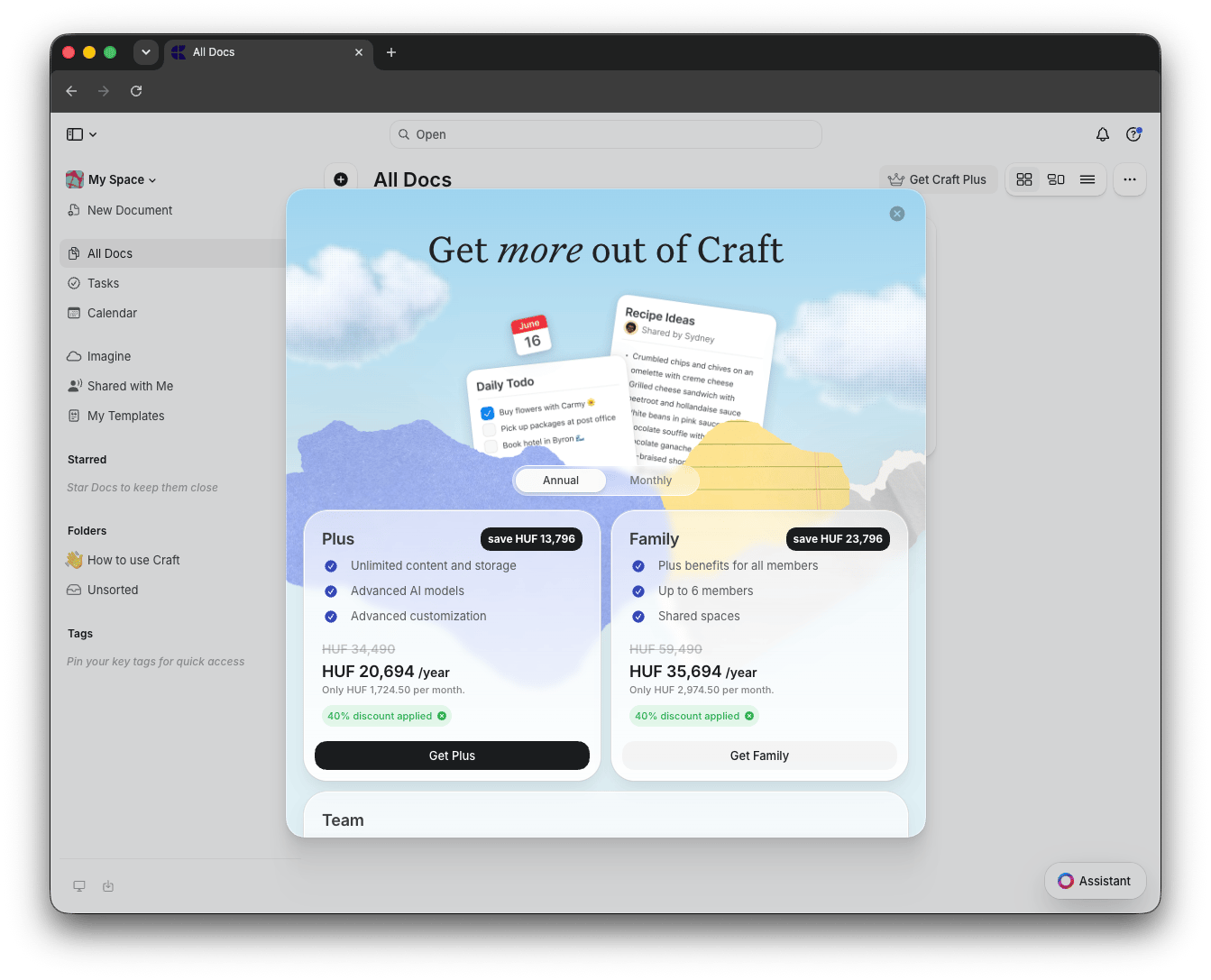
<img src="https://mintcdn.com/craft-support/aNlX3ysIW6Z-SiY3/images/account-and-subscription/billing/discount-codes/en/content/discount-code-1.png?fit=max&auto=format&n=aNlX3ysIW6Z-SiY3&q=85&s=af5ab86c2ae4b9091823ffe88703f002" alt="자동 할인이 적용된 가격 페이지" width="1343" height="1087" data-path="images/account-and-subscription/billing/discount-codes/en/content/discount-code-1.png" />

## 다른 할인 코드 적용하기

자동으로 적용된 할인과 다른 특정 프로모션 코드가 있는 경우, 이를 교체할 수 있습니다:

<Steps>
  <Step title="현재 할인 제거">
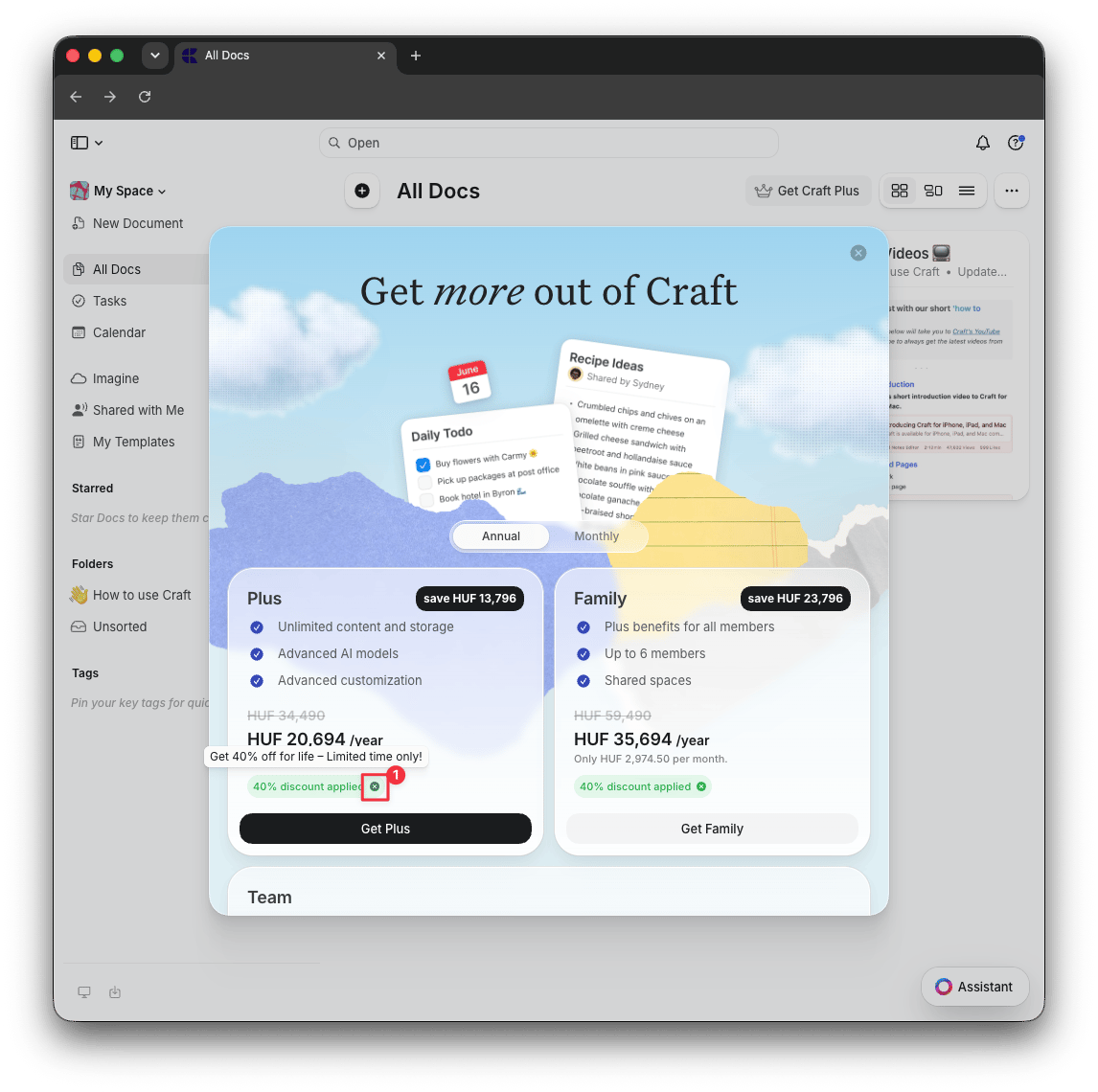
    가격 페이지에서 "할인 적용됨" 레이블 옆의 **X** 버튼을 클릭하여 자동 적용된 할인을 제거하세요
  </Step>

  <Step title="결제 진행">
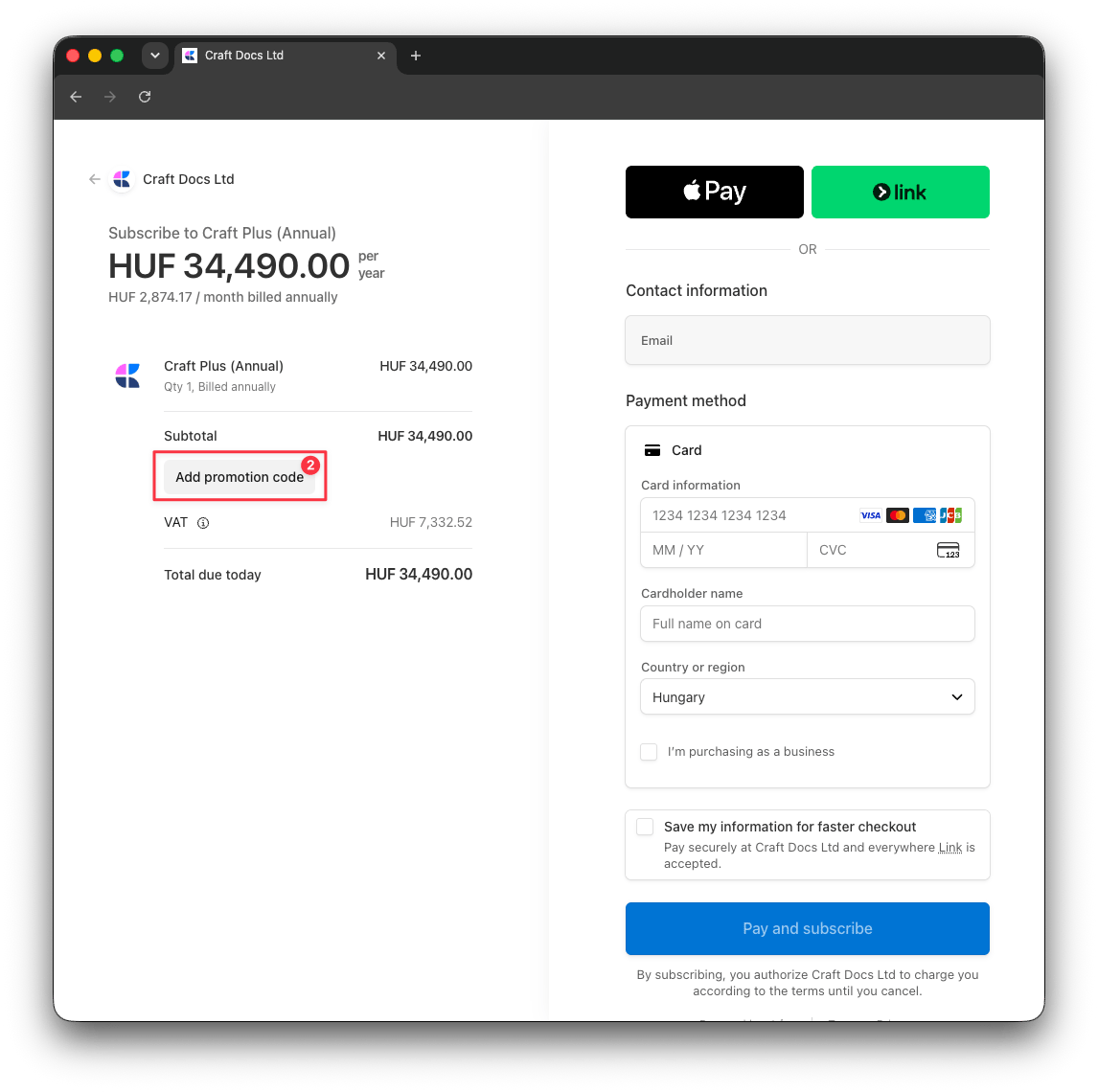
    **Get Plus**, **Get Family** 또는 **Get Team**을 클릭하여 결제 페이지를 여세요
  </Step>

  <Step title="코드 입력">
    **프로모션 코드 추가**를 클릭하고 할인 코드를 입력하면 새 할인이 합계에 반영됩니다
  </Step>
</Steps>

<img src="https://mintcdn.com/craft-support/aNlX3ysIW6Z-SiY3/images/account-and-subscription/billing/discount-codes/en/content/discount-code-2.png?fit=max&auto=format&n=aNlX3ysIW6Z-SiY3&q=85&s=f7d5a3cea97c2a05d7d5b2116dc86bbb" alt="자동 적용된 할인 제거" width="1146" height="1140" data-path="images/account-and-subscription/billing/discount-codes/en/content/discount-code-2.png" />

<img src="https://mintcdn.com/craft-support/aNlX3ysIW6Z-SiY3/images/account-and-subscription/billing/discount-codes/en/content/discount-code-3.png?fit=max&auto=format&n=aNlX3ysIW6Z-SiY3&q=85&s=f4084cface113dfb8fb6c0437ace2692" alt="결제 시 프로모션 코드 입력" width="1146" height="1140" data-path="images/account-and-subscription/billing/discount-codes/en/content/discount-code-3.png" />

## 관련 문서

<CardGroup cols={2}>
  <Card title="구독 요금제" href="/ko/account-and-subscription/subscription-plans/plans-and-pricing">
    Craft의 구독 등급 및 기능 비교
  </Card>

  <Card title="교육 요금제" href="/ko/account-and-subscription/subscription-plans/education-plan">
    학생 및 교육자를 위한 특별 요금제 확인
  </Card>

  <Card title="App Store에서 업그레이드" href="/ko/account-and-subscription/billing/upgrade-from-app-store">
    App Store에서 웹 구독으로 전환
  </Card>
</CardGroup>