> ## Documentation Index
> Fetch the complete documentation index at: https://craft-support.mintlify.site/llms.txt
> Use this file to discover all available pages before exploring further.

# 결제 수단 변경

> Craft 구독의 결제 정보를 변경합니다.

웹에서 **Stripe** 또는 **Paddle**로 구독한 경우, Craft 구독의 결제 정보를 업데이트할 수 있습니다.

<Info title="App Store 구독">
  **App Store**를 통해 구독한 경우 결제 수단은 Apple ID 설정에서 관리됩니다. 결제 정보를 업데이트하려면 [Apple의 구독 관리 페이지](https://support.apple.com/en-us/HT201266)를 방문하세요.
</Info>

<Tip title="어떤 결제 수단을 사용 중인지 확실하지 않으세요?">
  구독 유형을 확인하려면 [결제 수단 안내](/ko/account-and-subscription/billing/payment-methods)를 방문하세요.
</Tip>

## 결제 수단 변경

<Steps>
  <Step>
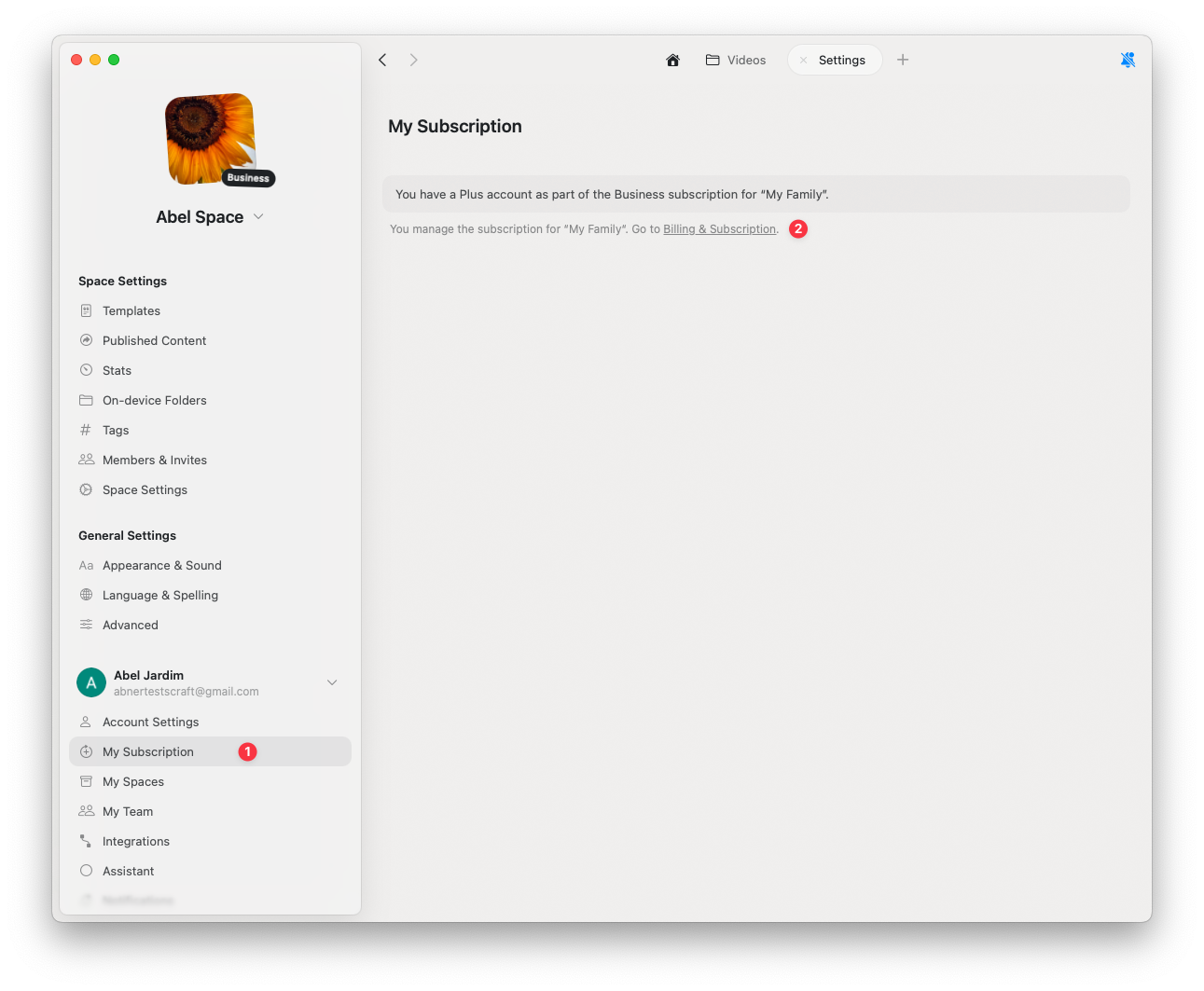
    **설정**을 클릭하세요
  </Step>

  <Step>
    **My Subscription**을 클릭하세요
  </Step>

  <Step>
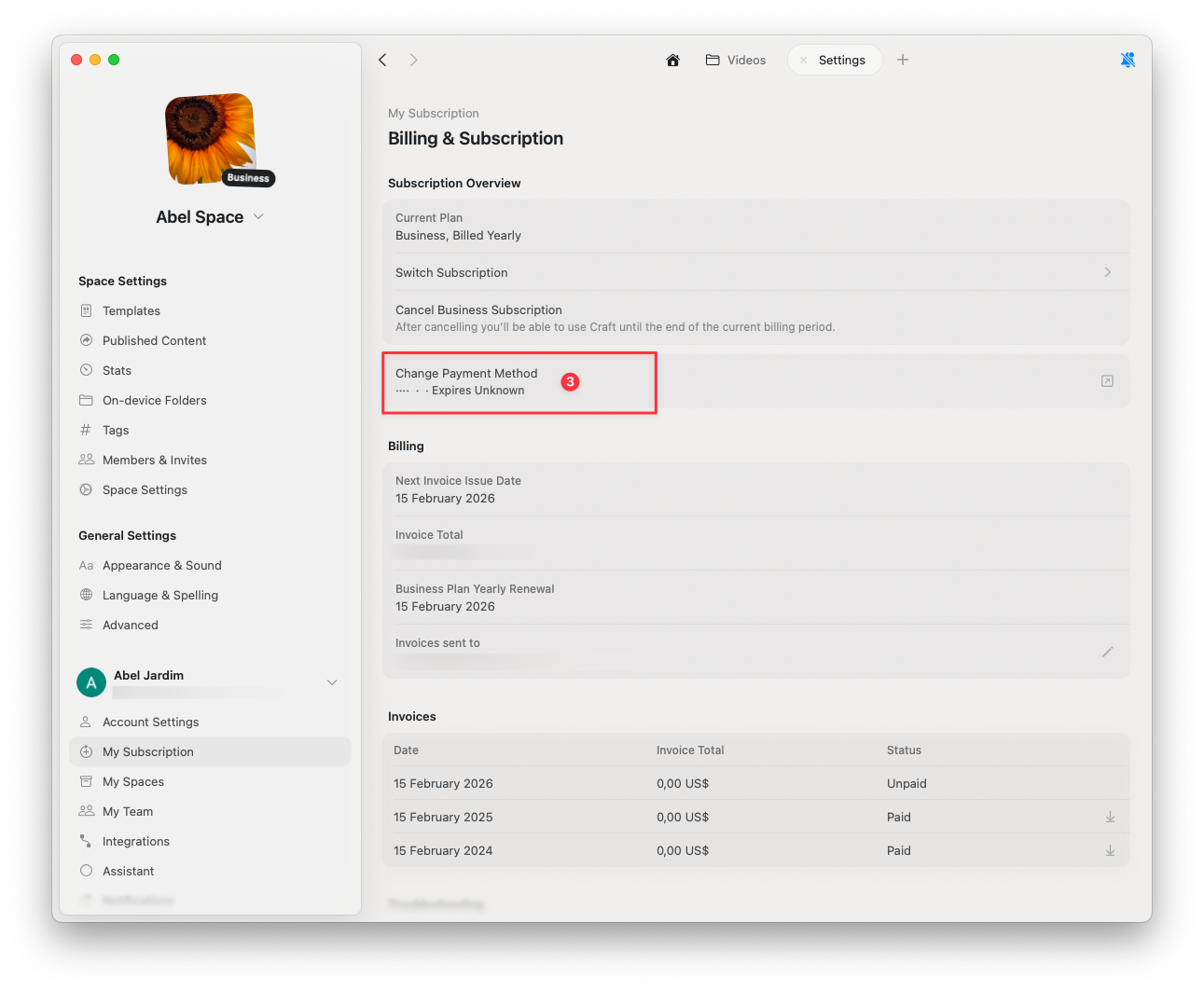
    **Billing & Subscription**을 클릭하세요
  </Step>
</Steps>

<img src="https://mintcdn.com/craft-support/bXGV3J9qfsAQZqJz/images/account-and-subscription/billing/update-payment-method/en/content/billing-settings.png?fit=max&auto=format&n=bXGV3J9qfsAQZqJz&q=85&s=352b9daca875f00336fc7a8e5c1cb17a" alt="청구 설정 패널" width="1291" height="1063" data-path="images/account-and-subscription/billing/update-payment-method/en/content/billing-settings.png" />

<Steps>
  <Step>
    **Change Payment Method**를 클릭하세요
  </Step>

  <Step>
    보안 브라우저 페이지에서 업데이트된 결제 정보를 입력하세요
  </Step>
</Steps>

<img src="https://mintcdn.com/craft-support/bXGV3J9qfsAQZqJz/images/account-and-subscription/billing/update-payment-method/en/content/change-payment-method.png?fit=max&auto=format&n=bXGV3J9qfsAQZqJz&q=85&s=e5be1fa6865319824f05faf56599cee9" alt="결제 수단 변경 옵션" width="1291" height="1063" data-path="images/account-and-subscription/billing/update-payment-method/en/content/change-payment-method.png" />

변경을 완료하면 자동으로 저장됩니다.

## 관련 문서

<CardGroup cols={2}>
  <Card title="결제 수단 안내" href="/ko/account-and-subscription/billing/payment-methods">
    Stripe, Paddle, App Store 결제 방식에 대해 알아보세요
  </Card>

  <Card title="구독 해지" href="/ko/account-and-subscription/billing/cancel-subscription">
    모든 데이터를 유지한 채 Craft 구독을 취소할 수 있습니다
  </Card>

  <Card title="부가가치세 정보" href="/ko/account-and-subscription/billing/vat-information">
    청구 영수증에 VAT 정보를 추가하세요
  </Card>
</CardGroup>