> ## Documentation Index
> Fetch the complete documentation index at: https://craft-support.mintlify.site/llms.txt
> Use this file to discover all available pages before exploring further.
# 계정 설정
> Craft 계정을 생성하고 스페이스를 설정한 다음 프로필을 구성하여 시작하세요.
Craft 시작은 빠르고 간단합니다. 계정을 생성하고 스페이스를 설정한 후 프로필을 맞춤 설정하여 Craft를 원하는 방식으로 사용해 보세요.
## 계정 만들기
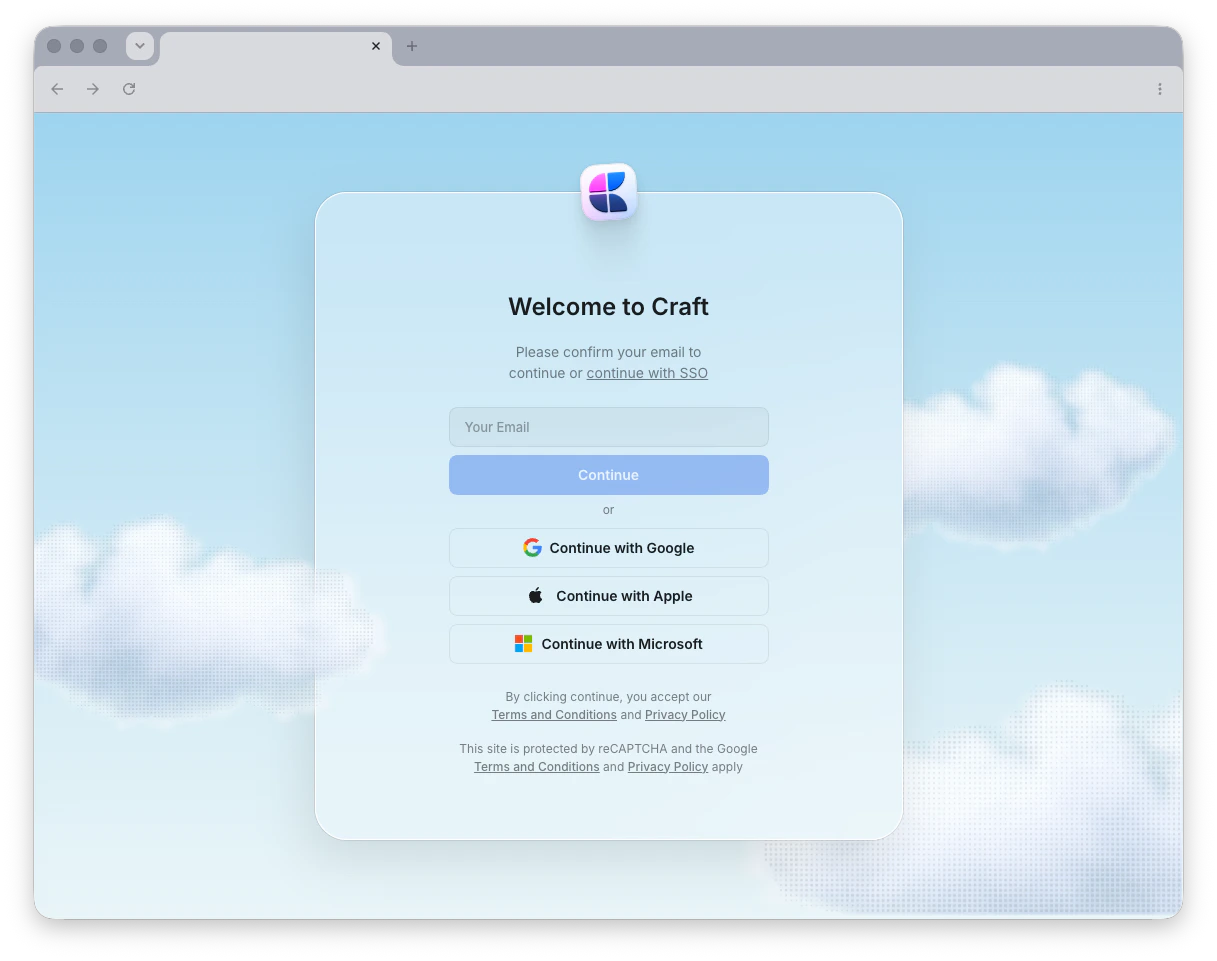 Craft는 빠르게 시작할 수 있도록 유연한 로그인 옵션을 제공합니다. 이메일 주소, Apple ID, Google 또는 Microsoft 계정으로 가입하거나 로그인할 수 있습니다.
이메일 주소로 로그인하면 Craft는 비밀번호 대신 일회용 로그인 코드를 이메일로 전송합니다. 코드를 입력하기만 하면 계정에 접근할 수 있습니다.
Apple ID로 로그인하는 경우 "Hide My Email"을 선택하지 마세요. 이 설정은 개인 릴레이 주소 (`@privaterelay.appleid.com`)를 생성하여 다른 기기나 플랫폼에서 로그인할 때 혼란을 초래할 수 있습니다.
이메일, Apple ID, Google 또는 Microsoft 계정으로 가입
## 스페이스 관리
계정을 만든 후에는 **스페이스** 내에서 작업합니다 - 문서를 정리하는 별도의 작업 공간입니다. 각 스페이스는 자체 설정, 구성원 및 콘텐츠를 가집니다.
스페이스를 생성, 맞춤 설정 및 관리하기
## 계정 관리
계정을 삭제해야 하나요? Craft 계정을 올바르게 삭제하는 방법과 삭제 시 데이터가 어떻게 처리되는지 알아보세요.
Craft 계정을 영구적으로 삭제하기
## 협업 & 팀
다른 사람들과 함께 작업할 준비가 되셨나요? 팀을 설정하고, 멤버를 초대하고, 실시간으로 문서를 함께 작업하세요.
스페이스 전체에서 팀 멤버를 추가하고 관리하기
공동 작업자를 초대하고 접근 권한 설정하기
팀 스페이스 및 설정 구성하기
## 다음 단계
계정 설정이 완료되면 다음 기능을 살펴보고 Craft를 최대한 활용하세요:
문서, 페이지 및 블록이 Craft에서 어떻게 작동하는지 이해하기
작업 공간에서 이동하고 정리하는 방법 알아보기
유용한 키보드 단축키로 작업 속도를 높이세요
Craft는 빠르게 시작할 수 있도록 유연한 로그인 옵션을 제공합니다. 이메일 주소, Apple ID, Google 또는 Microsoft 계정으로 가입하거나 로그인할 수 있습니다.
이메일 주소로 로그인하면 Craft는 비밀번호 대신 일회용 로그인 코드를 이메일로 전송합니다. 코드를 입력하기만 하면 계정에 접근할 수 있습니다.
Apple ID로 로그인하는 경우 "Hide My Email"을 선택하지 마세요. 이 설정은 개인 릴레이 주소 (`@privaterelay.appleid.com`)를 생성하여 다른 기기나 플랫폼에서 로그인할 때 혼란을 초래할 수 있습니다.
이메일, Apple ID, Google 또는 Microsoft 계정으로 가입
## 스페이스 관리
계정을 만든 후에는 **스페이스** 내에서 작업합니다 - 문서를 정리하는 별도의 작업 공간입니다. 각 스페이스는 자체 설정, 구성원 및 콘텐츠를 가집니다.
스페이스를 생성, 맞춤 설정 및 관리하기
## 계정 관리
계정을 삭제해야 하나요? Craft 계정을 올바르게 삭제하는 방법과 삭제 시 데이터가 어떻게 처리되는지 알아보세요.
Craft 계정을 영구적으로 삭제하기
## 협업 & 팀
다른 사람들과 함께 작업할 준비가 되셨나요? 팀을 설정하고, 멤버를 초대하고, 실시간으로 문서를 함께 작업하세요.
스페이스 전체에서 팀 멤버를 추가하고 관리하기
공동 작업자를 초대하고 접근 권한 설정하기
팀 스페이스 및 설정 구성하기
## 다음 단계
계정 설정이 완료되면 다음 기능을 살펴보고 Craft를 최대한 활용하세요:
문서, 페이지 및 블록이 Craft에서 어떻게 작동하는지 이해하기
작업 공간에서 이동하고 정리하는 방법 알아보기
유용한 키보드 단축키로 작업 속도를 높이세요