> ## Documentation Index
> Fetch the complete documentation index at: https://craft-support.mintlify.site/llms.txt
> Use this file to discover all available pages before exploring further.
# 플랫폼 및 지원 현황
> Craft는 macOS, iOS, Windows, 웹 앱, Android에서 사용할 수 있습니다. 모든 기기에서 원활하게 작업하세요.
Craft는 macOS, iOS, Windows, Android용 네이티브 앱과 모든 기능을 갖춘 웹 앱으로 모든 기기에서 작동합니다.
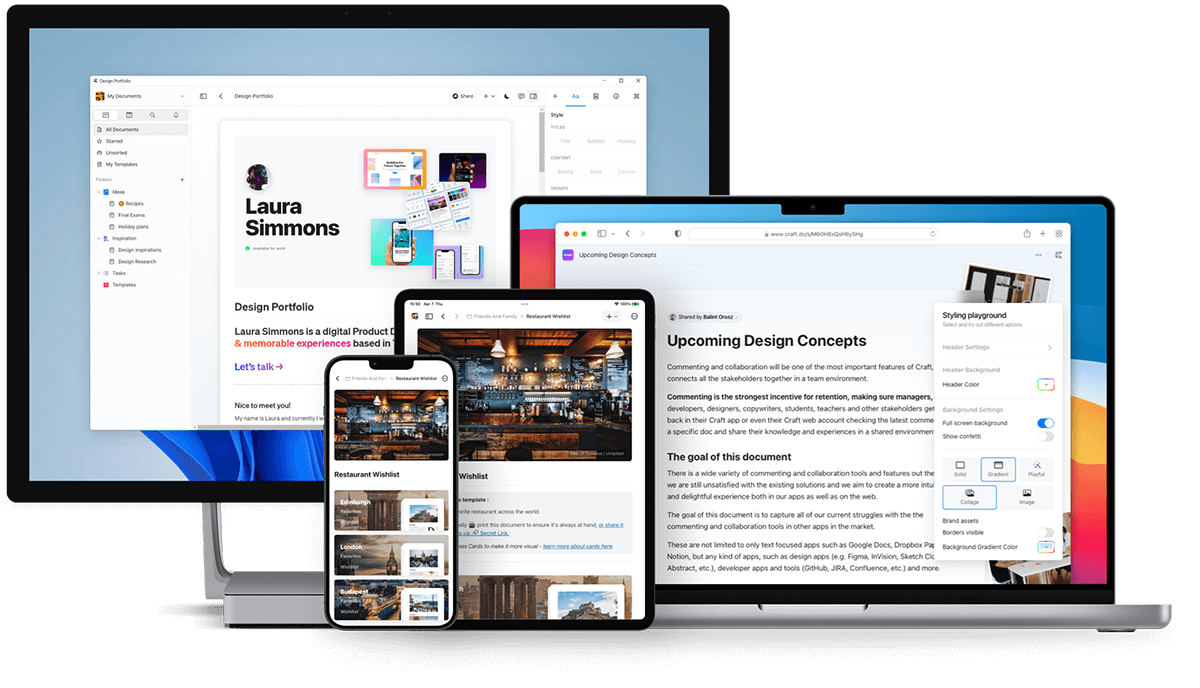 ## Craft 다운로드
### macOS 및 iOS
[App Store](https://apps.apple.com/us/app/craft-docs/id1487937127)에서 Craft를 다운로드하거나 [craft.do](https://www.craft.do)를 방문하여 시작하세요.
Craft는 2020년 macOS와 iOS에서 처음 출시되었으며 **올해의 Mac 앱** 상을 수상했습니다.
### 웹 앱
[docs.craft.do](https://docs.craft.do)에서 모든 브라우저로 Craft에 접속할 수 있습니다. 웹 앱은 2021년 베타로 출시되었고 2022년 8월에 정식 출시되었습니다.
웹 앱에는 네이티브 앱에서 사용 가능한 거의 모든 기능이 포함되어 있습니다.
### Windows
[craft.do/download](https://www.craft.do/download)에서 네이티브 Windows 앱을 다운로드하세요.
Windows 앱은 다른 플랫폼과 동일한 고품질 경험을 제공하며, 새로운 기능과 개선 사항이 적극적으로 개발되고 있습니다.
### Android
[Google Play 스토어](https://play.google.com/store/apps/details?id=com.craft.docs)에서 Craft를 다운로드하세요.
## Craft 다운로드
### macOS 및 iOS
[App Store](https://apps.apple.com/us/app/craft-docs/id1487937127)에서 Craft를 다운로드하거나 [craft.do](https://www.craft.do)를 방문하여 시작하세요.
Craft는 2020년 macOS와 iOS에서 처음 출시되었으며 **올해의 Mac 앱** 상을 수상했습니다.
### 웹 앱
[docs.craft.do](https://docs.craft.do)에서 모든 브라우저로 Craft에 접속할 수 있습니다. 웹 앱은 2021년 베타로 출시되었고 2022년 8월에 정식 출시되었습니다.
웹 앱에는 네이티브 앱에서 사용 가능한 거의 모든 기능이 포함되어 있습니다.
### Windows
[craft.do/download](https://www.craft.do/download)에서 네이티브 Windows 앱을 다운로드하세요.
Windows 앱은 다른 플랫폼과 동일한 고품질 경험을 제공하며, 새로운 기능과 개선 사항이 적극적으로 개발되고 있습니다.
### Android
[Google Play 스토어](https://play.google.com/store/apps/details?id=com.craft.docs)에서 Craft를 다운로드하세요.
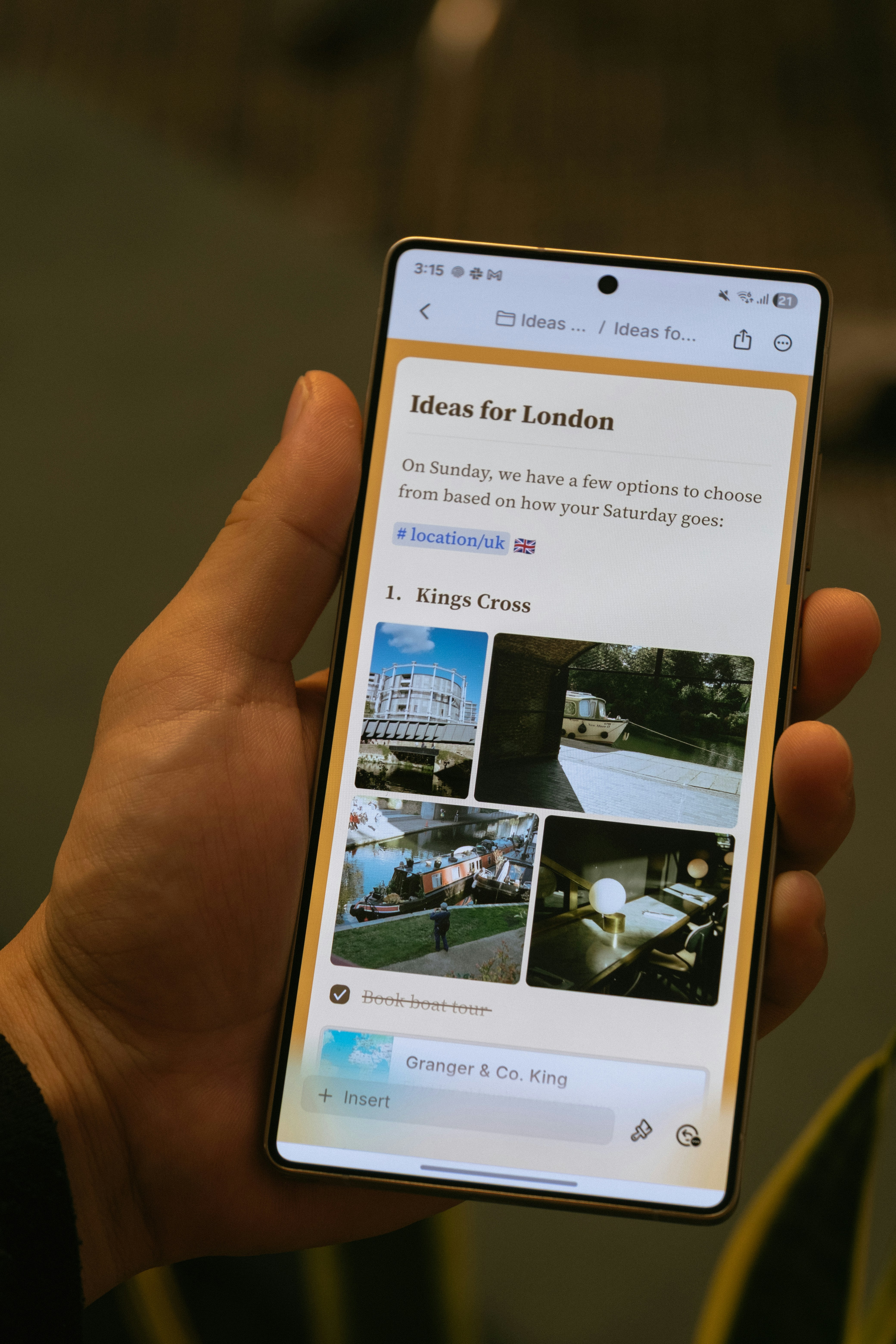 Android 앱은 2025년 11월에 출시되었으며 다음을 포함합니다:
* 하단 내비게이션 바를 통한 모바일 우선 탐색
* 터치 친화적 편집
* 이미지 및 첨부 파일 패널
* 문서 내 검색
* Craft Assistant를 포함한 핵심 AI 기능
Android 앱은 오프라인 지원 및 AI 기능을 포함한 정기 업데이트로 적극적으로 개발되고 있습니다.
## 플랫폼별 기능
대부분의 Craft 기능은 모든 플랫폼에서 동일하게 작동합니다. 일부 플랫폼별 기능은 다음과 같습니다:
* **Apple Shortcuts** (iOS 및 macOS 전용)
* **Apple Pencil 지원** (iOS 및 iPadOS 전용)
* **시스템 캘린더 연동** (macOS, iOS, iPadOS)
* **데스크톱 전용 키보드 단축키** (macOS 및 Windows)
## 오프라인 접근
Craft는 모든 플랫폼에서 오프라인으로 작동합니다. 네이티브 macOS 및 iOS 앱은 바로 오프라인을 지원하며, 웹, Windows, Android는 설정에서 한 번만 설정하면 됩니다.
자세한 내용은 [오프라인으로 작업하기](/ko/introduction/offline)를 참조하세요.
## 공유 및 게시된 문서 보기
게시하거나 공유한 문서는 모든 플랫폼의 모바일 브라우저에서 볼 수 있습니다. 방문자는 Craft 계정 없이도 댓글을 남길 수 있습니다.
## Windows 관련 참고 사항
### Apple로 로그인
Apple로 로그인을 사용하는 경우, Windows에서 로그인하려면 비공개 릴레이 이메일 주소를 사용해야 합니다:
macOS 또는 iOS의 **환경설정 → 내 계정**에서 비공개 릴레이 이메일 주소를 찾으세요.
이메일 주소를 복사하여 Windows 로그인 필드에 붙여넣으세요.
계속을 클릭하고 이메일로 전송된 6자리 인증 코드를 입력하세요.
## 관련 문서
계정을 만들고 첫 번째 스페이스를 설정하세요
iOS 및 Android 전용 기능에 대해 알아보세요
Android 앱은 2025년 11월에 출시되었으며 다음을 포함합니다:
* 하단 내비게이션 바를 통한 모바일 우선 탐색
* 터치 친화적 편집
* 이미지 및 첨부 파일 패널
* 문서 내 검색
* Craft Assistant를 포함한 핵심 AI 기능
Android 앱은 오프라인 지원 및 AI 기능을 포함한 정기 업데이트로 적극적으로 개발되고 있습니다.
## 플랫폼별 기능
대부분의 Craft 기능은 모든 플랫폼에서 동일하게 작동합니다. 일부 플랫폼별 기능은 다음과 같습니다:
* **Apple Shortcuts** (iOS 및 macOS 전용)
* **Apple Pencil 지원** (iOS 및 iPadOS 전용)
* **시스템 캘린더 연동** (macOS, iOS, iPadOS)
* **데스크톱 전용 키보드 단축키** (macOS 및 Windows)
## 오프라인 접근
Craft는 모든 플랫폼에서 오프라인으로 작동합니다. 네이티브 macOS 및 iOS 앱은 바로 오프라인을 지원하며, 웹, Windows, Android는 설정에서 한 번만 설정하면 됩니다.
자세한 내용은 [오프라인으로 작업하기](/ko/introduction/offline)를 참조하세요.
## 공유 및 게시된 문서 보기
게시하거나 공유한 문서는 모든 플랫폼의 모바일 브라우저에서 볼 수 있습니다. 방문자는 Craft 계정 없이도 댓글을 남길 수 있습니다.
## Windows 관련 참고 사항
### Apple로 로그인
Apple로 로그인을 사용하는 경우, Windows에서 로그인하려면 비공개 릴레이 이메일 주소를 사용해야 합니다:
macOS 또는 iOS의 **환경설정 → 내 계정**에서 비공개 릴레이 이메일 주소를 찾으세요.
이메일 주소를 복사하여 Windows 로그인 필드에 붙여넣으세요.
계속을 클릭하고 이메일로 전송된 6자리 인증 코드를 입력하세요.
## 관련 문서
계정을 만들고 첫 번째 스페이스를 설정하세요
iOS 및 Android 전용 기능에 대해 알아보세요