> ## Documentation Index
> Fetch the complete documentation index at: https://craft-support.mintlify.site/llms.txt
> Use this file to discover all available pages before exploring further.

# 查找和替换

> 快速在文档中查找并替换文本，以修正拼写错误或更新内容。

需要快速修正文档中的拼写错误或批量更新同一术语的多个实例吗？查找和替换工具可以轻松地在大量内容中搜索并编辑文本。

## 访问查找和替换

<Tabs>
  <Tab title="macOS">
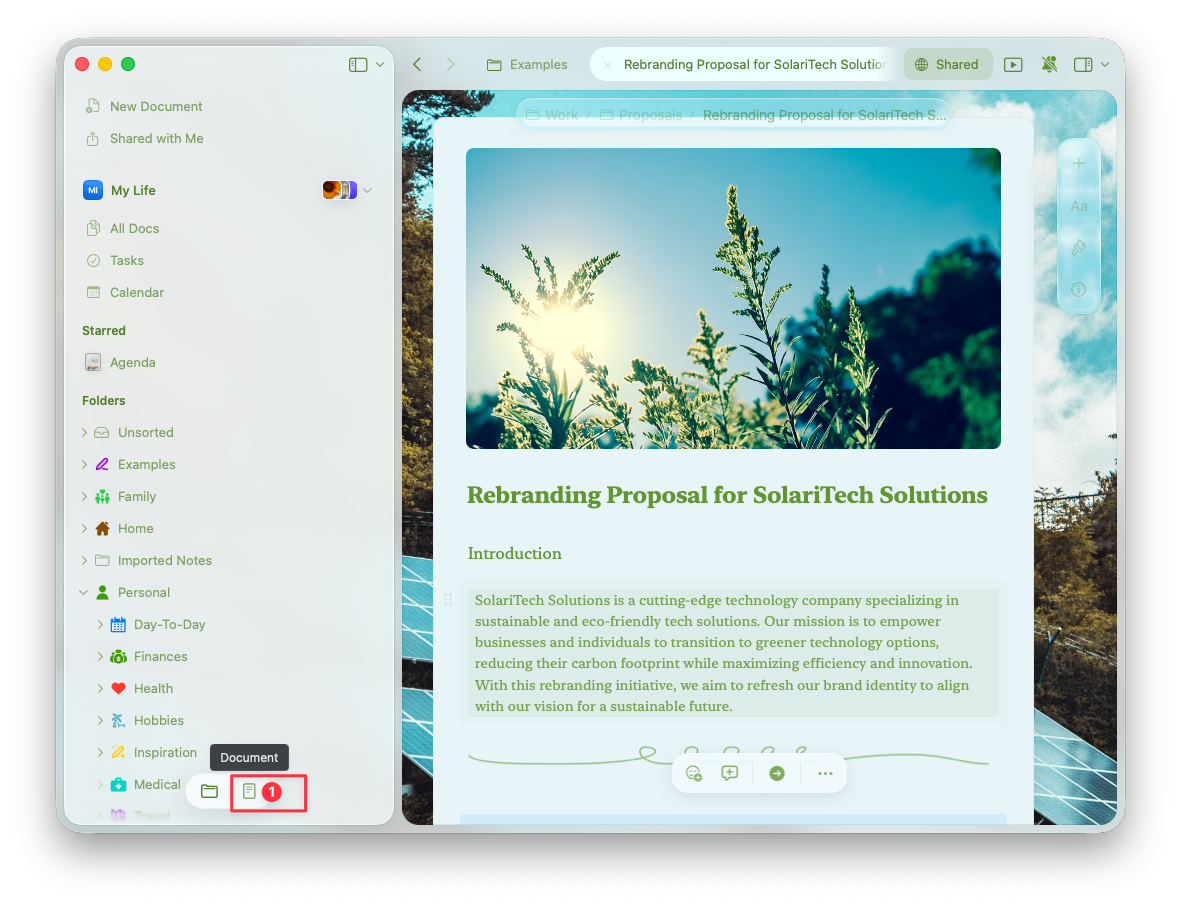
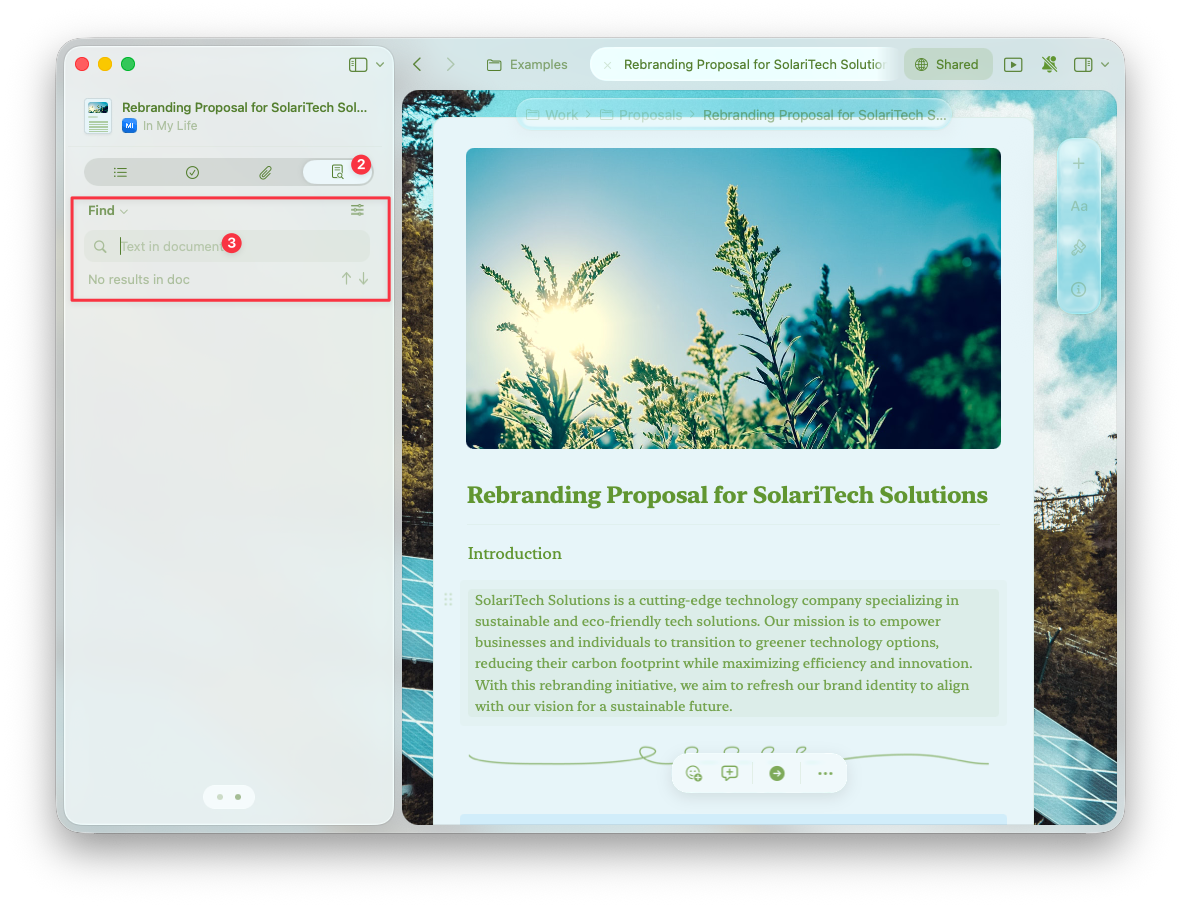
    在编辑文档时，打开右侧侧边栏，找到查找和替换面板。

    <img src="https://mintcdn.com/craft-support/L5zMoIm2o8A5WVUD/images/write-and-edit/formatting/find-replace/en/content/sidebar-panel.png?fit=max&auto=format&n=L5zMoIm2o8A5WVUD&q=85&s=855aff8d008d1209a241ee80cd6c0069" alt="侧边栏中的查找和替换面板" width="1181" height="907" data-path="images/write-and-edit/formatting/find-replace/en/content/sidebar-panel.png" />

    <img src="https://mintcdn.com/craft-support/L5zMoIm2o8A5WVUD/images/write-and-edit/formatting/find-replace/en/content/sidebar-zoom.png?fit=max&auto=format&n=L5zMoIm2o8A5WVUD&q=85&s=fcde417a967475a8581d898cd099b61a" alt="展开的查找和替换视图" width="1181" height="907" data-path="images/write-and-edit/formatting/find-replace/en/content/sidebar-zoom.png" />
  </Tab>

  <Tab title="iPad">
    在编辑文档时，打开右侧侧边栏，找到查找和替换面板。
  </Tab>

  <Tab title="iPhone">
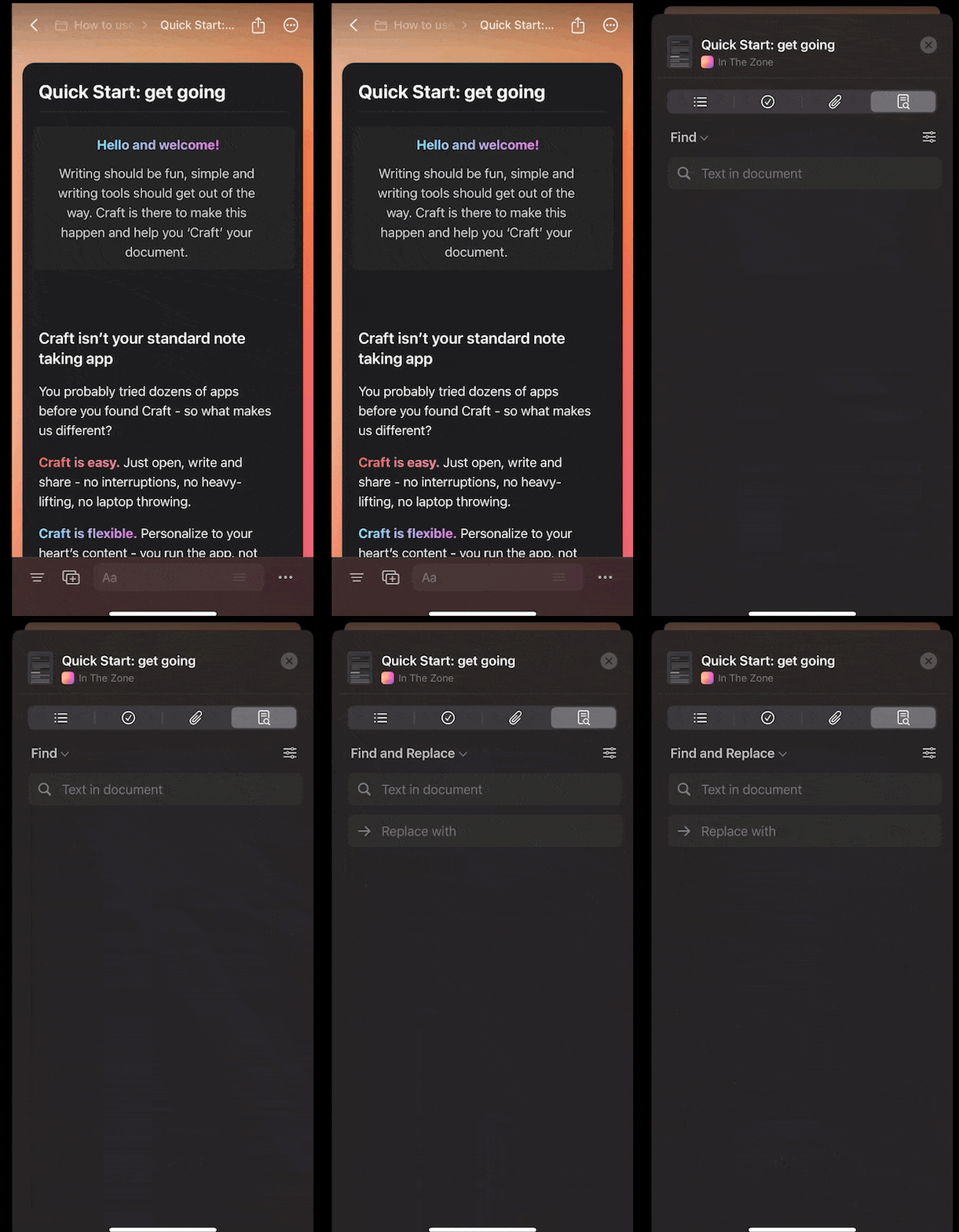
    在编辑文档时，Tap 底部工具栏中的

    <img src="https://mintcdn.com/craft-support/L5zMoIm2o8A5WVUD/images/write-and-edit/formatting/find-replace/en/content/ios-button.png?fit=max&auto=format&n=L5zMoIm2o8A5WVUD&q=85&s=d2cf4bf7c2b5ca925ffa093fc1a93035" alt="查找按钮" width="46" height="41" data-path="images/write-and-edit/formatting/find-replace/en/content/ios-button.png" />

    按钮以访问查找和替换。

    <img src="https://mintcdn.com/craft-support/L5zMoIm2o8A5WVUD/images/write-and-edit/formatting/find-replace/en/content/ios-panel.png?s=5fac614b9b11c43beda34d3db2bb4dc2" alt="iOS 上的查找和替换面板" width="416" height="800" data-path="images/write-and-edit/formatting/find-replace/en/content/ios-panel.png" />
  </Tab>

  <Tab title="Windows">
    在编辑文档时，打开右侧侧边栏，找到查找和替换面板。
  </Tab>

  <Tab title="Web">
    在编辑文档时，打开右侧侧边栏，找到查找和替换面板。
  </Tab>
</Tabs>

## 功能与范围

<Tabs>
  <Tab title="macOS">
    查找和替换工具会搜索：

    * 文档的主要内容
    * 文档中的所有子页面
    * 表格和嵌入内容
  </Tab>

  <Tab title="iOS">
    查找和替换工具会搜索：

    * 文档的主要内容
    * 文档中的所有子页面
    * 表格和嵌入内容

    <Warning title="已知限制">
      “全部替换”功能在 iOS 上尚不可用。
    </Warning>
  </Tab>

  <Tab title="Windows">
    查找和替换工具会搜索：

    * 文档的主要内容

    <Warning title="已知限制">
      - 无法搜索文档中的子页面
      - 在表格内无法使用查找和替换
    </Warning>
  </Tab>

  <Tab title="Web">
    查找和替换工具会搜索：

    * 文档的主要内容

    <Warning title="已知限制">
      - 无法搜索文档中的子页面
      - 在表格内无法使用查找和替换
    </Warning>
  </Tab>
</Tabs>