> ## Documentation Index
> Fetch the complete documentation index at: https://craft-support.mintlify.site/llms.txt
> Use this file to discover all available pages before exploring further.
# 帳戶設定
> 建立您的 Craft 帳戶、設定空間,並完成個人檔案以開始使用。
開始使用 Craft 非常快速且簡單。建立帳戶、設定您的空間,並自訂個人檔案,讓 Craft 按您需要的方式運作。
## 建立帳戶
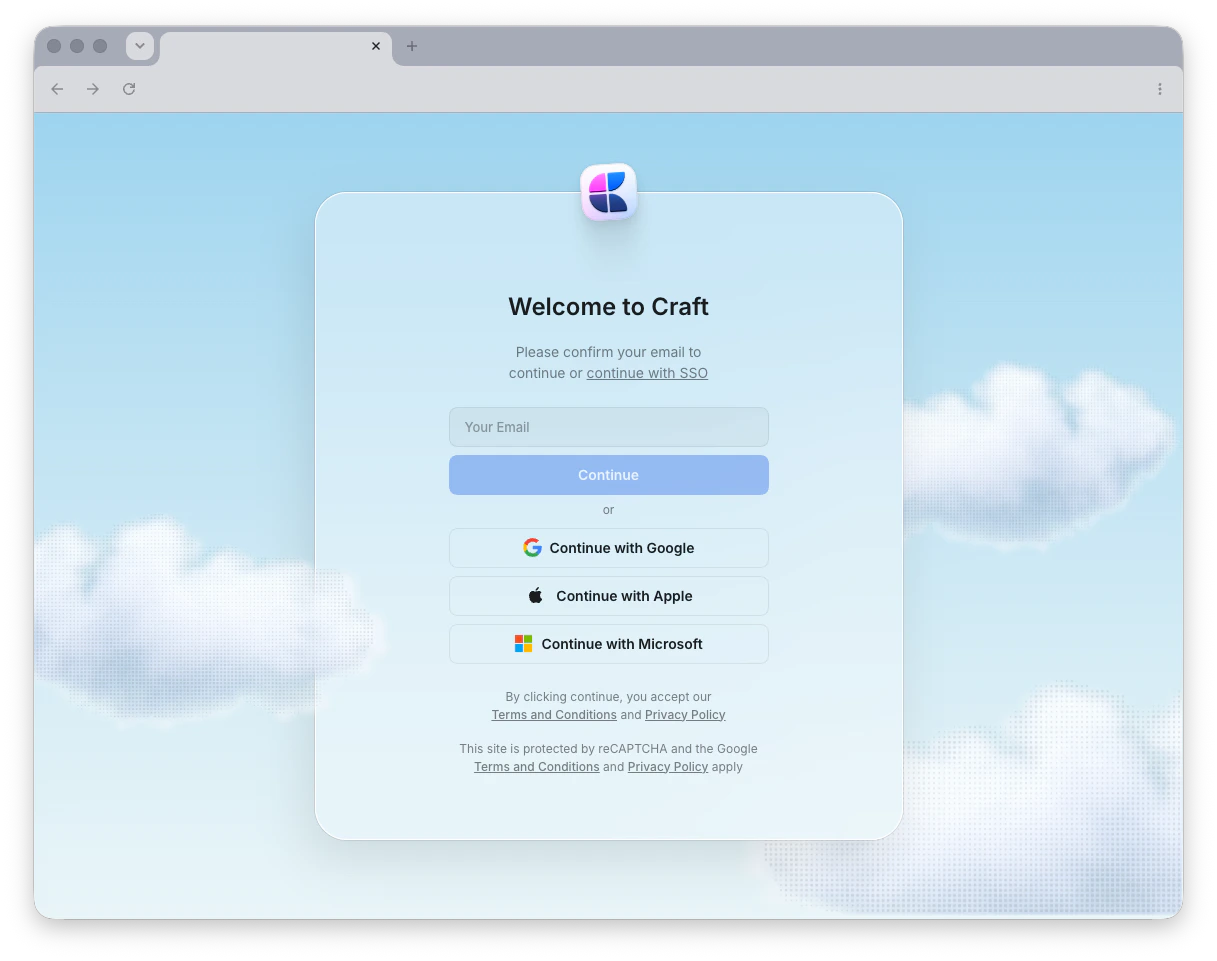 Craft 提供多種彈性登入方式,讓您可以快速開始。您可以使用電子郵件、Apple ID、Google 或 Microsoft 帳戶建立並登入帳戶。
使用電子郵件登入時,Craft 會將一次性登入驗證碼發送到您的收件匣,而非使用密碼。只需輸入驗證碼即可存取您的帳戶。
如果使用 Apple ID 登入,請避免選擇「Hide My Email」。這會建立一個私密中繼地址 (`@privaterelay.appleid.com`),可能會導致在其他裝置或平台登入時發生混淆。
使用電子郵件、Apple ID、Google 或 Microsoft 註冊
## 管理空間
建立帳戶後,您會在不同的 **空間** 中工作 - 各個獨立的工作區,用於組織您的文件。每個空間都有自己的設定、成員與內容。
建立、客製化與管理您的空間
## 帳戶管理
需要刪除帳戶嗎?了解如何正確刪除您的 Craft 帳戶以及資料會如何處理。
永久移除您的 Craft 帳戶
## 協作與團隊
準備與他人合作?設定您的團隊,邀請成員,開始即時協作編輯文件。
在您的空間中新增和管理團隊成員
邀請協作者並設定存取權限
設定團隊空間和偏好設定
## 下一步
設定完成後,探索下列功能以充分利用 Craft:
了解 Craft 中的文件、頁面與區塊如何運作
學習如何在空間中移動與整理內容
使用實用的鍵盤快速鍵加快您的工作流程
Craft 提供多種彈性登入方式,讓您可以快速開始。您可以使用電子郵件、Apple ID、Google 或 Microsoft 帳戶建立並登入帳戶。
使用電子郵件登入時,Craft 會將一次性登入驗證碼發送到您的收件匣,而非使用密碼。只需輸入驗證碼即可存取您的帳戶。
如果使用 Apple ID 登入,請避免選擇「Hide My Email」。這會建立一個私密中繼地址 (`@privaterelay.appleid.com`),可能會導致在其他裝置或平台登入時發生混淆。
使用電子郵件、Apple ID、Google 或 Microsoft 註冊
## 管理空間
建立帳戶後,您會在不同的 **空間** 中工作 - 各個獨立的工作區,用於組織您的文件。每個空間都有自己的設定、成員與內容。
建立、客製化與管理您的空間
## 帳戶管理
需要刪除帳戶嗎?了解如何正確刪除您的 Craft 帳戶以及資料會如何處理。
永久移除您的 Craft 帳戶
## 協作與團隊
準備與他人合作?設定您的團隊,邀請成員,開始即時協作編輯文件。
在您的空間中新增和管理團隊成員
邀請協作者並設定存取權限
設定團隊空間和偏好設定
## 下一步
設定完成後,探索下列功能以充分利用 Craft:
了解 Craft 中的文件、頁面與區塊如何運作
學習如何在空間中移動與整理內容
使用實用的鍵盤快速鍵加快您的工作流程