

Delete Your Account
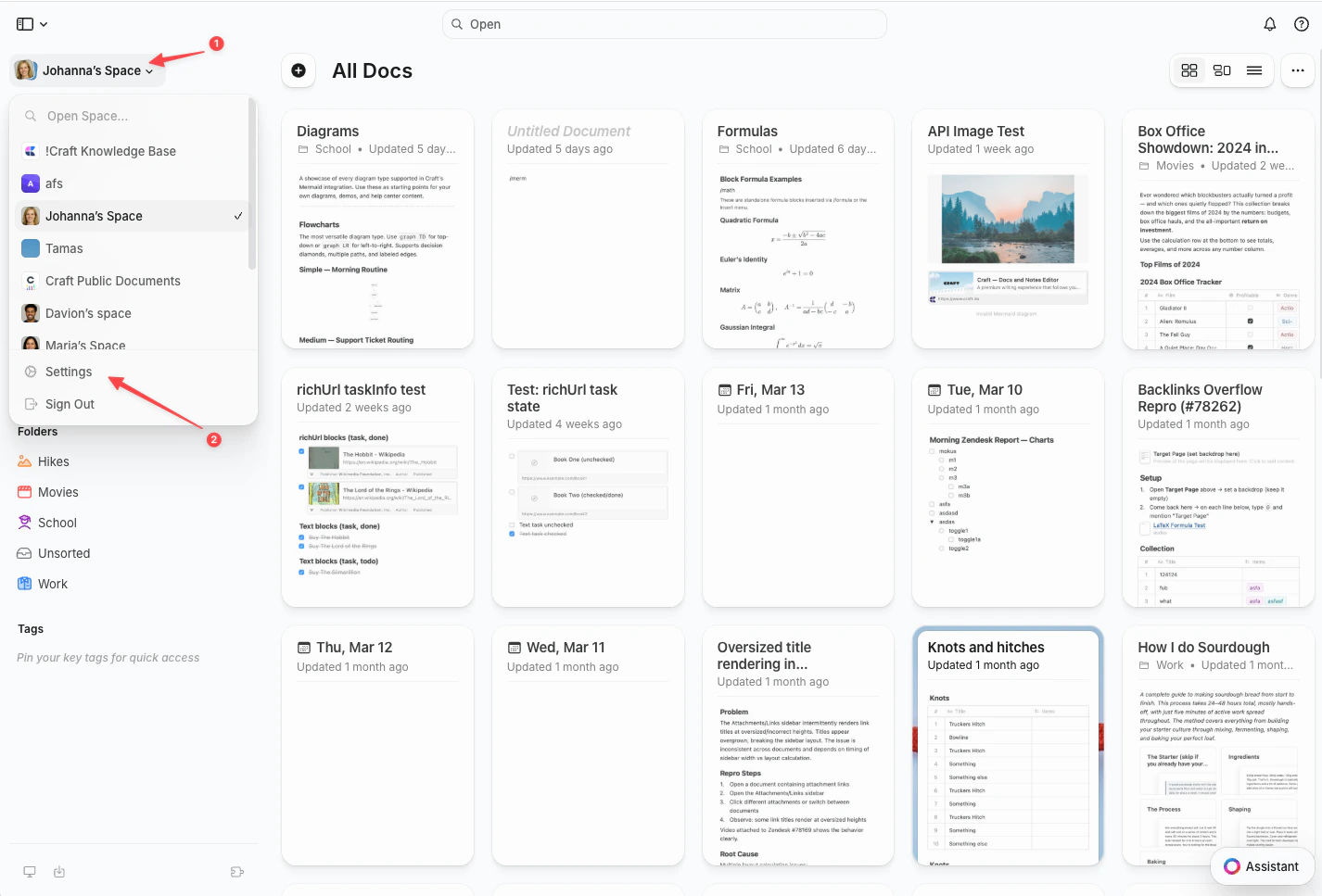
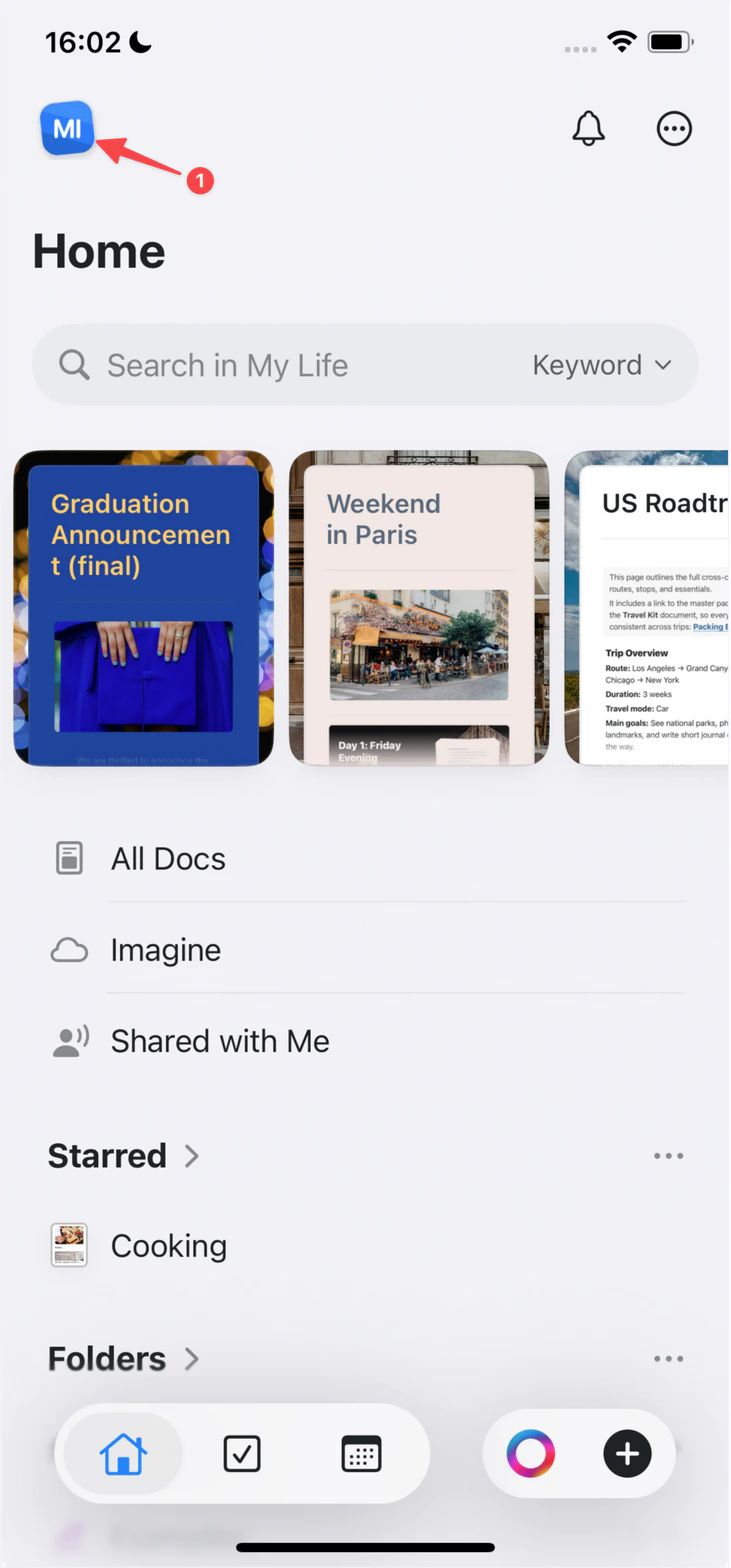
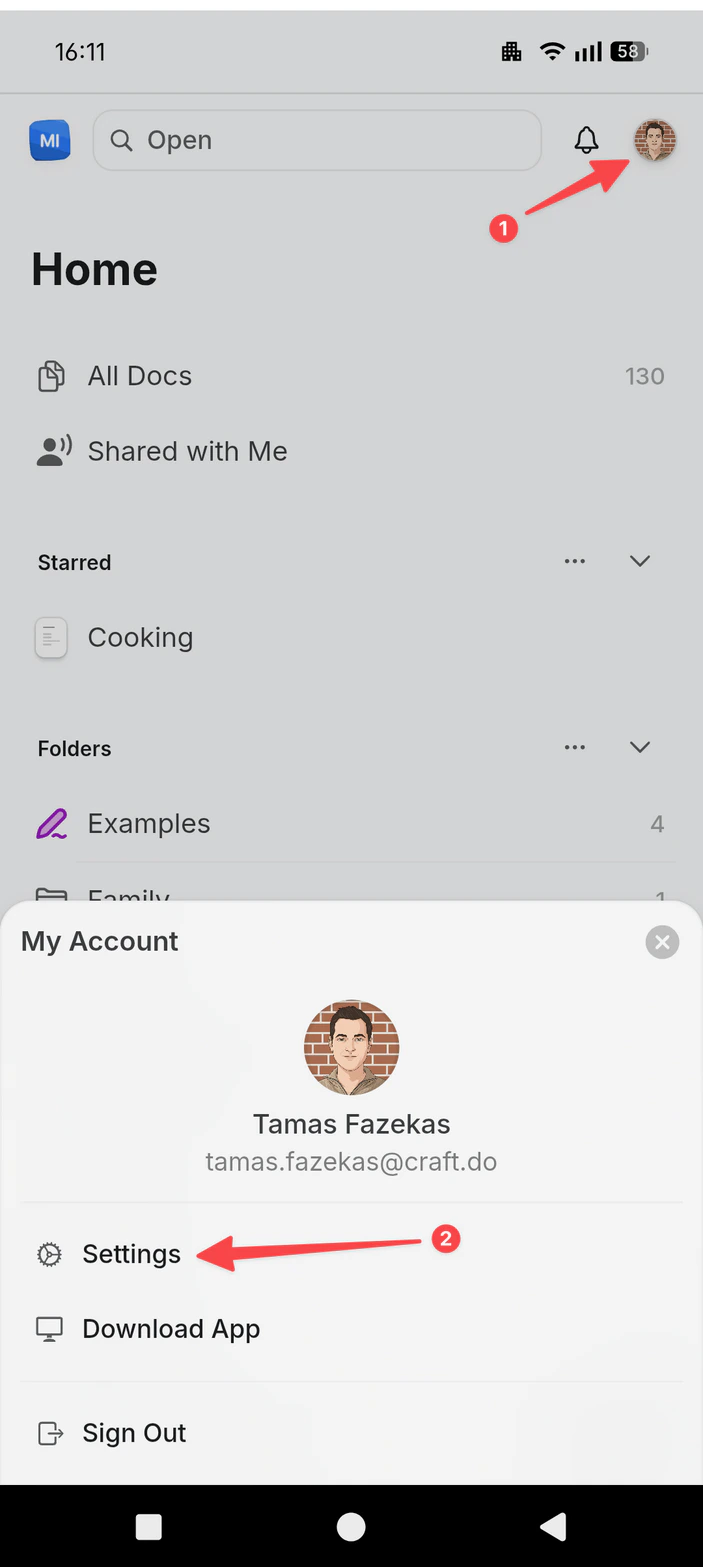
Step 1: Open Settings
- Mac
- Web / Windows
- iOS
- Android
Click the Space name at the top of the sidebar to open Settings.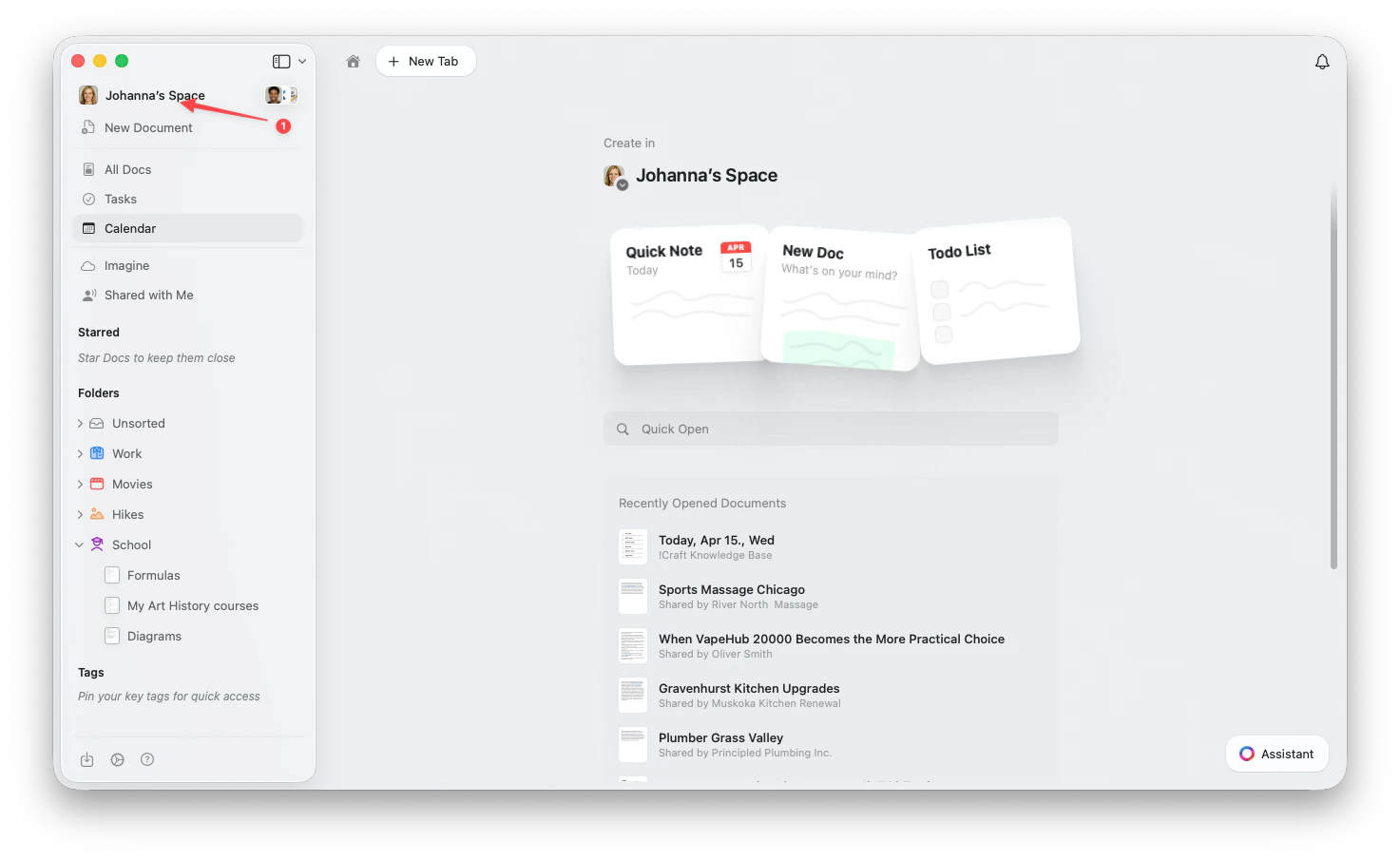
Step 2: Delete Your Account
1
Go to Account Settings
Select Account Settings in the sidebar.
2
Delete your account
Click Delete Account in the Danger Zone and confirm the deletion.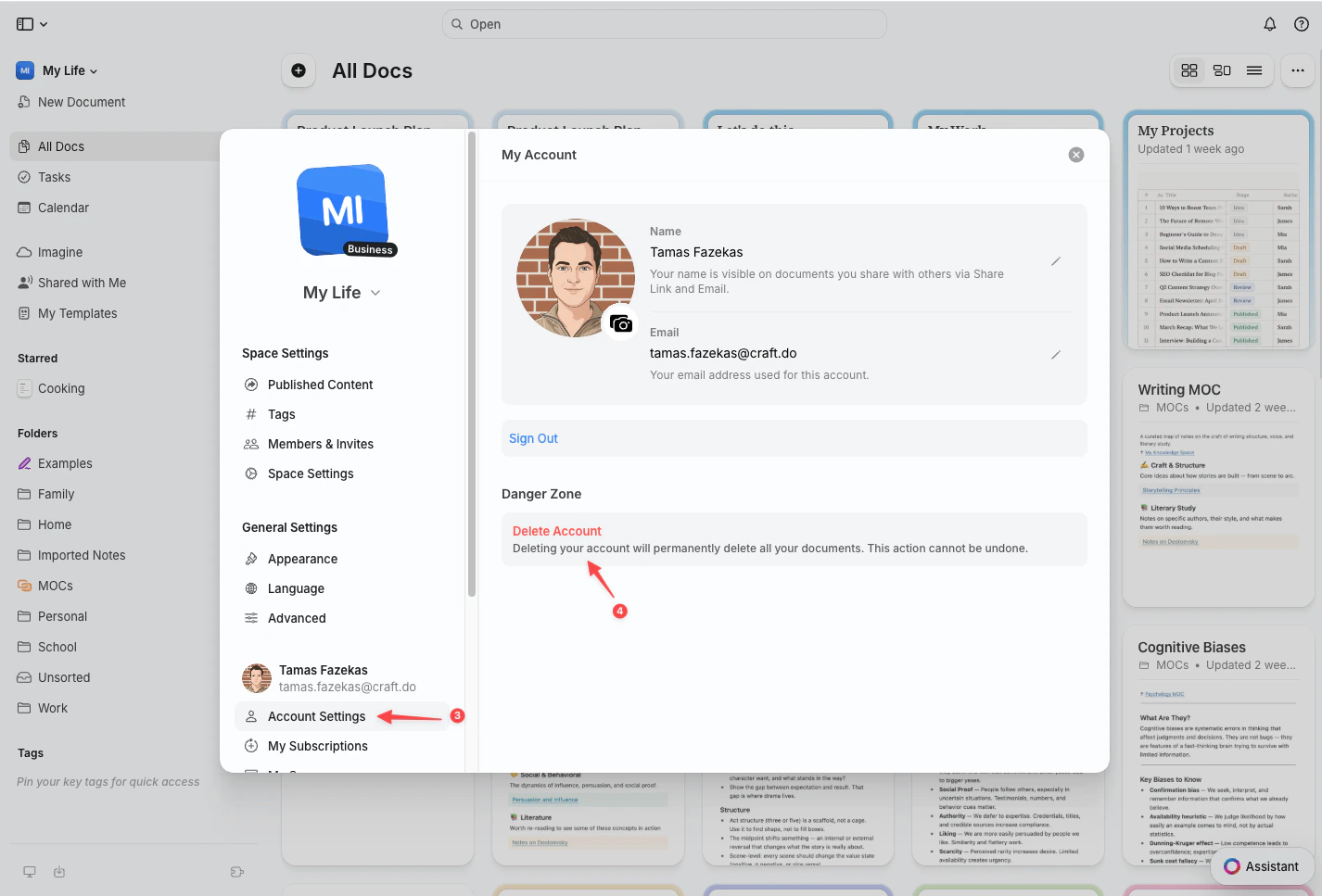
Deleting your account is permanent and cannot be undone. All documents in your personal Space and any Spaces you own will be deleted forever.
If you’re a member of Spaces owned by others, those Spaces and their content will not be affected. You’ll simply be removed as a member.
Before You Delete
Consider these alternatives before deleting your account:- Downgrade to Free - Keep your account but switch to the free plan
- Export Your Data - Download your documents before deletion
- Archive Spaces - Delete individual Spaces instead of your entire account
- Take a Break - Simply stop using Craft; your data will remain safe
Export Your Content
Learn how to export your documents and data
Manage Your Subscription
Change or cancel your subscription plan