

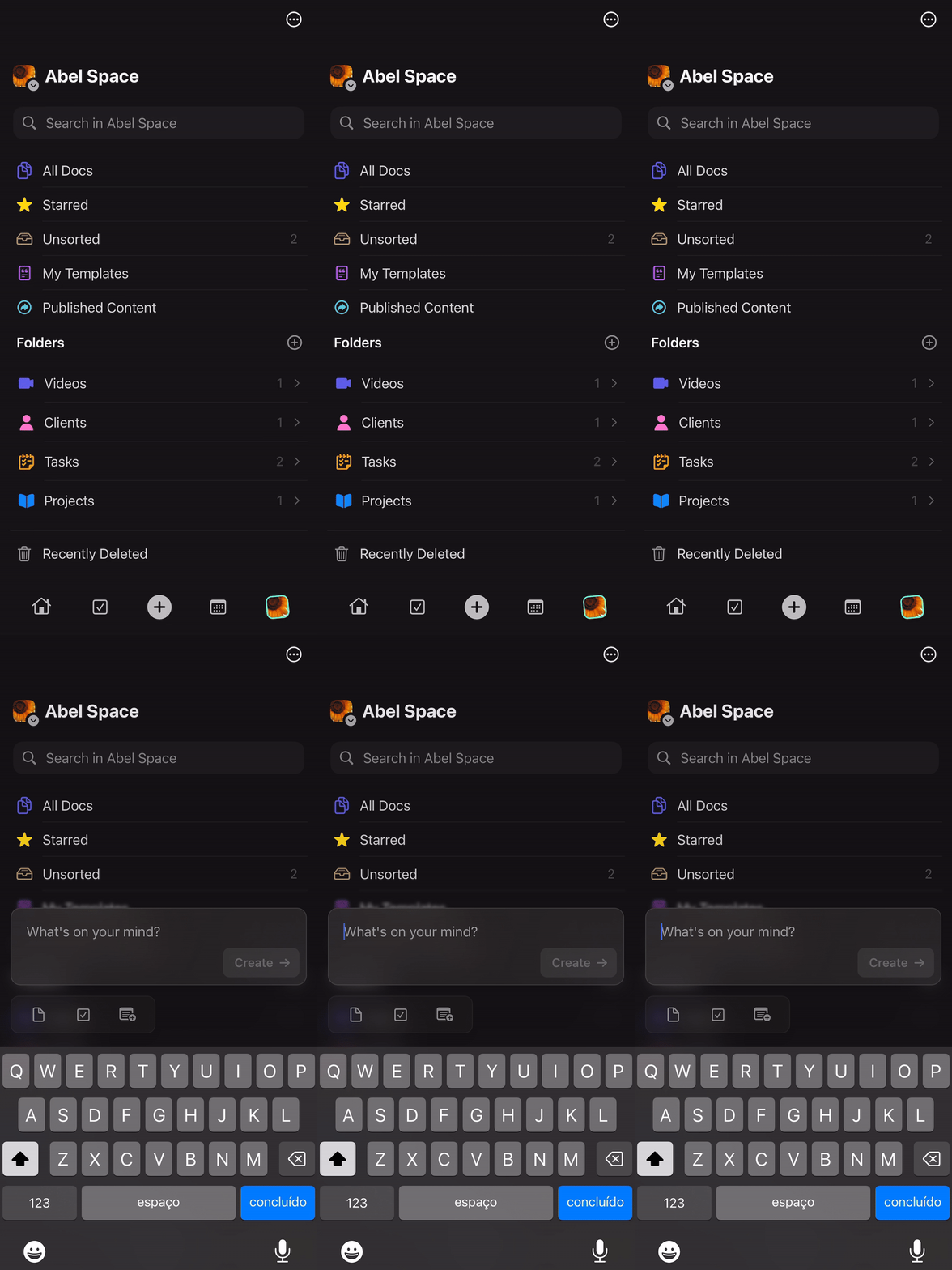
Quick Actions are available on iPhone and iPad. Access them by tapping the + button at the bottom of your screen.
Quick Add a Document
Tap the + button and select the document icon to start writing immediately. Quick Add intelligently determines whether your input becomes a title or content based on length.Short Input (Under 20 Characters)
When you write fewer than 20 characters, Craft automatically uses it as the document title.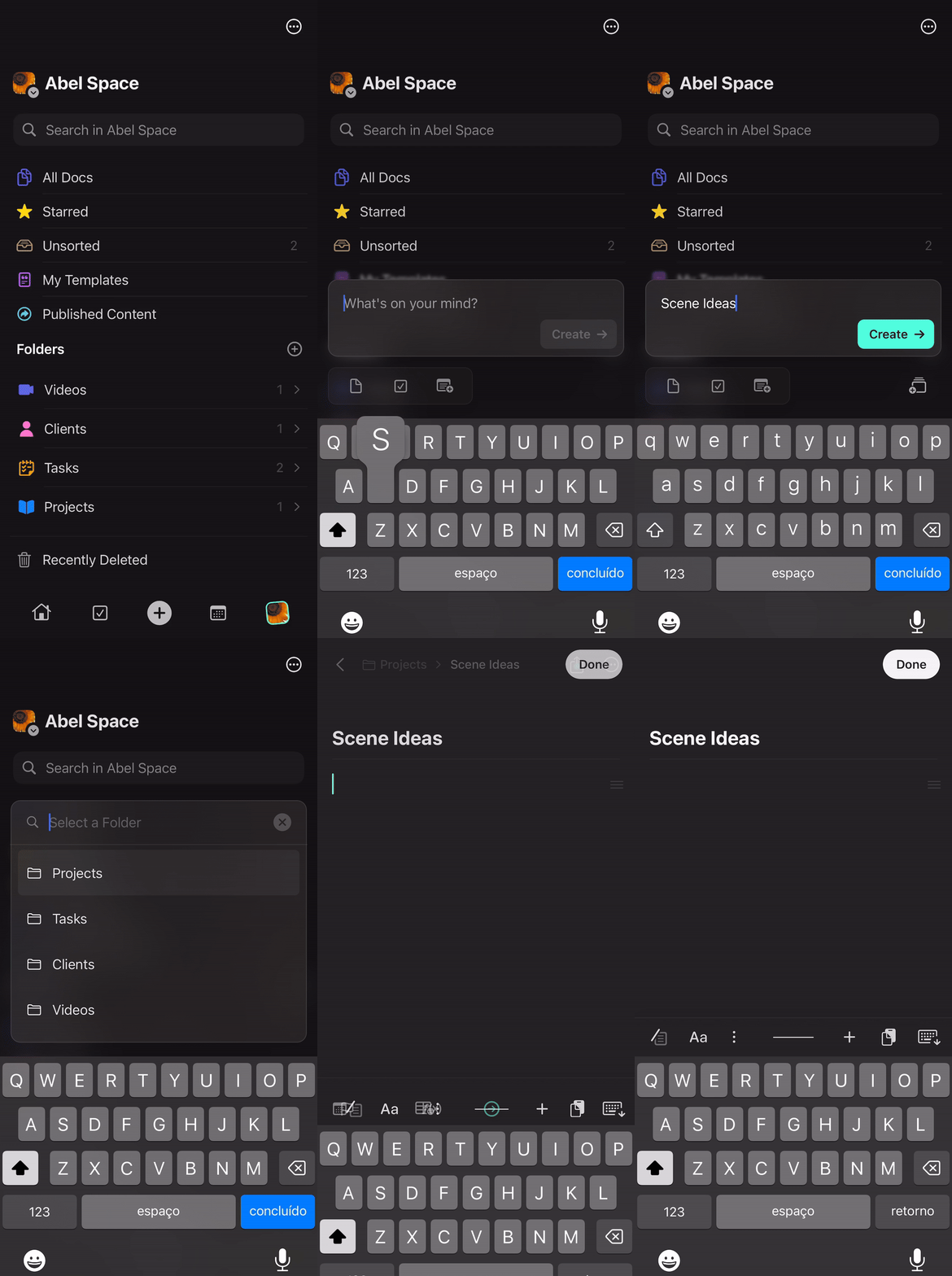
Long Input (Over 20 Characters)
When you write more than 20 characters, Craft places your text in the document content and prompts you to add a title.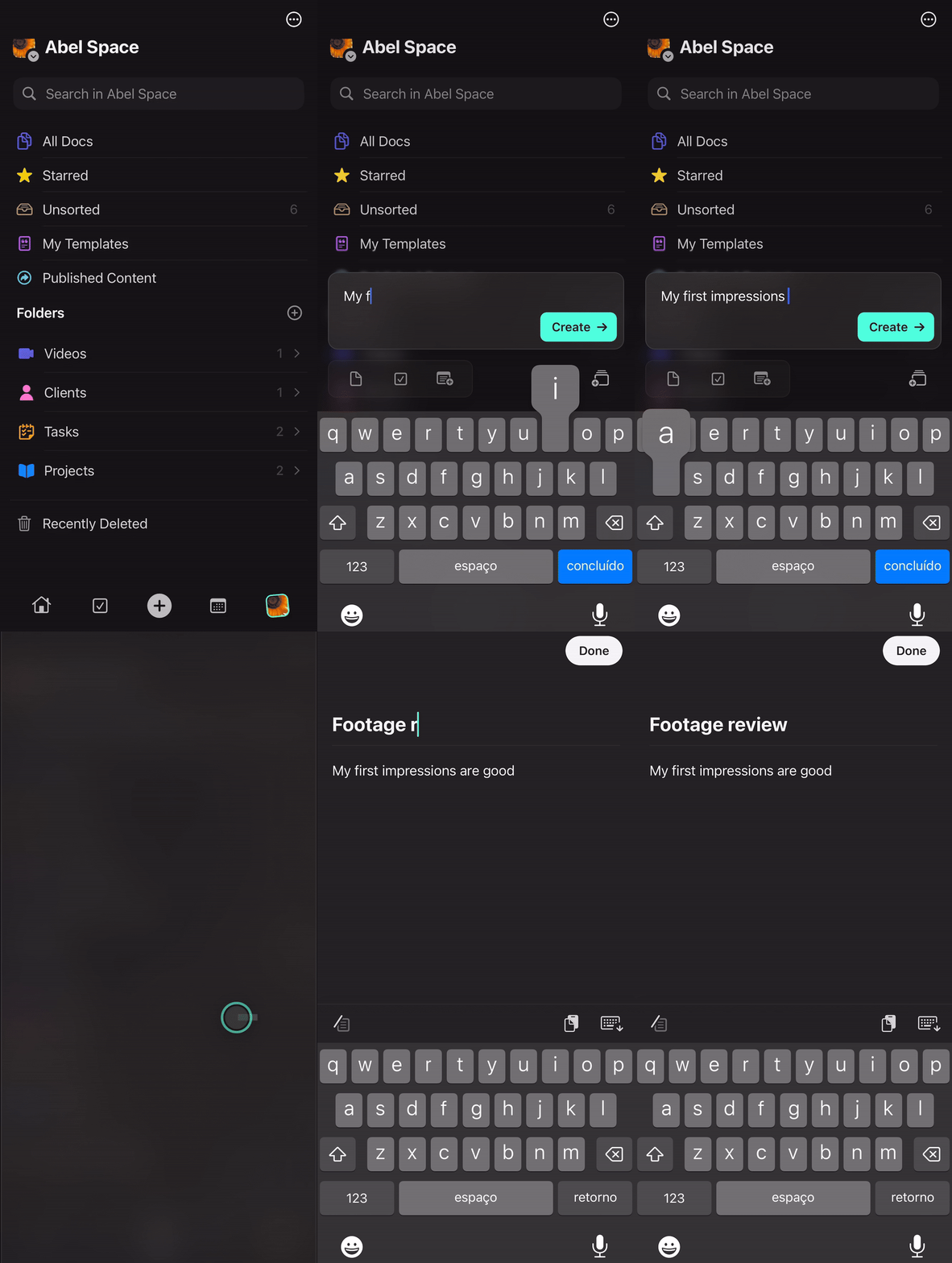
After selecting the document icon, you can choose which folder your new document will be created in. This helps keep your content organized from the start.
Quick Add a Task
Tap the + button and select the task icon to instantly create a new task. Your task will be added to your Inbox for later organization.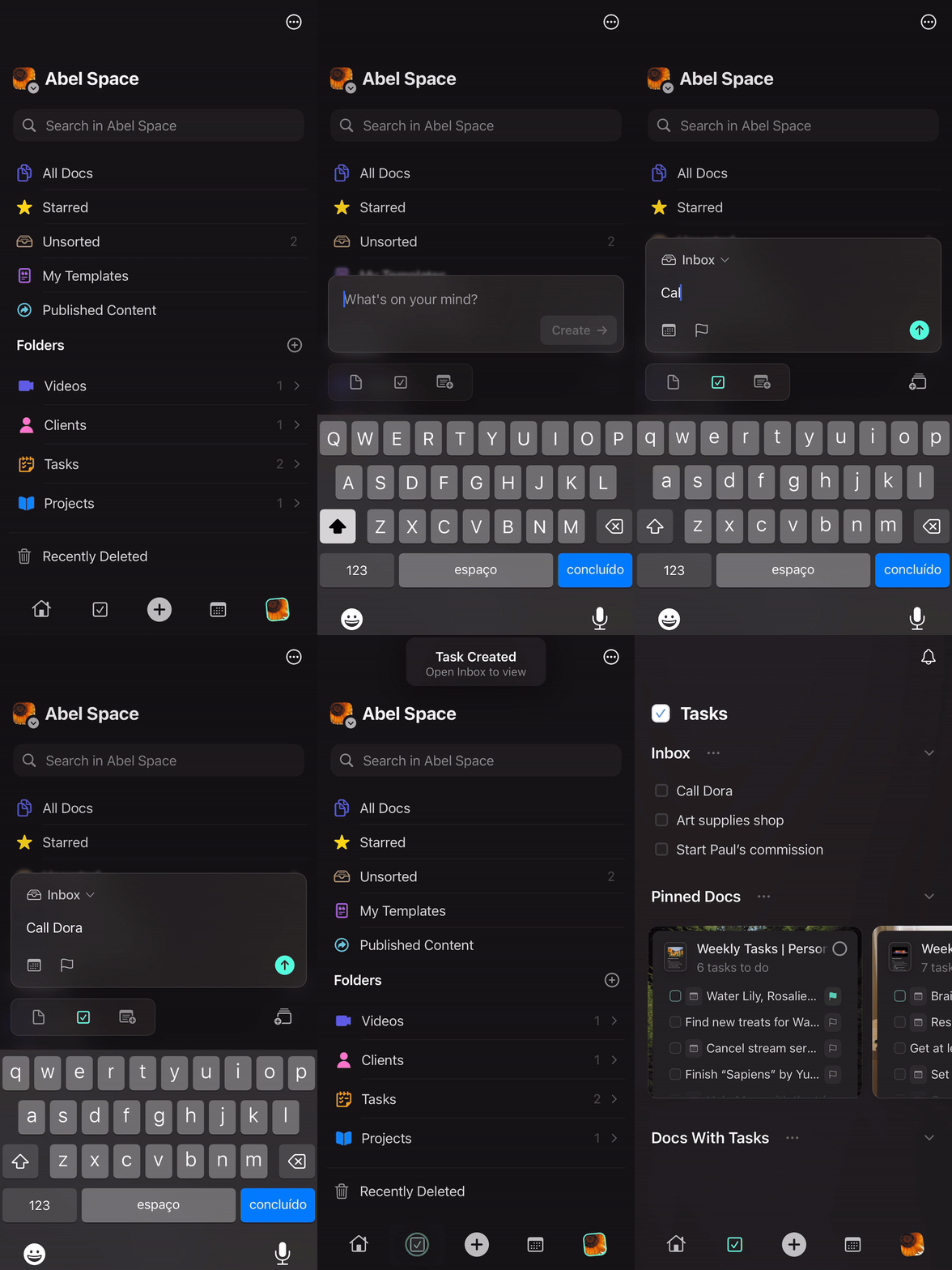
1
Tap the + button at the bottom of the screen.
2
Type your task description in the input box.
3
Tap the task icon (checkbox) to create it.
Quick Add to Daily Note
Tap the + button and select the calendar icon to instantly add content to today’s daily note.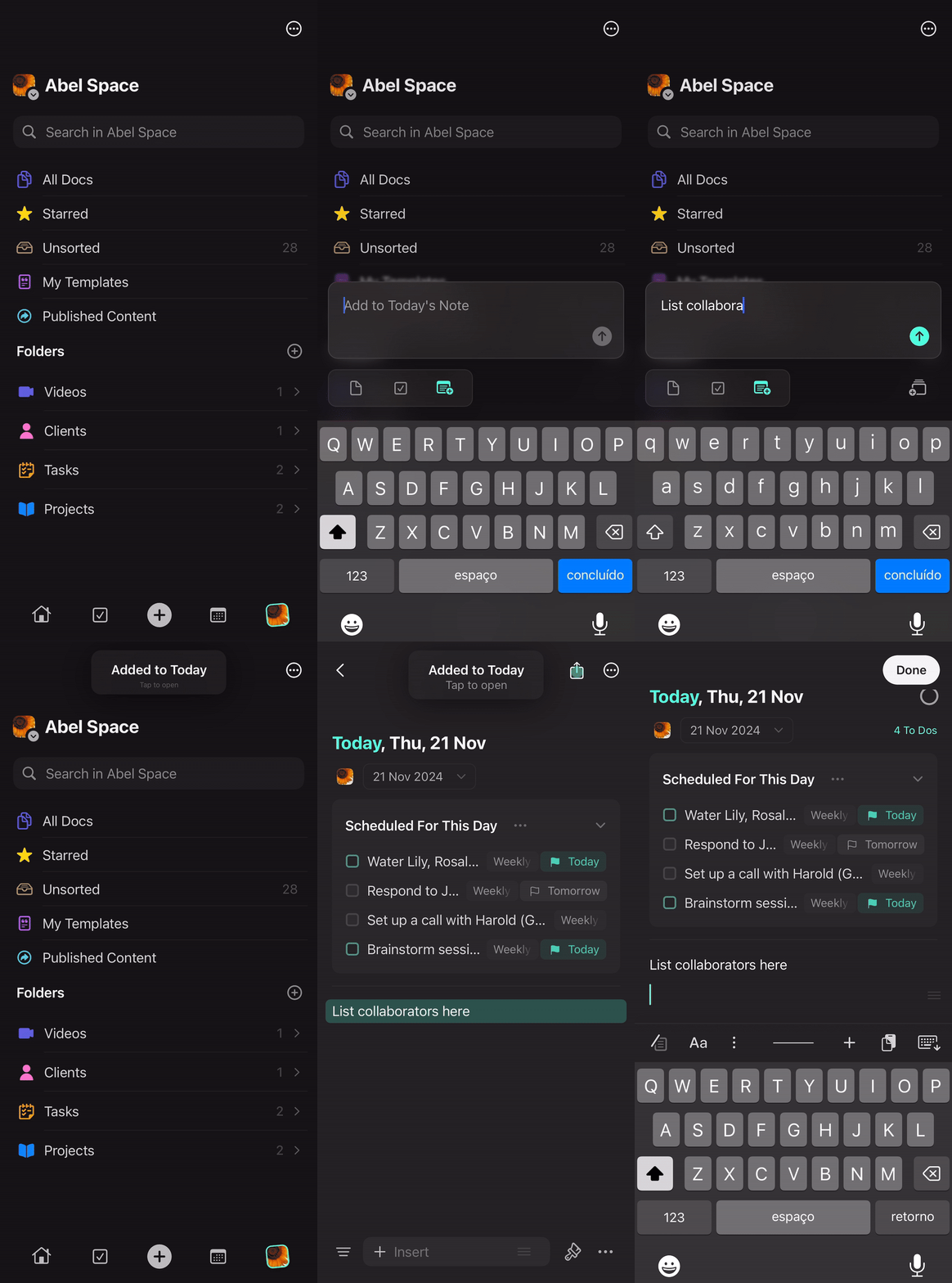
If you haven’t created a daily note for today yet, Craft will automatically create one when you use Quick Add.
Benefits of Quick Actions
Quick Actions help you maintain focus and capture information efficiently:- Speed - Capture ideas in seconds without navigating through folders
- Context switching - Add content without leaving your current task
- Smart defaults - Automatic title/content detection means less decision-making
- Organization - Choose destinations (folders, inbox, daily notes) as you create