

This integration is available on Craft for Mac, iPhone, and iPad. It is not available on Windows or Web.
Enable Access to Apple Reminders
1
Go to Tasks in the Craft sidebar
2
Under the three-dot menu (⋯) next to the Inbox, select Tasks from Reminders → Display → Reminders
3
Grant permission for Craft to access your reminders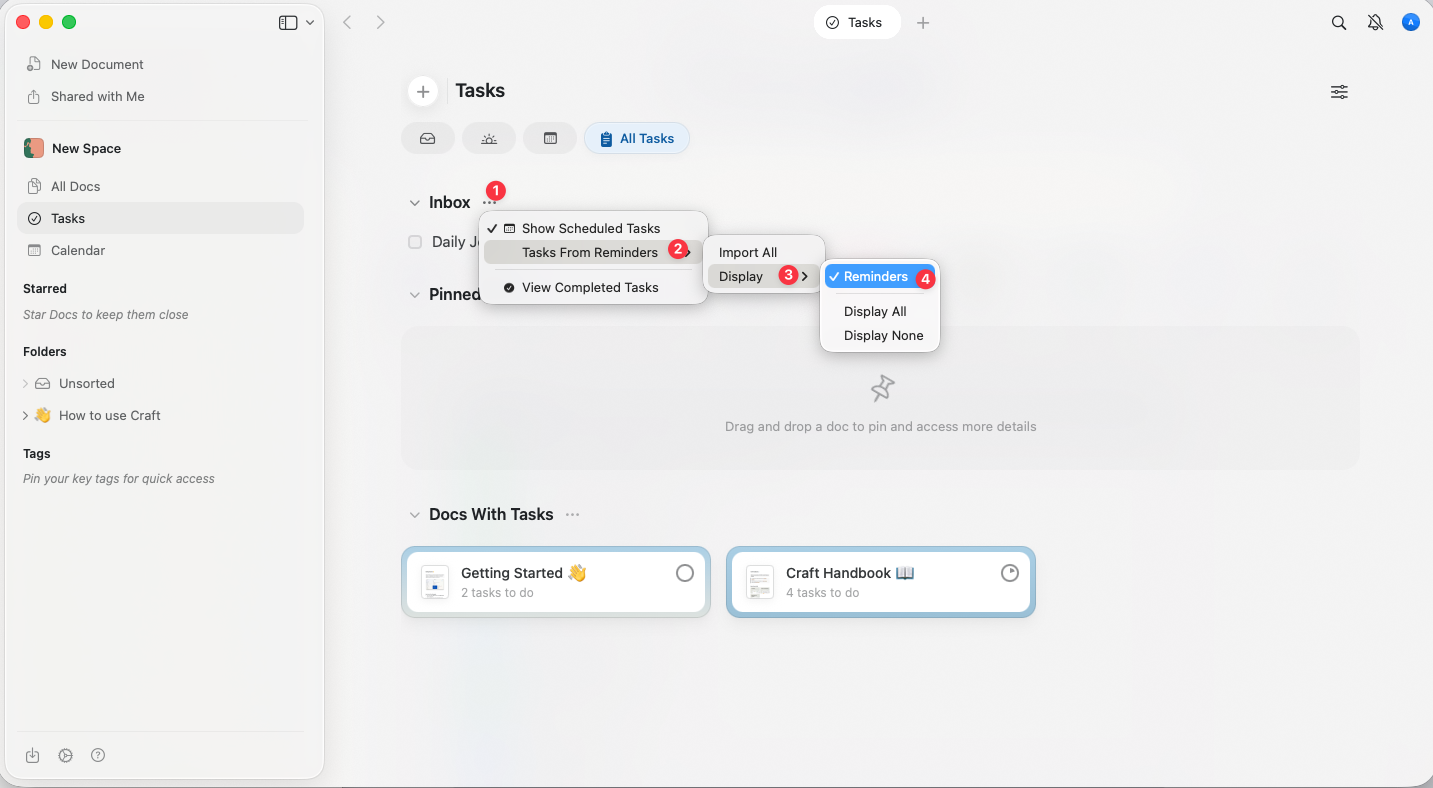
Once enabled, a new section will appear in Craft above the default Inbox tasks line.
View Your Apple Reminders in Craft
All tasks from Apple Reminders will appear in a section below the Inbox. Tasks are displayed without differentiating between lists or accounts – they are all shown in a single unified view.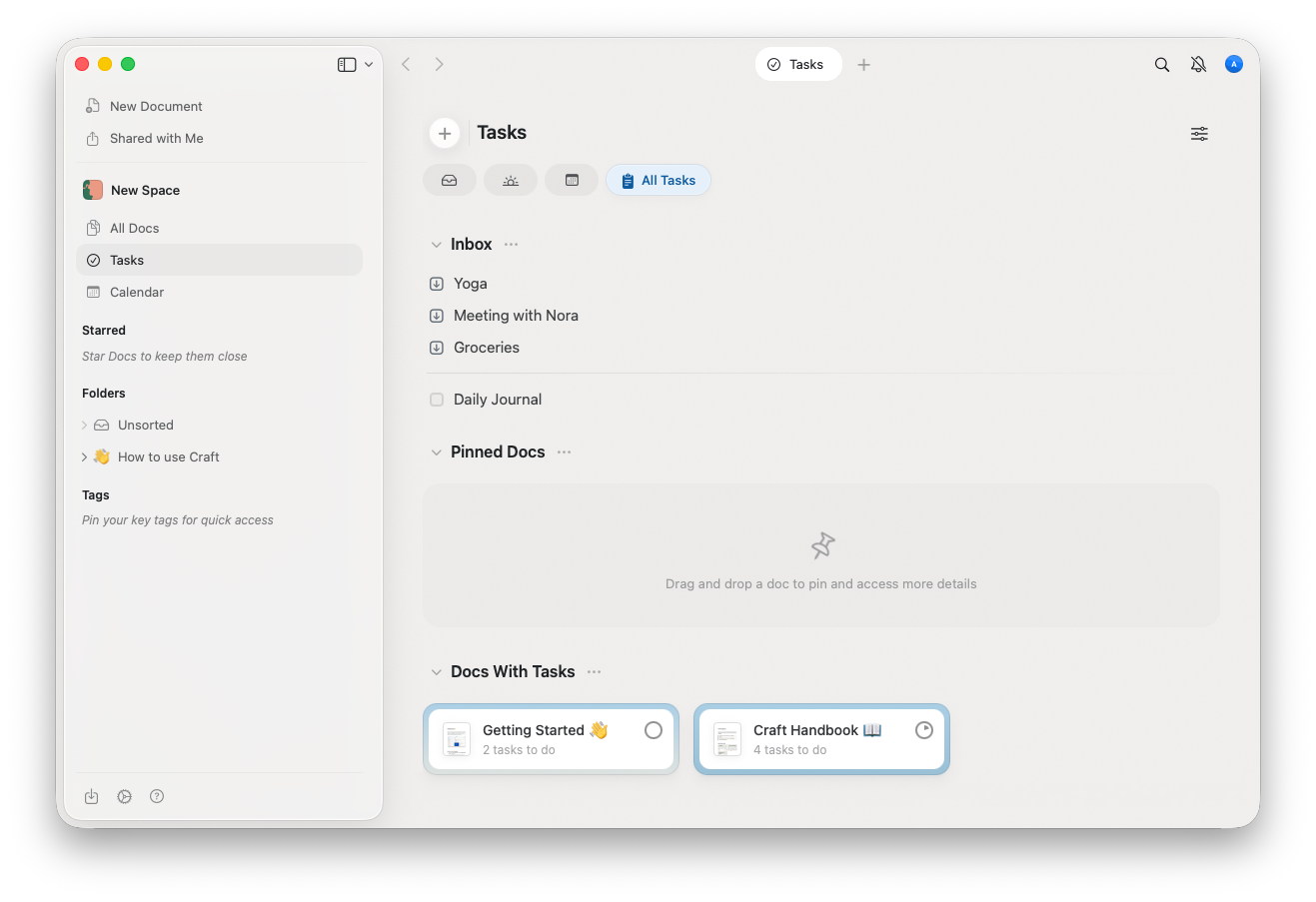
The Reminders list will be visible in all Spaces and Accounts signed into the given Craft application.
Import Tasks into Craft
Select tasks you wish to bring into Craft and download them to your Inbox by clicking on the arrow icon: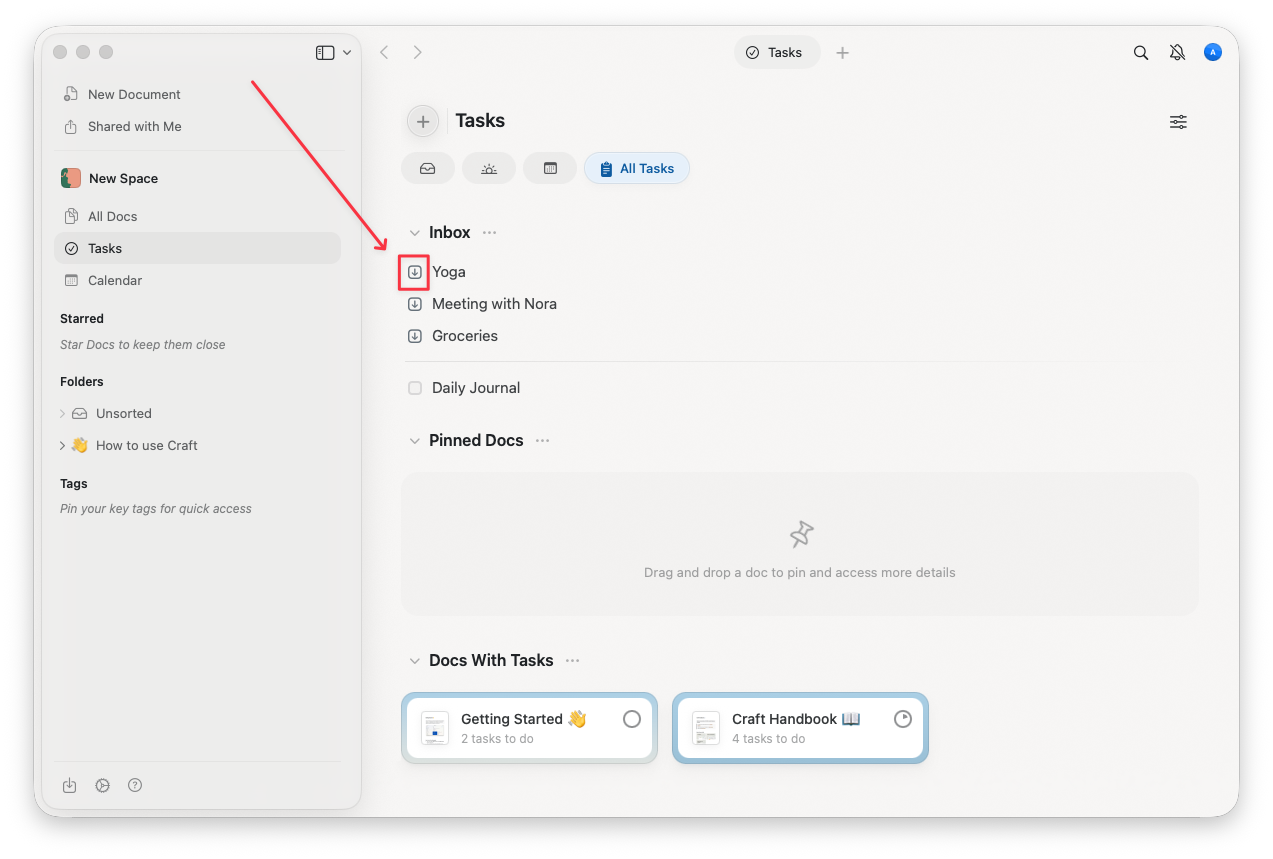
- The task will be deleted from Apple Reminders
- Tasks will not maintain their connection to Apple Reminders (one-way sync only)
Key Details and Limitations
One-Way Sync
Tasks can only be imported into Craft. Changes made in Craft do not sync back to Apple Reminders.No Differentiation
Tasks from all accounts and lists in Apple Reminders are displayed together in the Inbox section.Subtasks
Tasks and subtasks are treated the same and will appear in the unified list.Recurring Tasks
Recurring tasks from Apple Reminders are imported as single tasks in Craft.Time Zone Issues
Dates may change due to time zone differences. This will be fixed in an upcoming update.Deletion Behavior
Once a task is downloaded into Craft, it is deleted from Apple Reminders. Be sure this action aligns with your preferences.Managing Imported Tasks In Craft
Inbox
- All tasks downloaded from Apple Reminders are added to your Inbox
- From there, you can:
- Assign tasks to documents
- Set start dates or deadlines
- Organize tasks as needed
Calendar View
Tasks with start dates will automatically appear in the Calendar View on the specified day.Best Practices
Review Tasks Before Importing
Double-check tasks in the From Reminders section before downloading. Remember that downloaded tasks will be deleted from Apple Reminders.Organize Tasks After Importing
Move tasks from the Inbox to relevant documents to keep them organized and tied to the appropriate projects.Use Reminders for Quick Capture
Continue using Apple Reminders for quick task capture on the go, then import and organize them in Craft during your planning sessions.Disable Access to Apple Reminders
If you need to revoke Craft’s access to Reminders:1
Open System Settings on your device
2
Go to Privacy & Security → Reminders
3
Find Craft in the list and disable it
Tasks
Learn more about managing tasks in Craft
Daily Notes
Organize tasks by day with Daily Notes
Reminders
Set up Craft’s native reminder system
Calendar
View imported tasks in the calendar view