

Open Billing & Subscription
Step 1: Open Settings
- Mac
- Web / Windows
- iOS
- Android
Click the Space name at the top of the sidebar to open Settings.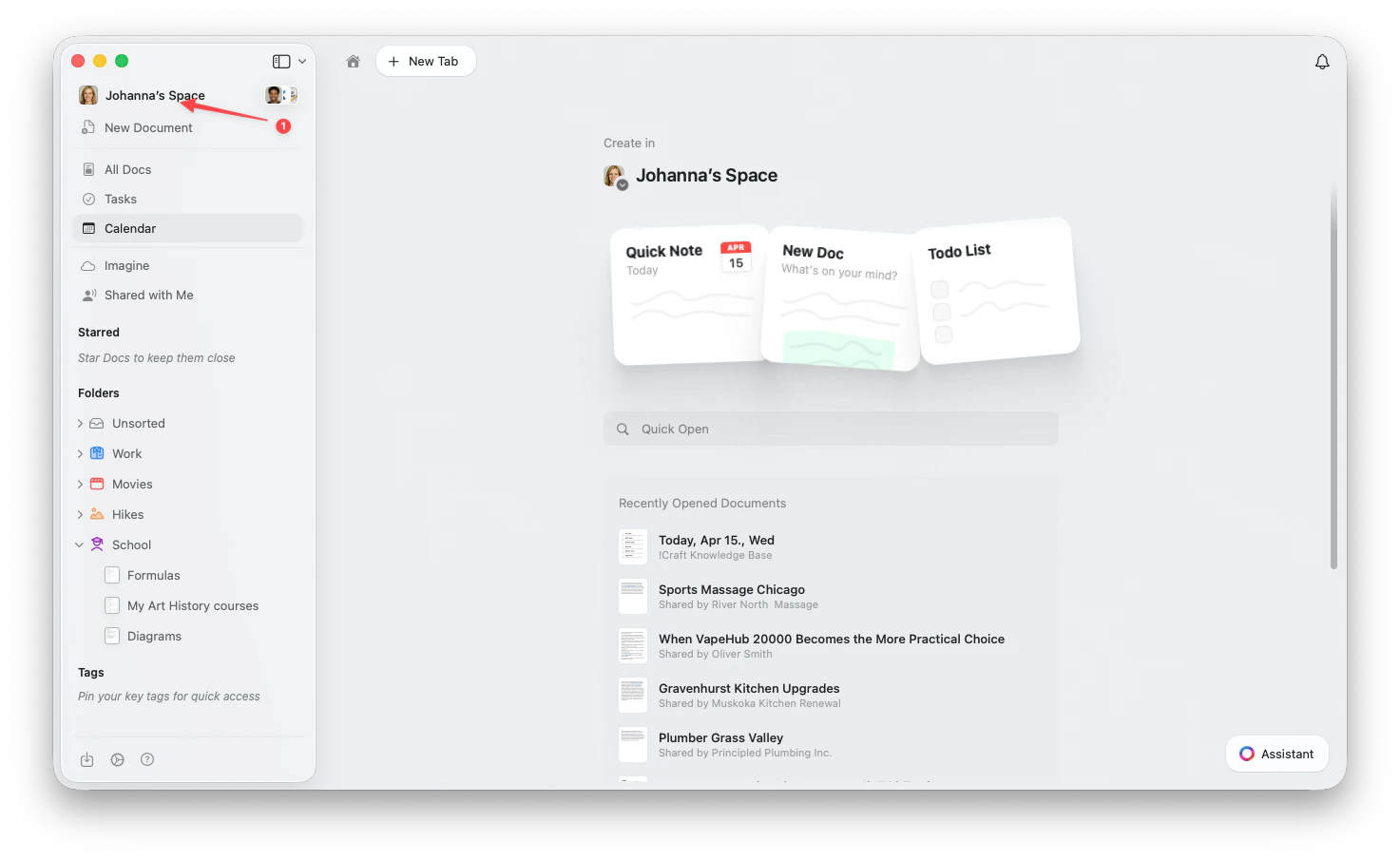
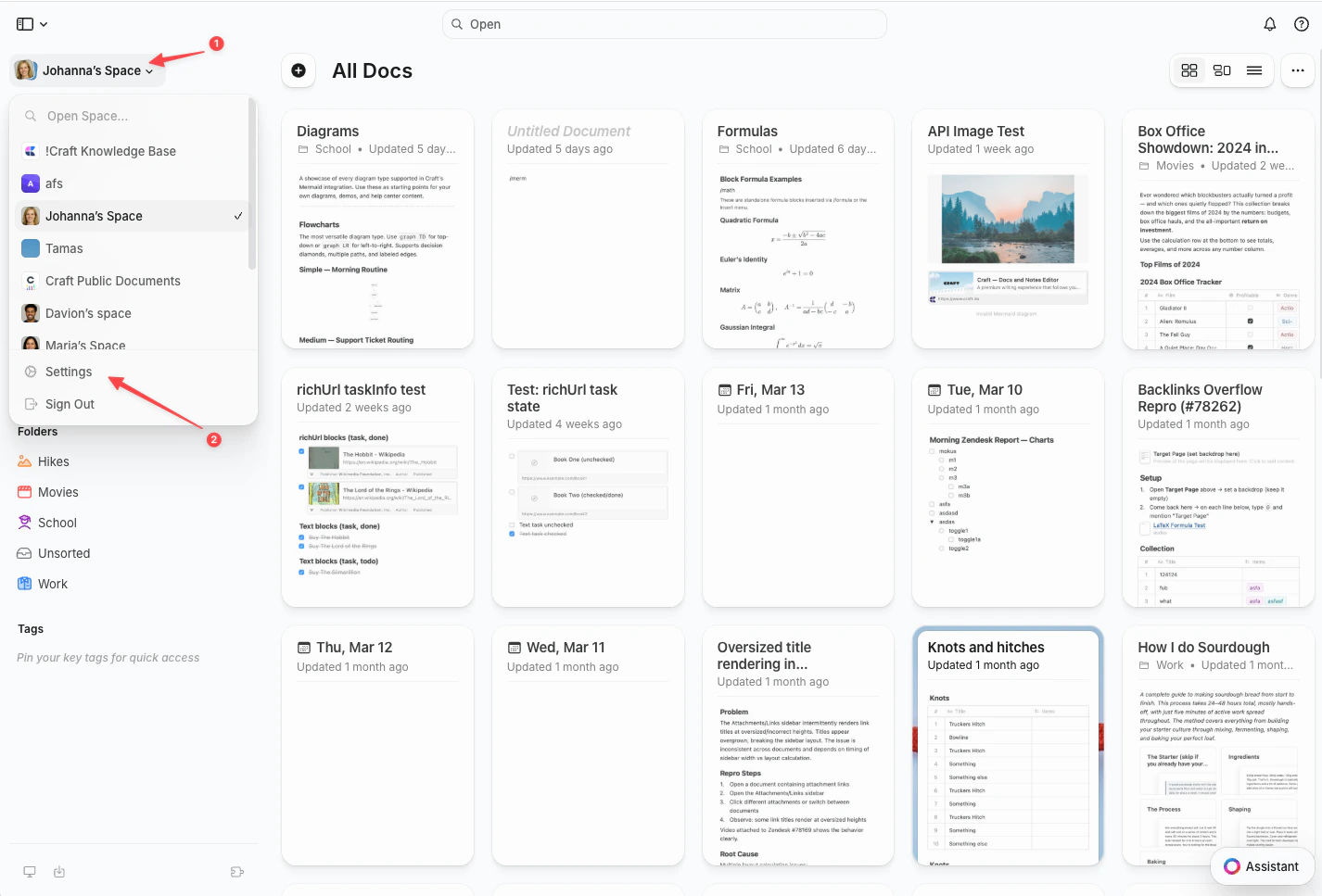
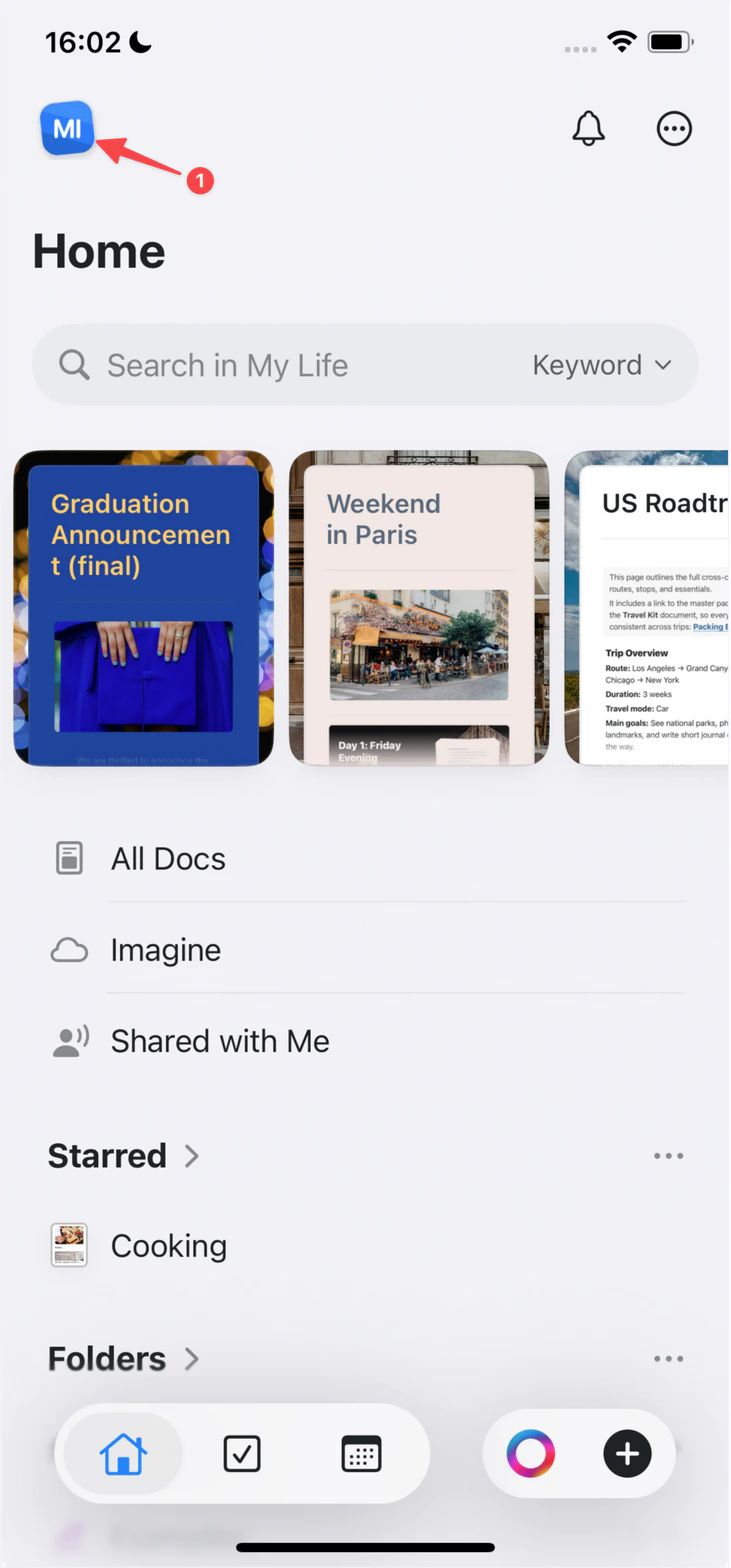
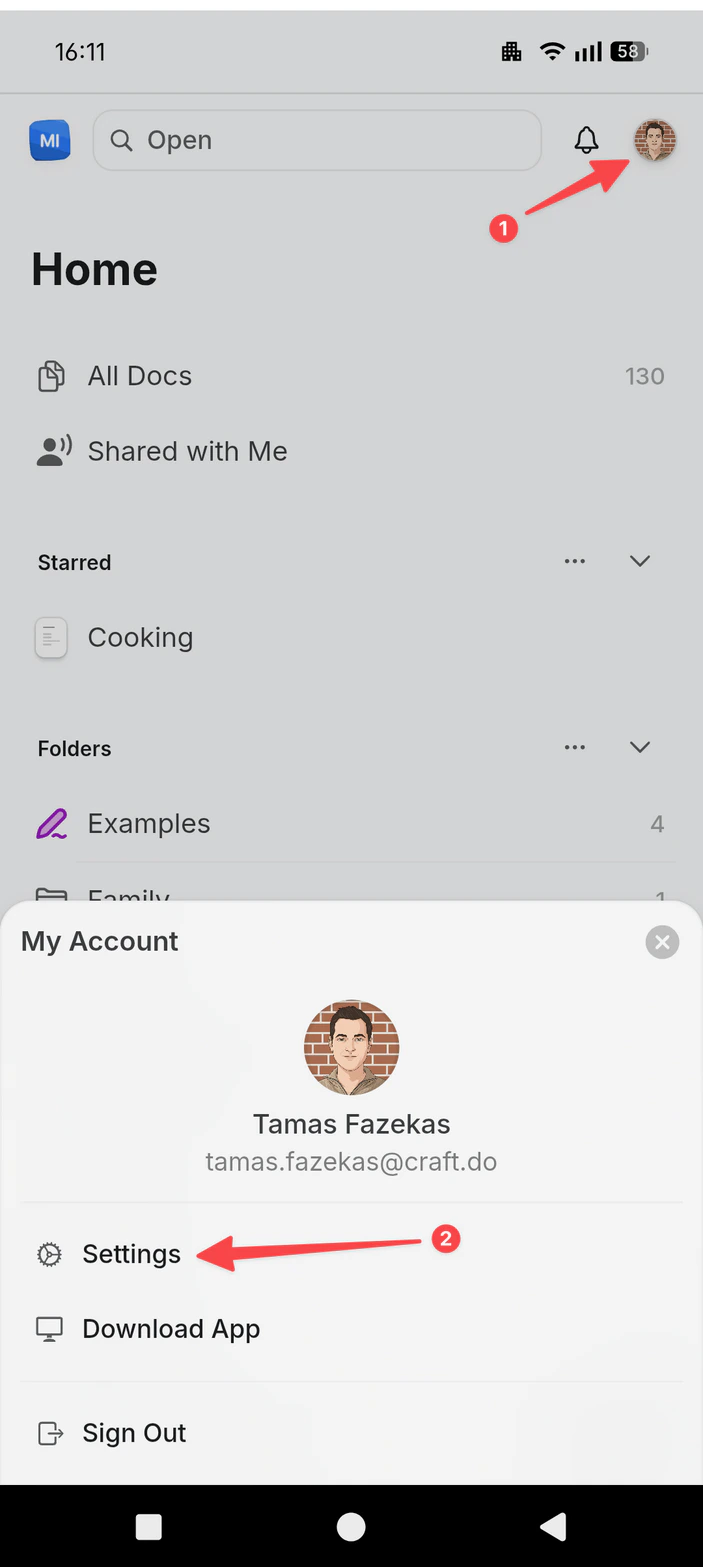
Step 2: Go to My Subscriptions
In the Settings sidebar, select My Subscriptions. You’ll see a card for each subscription on your account — your personal space (e.g. My Space · Plus) and any business or team subscriptions you own.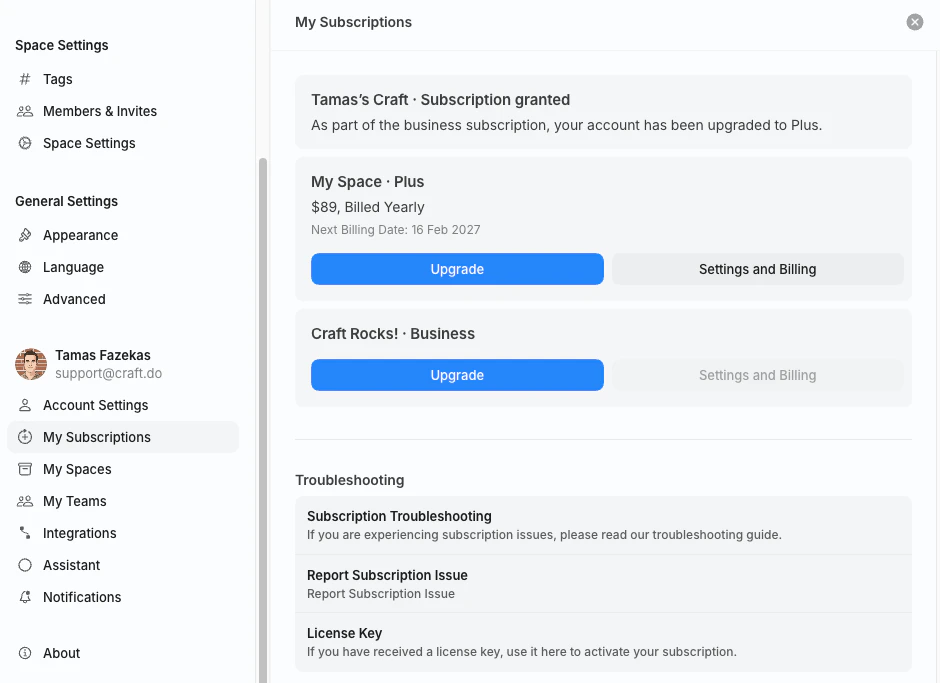
Step 3: Open Settings and Billing
On the subscription you want to manage, click Settings and Billing. This opens the Billing & Subscription view for that subscription.Only the subscription owner (the account that purchased the plan) sees the Settings and Billing button. If you’re a member of a team space someone else owns, ask the owner to download the invoice for you.
What’s in the Billing & Subscription View
The Billing & Subscription view has three sections.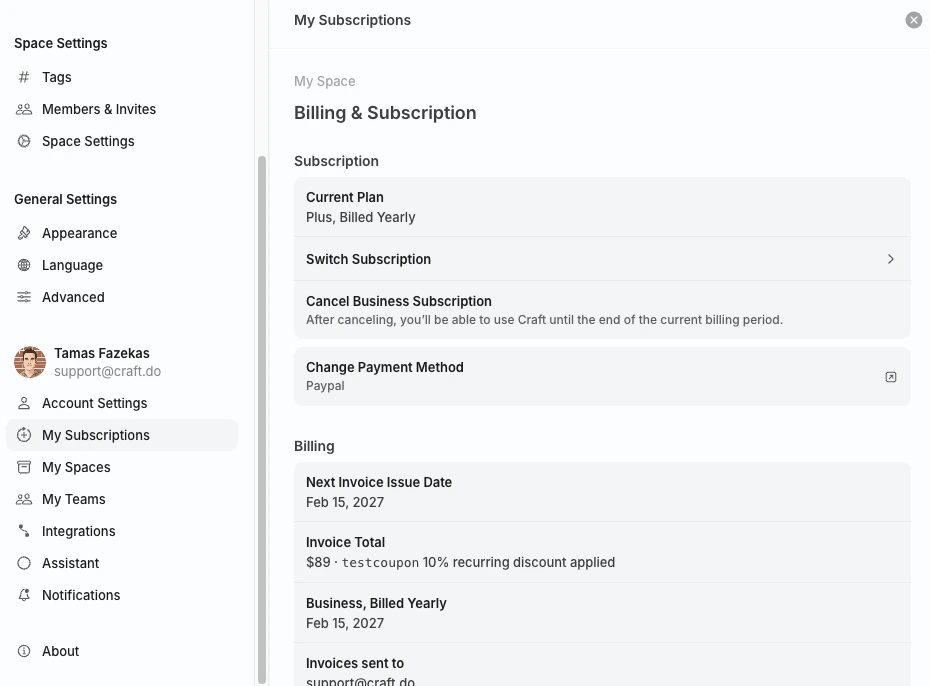
Subscription
Billing
Invoices
The Invoices table at the bottom of the view lists every invoice issued for this subscription, with the date, total, and status.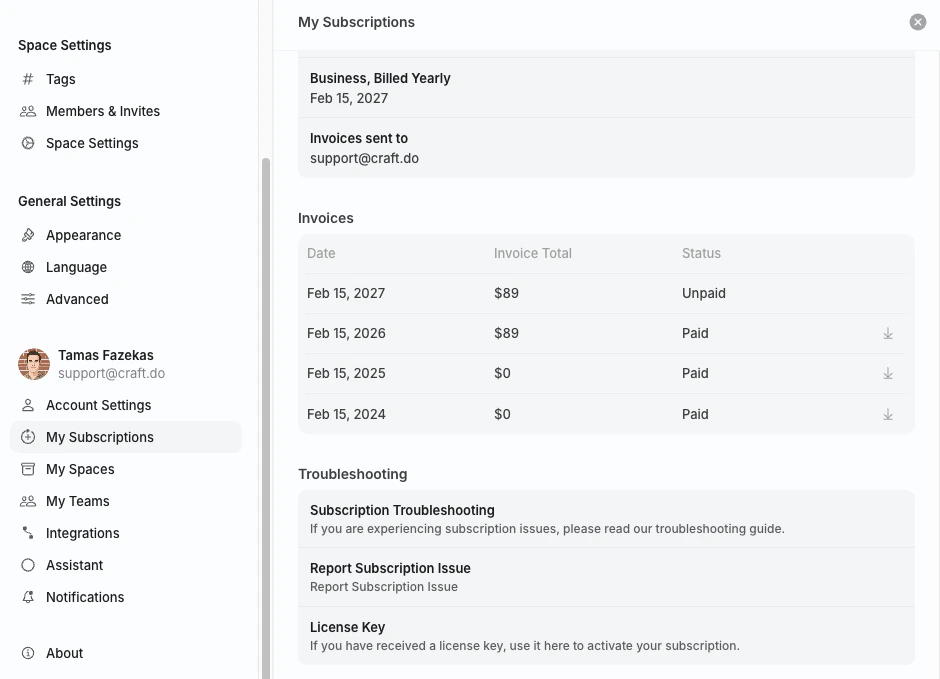
Download an Invoice
1
Open Billing & Subscription
Follow the steps above to open the Billing & Subscription view for your subscription.
2
Scroll to the Invoices table
The table is below the Subscription and Billing sections.
3
Click the download arrow
On any Paid invoice, click the download arrow (↓) on the right of the row to download a PDF copy.
App Store Subscriptions (iOS / macOS)
If you subscribed through the App Store on an iPhone, iPad, or Mac, Apple manages all billing. Craft cannot generate or download App Store invoices on Apple’s behalf. To find your receipts:- Email: Apple emails a receipt for every purchase to the email address on your Apple ID.
- Apple ID purchase history: View past receipts at reportaproblem.apple.com.
- Apple Support: For copies, refunds, or VAT-compliant invoices, visit Apple’s billing support.
Setapp
Setapp manages billing for users who access Craft through their Setapp membership. Receipts and invoices are available in your Setapp account at my.setapp.com.Troubleshooting
I don't see Settings and Billing on my subscription
I don't see Settings and Billing on my subscription
Only the subscription owner sees the Settings and Billing button. If you joined a team space someone else owns, the owner has to download invoices.
My invoice has the wrong company name or VAT ID
My invoice has the wrong company name or VAT ID
Invoices are generated using the billing details on file at the time of the charge. You can update details for future invoices in the Stripe billing portal — see VAT Information. For corrections to historical invoices, contact support@craft.do with the invoice number.
I subscribed through the App Store but need a VAT invoice
I subscribed through the App Store but need a VAT invoice
Apple is the merchant of record for App Store subscriptions, so VAT invoices are issued by Apple, not Craft. Visit Apple’s billing support to request a VAT-compliant invoice.
Related Articles
Payment Methods Guide
Stripe, App Store, and Setapp explained
Update Payment Method
Change the card or payment details on file
VAT Information
Add VAT or company details to your invoices
Change Billing Email
Update the email that receives invoices
Cancel Subscription
End your Craft subscription
Discount Codes
Apply or review active discount codes
For general troubleshooting, sync, or platform-specific issues, see the Troubleshooting Guide.