

Block Formulas
Block formulas are standalone equation blocks that display centered on their own line. They’re ideal for important equations, derivations, and multiline math.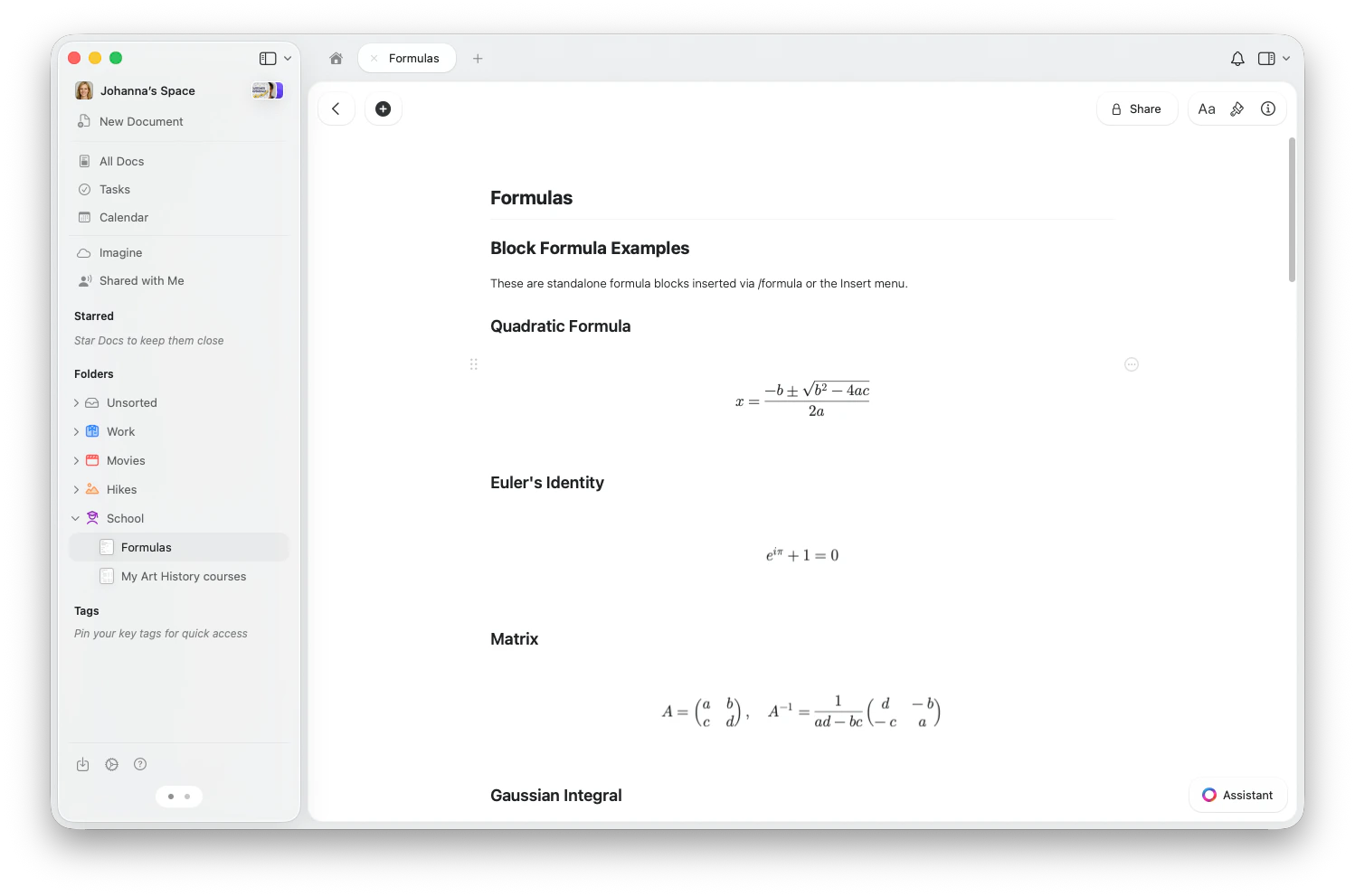
Inserting a Block Formula
- macOS
- iOS
- Web
- Type
/formulaand select Insert Formula (TeX) from the slash menu - Or open the Insert menu from the toolbar and choose Formula (TeX)
Editing a Block Formula
Click on a block formula to open the formula editor. Type your LaTeX code in the input field — the rendered formula updates live above it.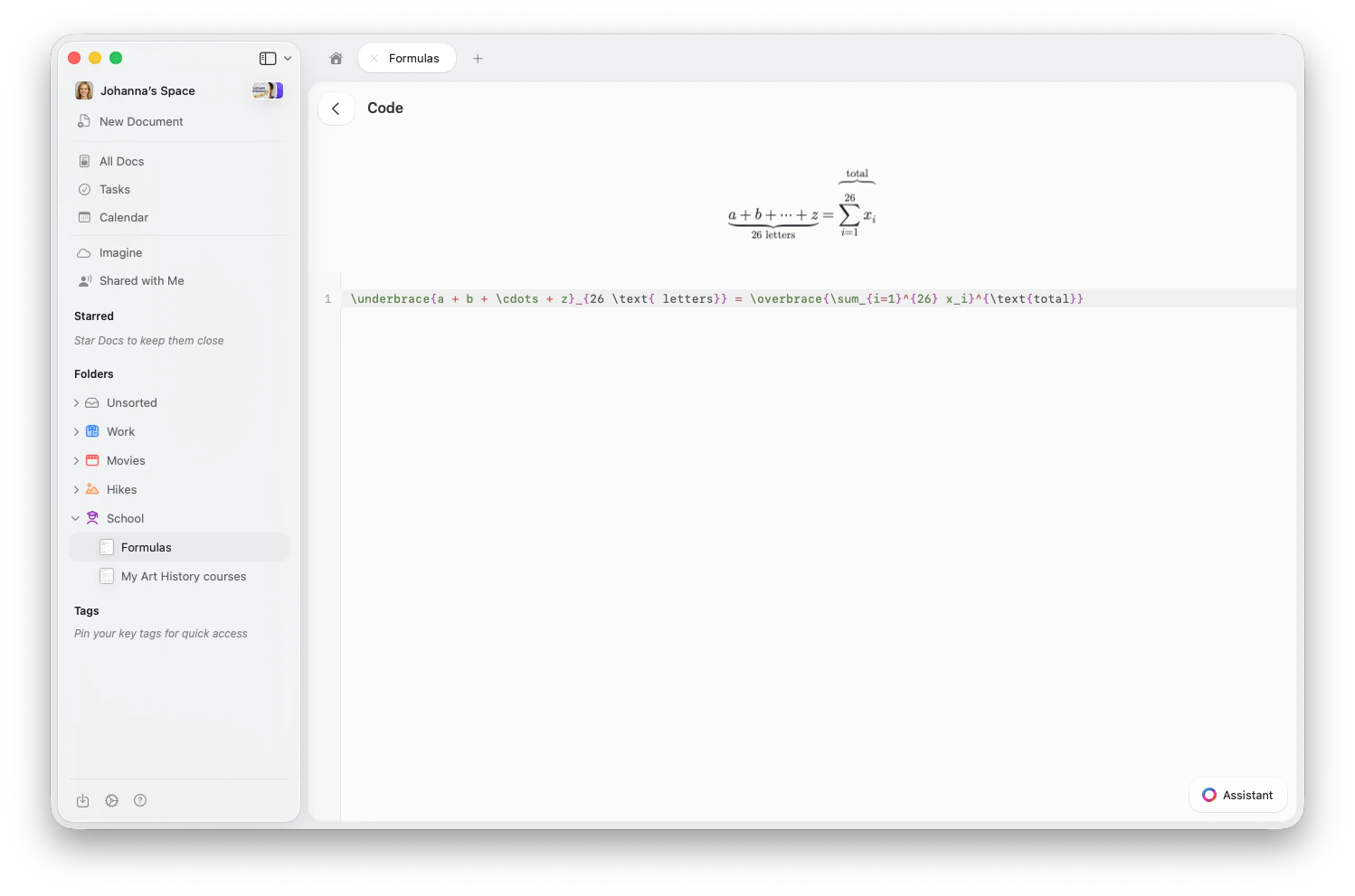
Inline Formulas
Inline formulas render within your text for variables, expressions, and short equations.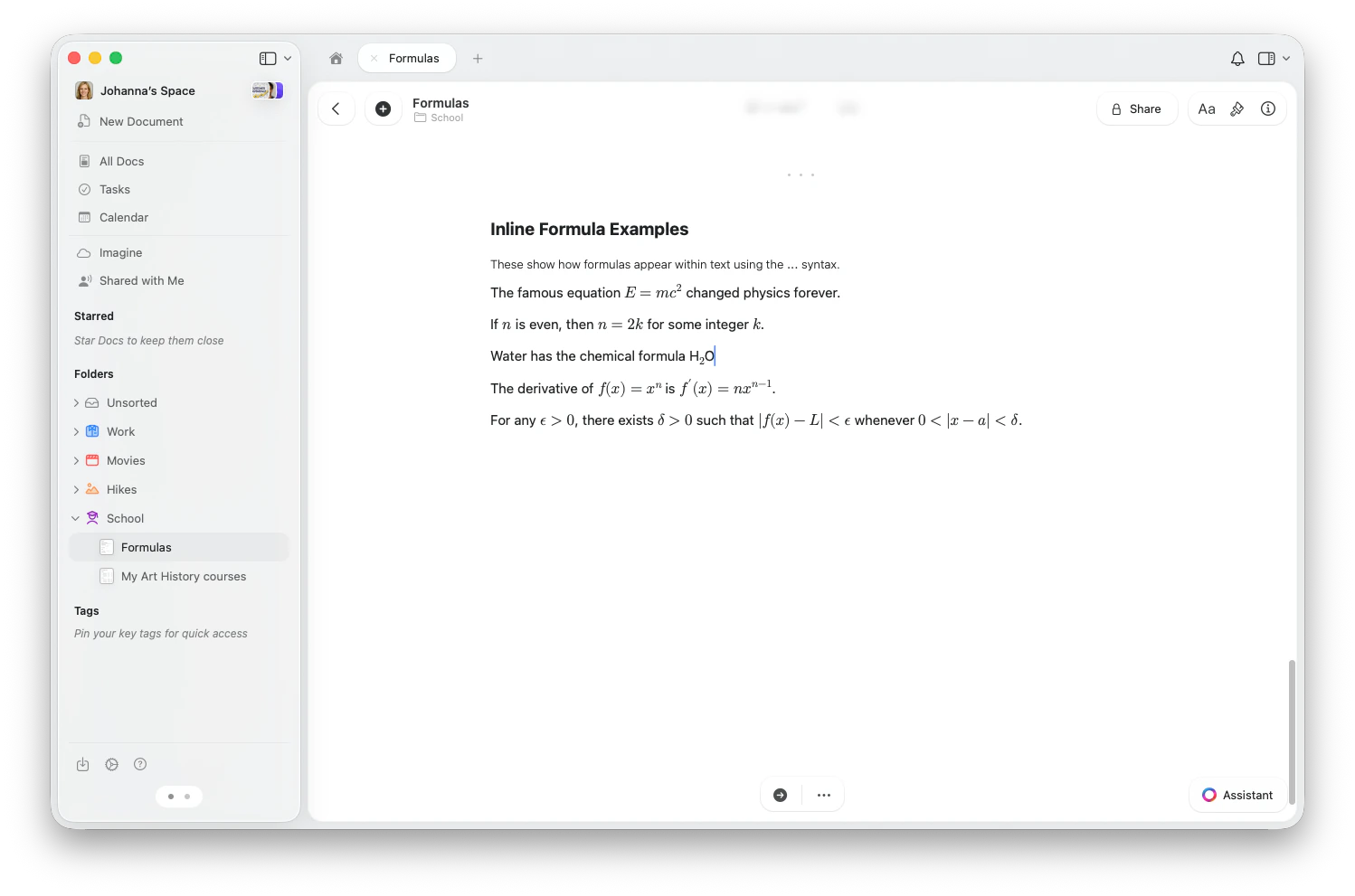
- Type
$$to begin the formula - Enter your LaTeX notation (e.g.,
E = mc^2) - Type
$$again to render the formula, for example$$E = mc^2$$
$$x^2+y^2=z^2$$. Do not put a space immediately after the opening $$ or immediately before the closing $$. Spaces within the expression are allowed, as in $$E = mc^2$$. Typing the opening $$ alone does not open an editor.
To edit an inline formula on iPhone or iPad, tap the rendered formula, then tap the pencil icon. Edit the LaTeX expression in the formula panel without the $$ delimiters, then tap Save.
Use inline formulas for variables and short expressions within sentences. Use block formulas for important standalone equations, derivations, or anything with multiple lines.
LaTeX Quick Reference
Here are the most commonly used LaTeX commands in Craft.Basic Math
Operators and Relations
Structures
Matrices
Matrices
Use Other matrix types:
\begin{pmatrix}...\end{pmatrix} for parenthesized matrices, or bmatrix for square brackets:vmatrix (vertical bars), Vmatrix (double bars), Bmatrix (curly braces).Cases (Piecewise Functions)
Cases (Piecewise Functions)
Multiline Equations (Alignment)
Multiline Equations (Alignment)
Use
align* to align equations at the & symbol:Arrays and Tables
Arrays and Tables
Use
\begin{array}{lcr} with column alignment specifiers (l, c, r) and \\ for rows:Decorations
Cancellation and Boxed Expressions
Cancellation and Boxed Expressions
\cancel{x}— diagonal strikethrough\bcancel{x}— back diagonal\xcancel{x}— X strikethrough\boxed{expression}— draw a box around a result
Braces and Arrows Over/Under
Braces and Arrows Over/Under
\overbrace{a+b+c}^{\text{label}}— brace above\underbrace{a+b+c}_{\text{label}}— brace below\overrightarrow{AB}— arrow above\overleftarrow{AB}— arrow above (left)
Extensible Arrows
Extensible Arrows
Arrows that stretch to fit their labels:
\xrightarrow[\text{below}]{\text{above}}— right arrow with labels\xleftarrow{\text{label}}— left arrow\xRightarrow{}— double right arrow\xleftrightarrow{}— bidirectional arrow
Sizing
Sizing
Adjust delimiter sizes manually:
\big( \Big( \bigg( \Bigg(— increasing sizes of parentheses- Works with all delimiter types:
(),[],\{\},|,\|
Colors
Add color to parts of your formulas:\color{blue}{x+y}— color a subexpression\textcolor{red}{x}— color text\colorbox{yellow}{expression}— colored background
\red{x}, \blue{x}, \green{x}, \purple{x}, and more.
Specialized Notation
Physics
Physics
Craft includes built-in physics notation commands:
\abs{x}— absolute value\norm{x}— norm\dd{x}— differential\dv{f}{x}— total derivative\pdv{f}{x}— partial derivative\grad,\curl,\divergence,\cross— vector calculus operators\vb{F}— vector bold
Quantum Mechanics (Braket Notation)
Quantum Mechanics (Braket Notation)
\bra{\psi}— bra ⟨ψ|\ket{\phi}— ket |φ⟩\braket{\psi | \phi}— inner product ⟨ψ|φ⟩
Number Set Shortcuts
Number Set Shortcuts
Quick access to common sets using blackboard bold:
\R— real numbers ℝ\N— natural numbers ℕ\Z— integers ℤ\Q— rationals ℚ\C— complex numbers ℂ
\mathbb{X} for any letter.Custom Macros
Custom Macros
Define reusable commands within a formula using standard TeX macro syntax:You can also use
\newcommand{\cmd}[n]{definition} syntax.Equation Tags
Label equations with\tag{n}:
\tag*{text} for tags without parentheses, or \notag to suppress numbering in aligned environments.
Examples
Here are some common real-world formulas to get you started:Subscript and Superscript
Quick subscript and superscript formatting with inline formulas
Code Blocks
Insert and format code blocks with syntax highlighting
Markdown Shortcuts
Format text with markdown-style shortcuts including inline equations