

What is Quick Open?
Use Quick Open to:- Open any document or folder in any of your spaces by name
- Switch to another space
- Jump to views like Starred, Shared with Me, Tasks, and Calendar
- Open a daily note by typing today, tomorrow, yesterday, or a date
Quick Open’s main focus is to help you get to documents, spaces, views, and daily notes. To find every place a word appears in your space, use Search instead.
How to Open It
- macOS
- iPad
- iPhone
- Windows
- Web
Press
Cmd + O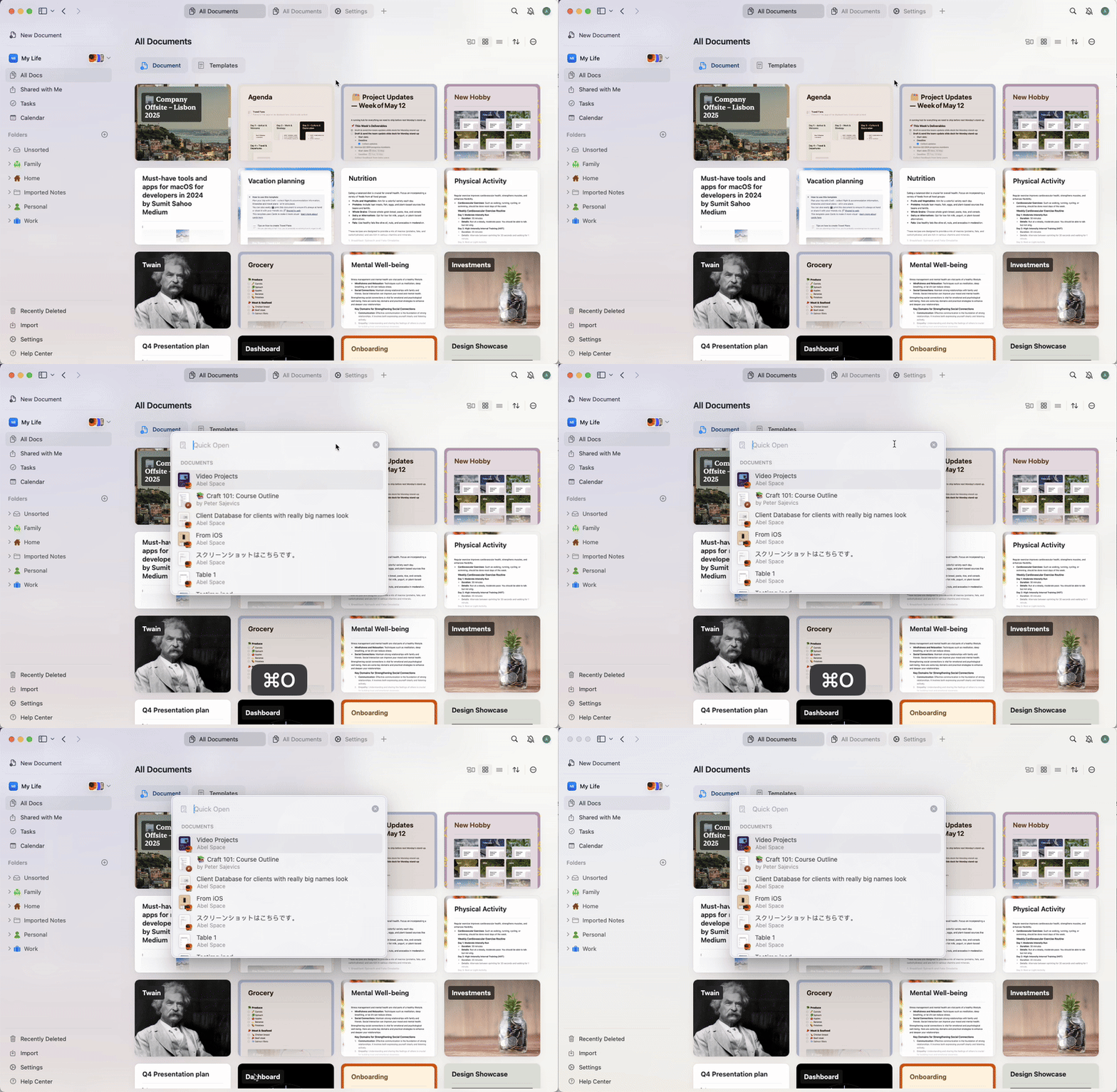
How It Works
Once Quick Open is active:1
Start typing the name of a document, folder, space, or view.
2
Craft lists matching documents, folders, spaces, and views from all your spaces. On macOS and iOS, it also lists matching pages and blocks from the current space.
3
Use the arrow keys to scroll through the list.
4
Press Enter to open the selected item.
Limitations
Shared documents that you haven’t yet opened may appear with limited preview information.Troubleshooting
If you’re not seeing expected results:- Make sure your Craft app is up to date
- Try searching for the document’s title rather than words from its content
Related Articles
Search in Craft
Find content across the documents in your space
Find in Document
Search within a specific document