

Using Shortcuts
Type these inline formulas directly in your text:- Subscript:
$$_2$$(for example: H₂O would beH$$_2$$O) - Superscript:
$$^2$$(for example: x² would bex$$^2$$)
Using Inline Formulas
You can also use the inline formula feature to create more complex subscripts and superscripts: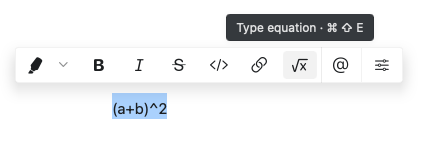
- Type
$twice to open the formula editor - Enter your mathematical notation (e.g.,
_2for subscript or^2for superscript) - Type
$twice again to close the formula
Craft uses LaTeX-style mathematical notation for formulas. For complex equations beyond simple subscripts and superscripts, see Math Formulas.